Text Editor Component Dialog in full screen view | Community
Skip to main content
New Participant
March 16, 2023
Solved

Text Editor Component Dialog in full screen view

  • March 16, 2023
  • 2 replies
  • 770 views

Hi All,

When i am try to open editing text editor component in full screen view then dialog box is not coming in with full width . I want to do these 2 thing in text editor component.


  • any chance to make these tool icons bigger in this view? For better usability by authors.
  • could you increase (mainly) the width of the edit entry window?
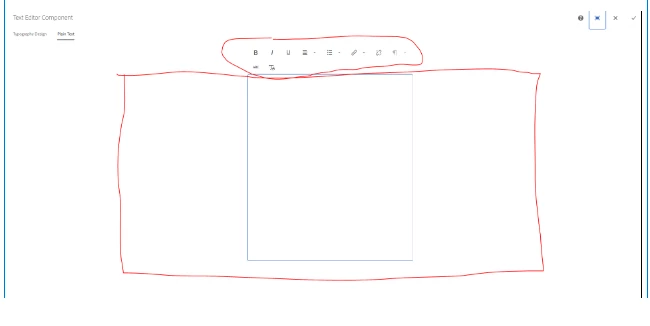


I want like this.


Thanks.


This post is no longer active and is closed to new replies. Need help? Start a new post to ask your question.
Best answer by arunpatidar

This is happend when you use fixedcolumn resource type. Use container without fixedcolumn then it should be fullwidth.


.cq-RichText-FixedColumn-column {
 width: 68.36%;

2 replies

arunpatidar
arunpatidarAccepted solution
New Participant
March 16, 2023

This is happend when you use fixedcolumn resource type. Use container without fixedcolumn then it should be fullwidth.


.cq-RichText-FixedColumn-column {
 width: 68.36%;
Arun Patidar
SivakumarKanoori
New Participant
March 16, 2023

@user00181 :


suspecting that granite:class is missing in your dialog: try this below : add the granite:class and try


regarding tool icons, i think you can acheive through the CSS by targeting as below

.


Thanks,Siva