Touch UI - get current selected image path from Granite PickerDialog | Community
Skip to main content
vikashy47555224
Level 2
Oct 15, 2018 10:56 AM UTC
Solved

Touch UI - get current selected image path from Granite PickerDialog

Hi,

I am using AEM 6.3 SP1. I have touch UI component which has Pathfield to select images from DAM. In touch UI, how one can get the current selected image path from granite picker dialog on click of "Select" button?
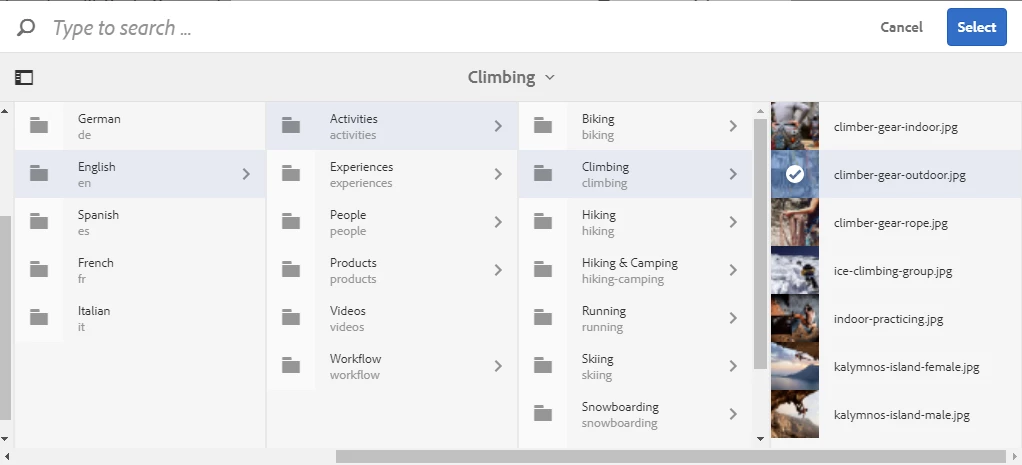
For example, on click of "Select" button, I want to capture selected image path in jquery script.

This post is no longer active and is closed to new replies. Need help? Start a new post to ask your question.
Peter_Puzanovs
Peter_PuzanovsAccepted solution
New Participant
Oct 15, 2018 12:26 PM UTC

Hello Vikash,

You could add following Jquery to capture current selection:

$(".is-selected.foundation-selections-item").attr("data-foundation-collection-item-id") // returns the path to selected item

Regards,

Peter

3 replies

Peter_Puzanovs
Peter_PuzanovsAccepted solution
New Participant
Oct 15, 2018 12:26 PM UTC

Hello Vikash,

You could add following Jquery to capture current selection:

$(".is-selected.foundation-selections-item").attr("data-foundation-collection-item-id") // returns the path to selected item

Regards,

Peter

Translate
smacdonald2008
Level 10
Oct 15, 2018 12:20 PM UTC

See this article to learn how to work with JS API with HTL - it will get you up and running - Creating a Tab layout component for Adobe Experience Manager

Translate
smacdonald2008
Level 10
Oct 15, 2018 12:19 PM UTC

To capture any component dialog value in JS script - you should use  JS API with HTL. To read a dialog field - you use syntax like:

var mypath= properties.path;

where path is the name of the  Pathfield in the touch ui dialog.

Translate