Touch UI Mode edit configs | Community
Skip to main content
Level 2
Jun 11, 2019 9:58 PM UTC
Solved

Touch UI Mode edit configs

Hi All, As we know, how AEM has edit bar for components in classic UI mode, do AEM 6.3 have any edit bars for touch UI mode, instead having the floating dialog. Issue is web-pages which are having more than 10 components on page, it is hard to differentiate from one component to other until unless we do mouse hover on the components. If there is no edit bars available for touch UI, any other solution which can be implemented, which will help business authors to differentiate component in the page in edit mode(touch-ui). Thanks for the help! Regards, -Krishna.

This post is no longer active and is closed to new replies. Need help? Start a new post to ask your question.
arunpatidar
arunpatidarAccepted solution
New Participant
Jun 12, 2019 12:25 PM UTC

Hi,

For RTE only, inline editing is available in Touch UI.

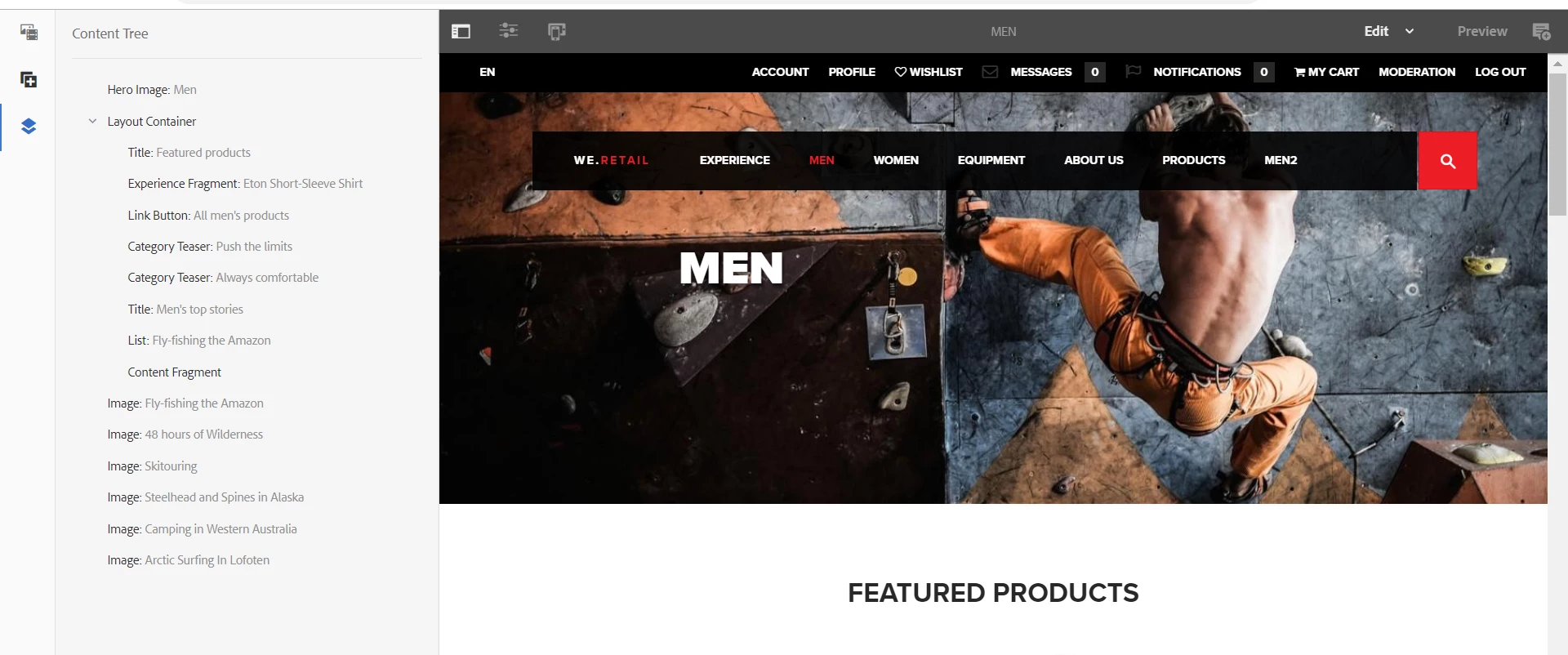
But you can see all the components in the page from content tree.

Arun Patidar

4 replies

Level 3
Jun 14, 2019 3:47 PM UTC

You do not actually need to use or call <sly data-sly-use.uiMode="/libs/wcm/foundation/components/utils/AuthoringUtils.js"> if you are just concerned with Touch mode. I had used that to detect if the page is being viewed in Classic mode so I could show a similar message to Classic users:

<div data-sly-test="${uiMode.isClassic}">Submit Button Component</div>

I've found this method of edit mode messages to be a useful way to communicate the component name. You could use CSS to style them further if you want to set them apart from regular text. They are also a good way to tell authors additional info about the component without having them open the dialog or perform other clicks.

Translate
Level 2
Jun 13, 2019 7:41 PM UTC

Hi Andy...Thanks for the response, it is helpful. I have tried both ways removing - <sly data-sly-use.uiMode="/libs/wcm/foundation/components/utils/AuthoringUtils.js"> and with it, checked in both classic and touch ui mode, both seems to be functionally working same, do we have any particular reason to use(calling) AuthoringUtils.js.

Translate
Level 3
Jun 12, 2019 7:27 PM UTC

One option is to edit your custom component so the name of the component is displayed in Touch edit mode. Say you have an HTL (aka Sightly) component for a submit button. Below is an example that shows how to make an edit mode message that displays the name of the component in Touch edit mode:

<sly data-sly-use.uiMode="/libs/wcm/foundation/components/utils/AuthoringUtils.js">

    <sly data-sly-test="${wcmmode.edit}">

        <div data-emptytext="Submit Button Component" class="cq-placeholder"> </div>

    </sly>

<input

    type="submit"

    name="Submit"

    value="Submit"/>

</sly>

Translate
arunpatidar
arunpatidarAccepted solution
New Participant
Jun 12, 2019 12:25 PM UTC

Hi,

For RTE only, inline editing is available in Touch UI.

But you can see all the components in the page from content tree.

Translate
Arun Patidar