Touch UI Page Properties - How do I drag & drop image in fileupload field | Community
Skip to main content
vikashy47555224
New Participant
October 30, 2018
Solved

Touch UI Page Properties - How do I drag & drop image in fileupload field

  • October 30, 2018
  • 3 replies
  • 2408 views

HI,

I have "Image" tab in my page component dialog (cq:dialog) where authors can drag & drop images from DAM. When I open page properties, I do not see any option to drag & drop images from DAM in touch ui.
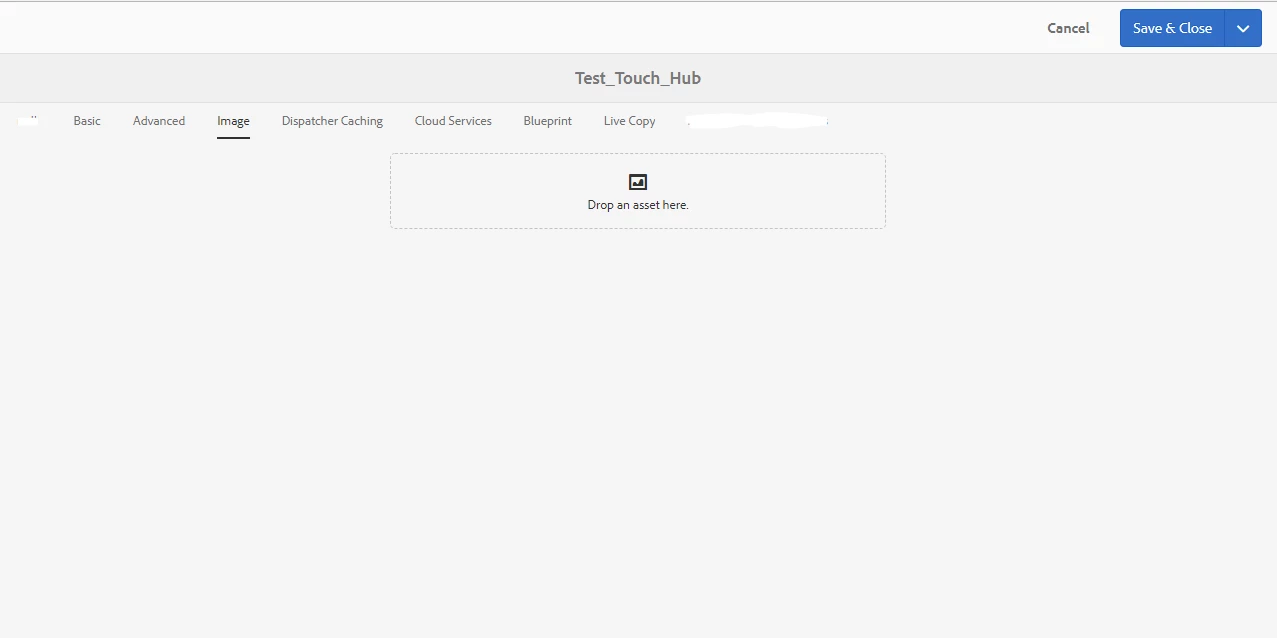
How should I drag & drop image in page properties ?

This post is no longer active and is closed to new replies. Need help? Start a new post to ask your question.
Best answer by Ravi_Pampana

Hi,

Starting from AEM 6.3, page properties are opening in full screen mode and it does not have option to drag and drop images.

Seems adobe is planning to fix it in future versions, may be in AEM 6.5.

I faced the same issue and created a custom component which updates node under /jcr:content as it updates when we add image to page properties.

3 replies

smacdonald2008
New Participant
November 5, 2018

As Ravi suggest - the solution is to write custom component.

Ravi_Pampana
Ravi_PampanaAccepted solution
New Participant
November 5, 2018

Hi,

Starting from AEM 6.3, page properties are opening in full screen mode and it does not have option to drag and drop images.

Seems adobe is planning to fix it in future versions, may be in AEM 6.5.

I faced the same issue and created a custom component which updates node under /jcr:content as it updates when we add image to page properties.

kautuk_sahni
Employee
November 5, 2018

smacdonald2008​ any help?

Kautuk Sahni