Unable to edit any component in AEM 6.3 Classic UI | Community
Skip to main content
ketanb
New Participant
Nov 22, 2017 5:27 AM UTC
Solved

Unable to edit any component in AEM 6.3 Classic UI

Hi,

We want to open and edit pages in classic UI mode in AEM 6.3. We enabled classic UI (disabled by default in AEM 6.3) by following the instructions here.

However when we open the Classic UI in AEM 6.3, it does seem as if the page has opened in edit mode (as seen from the sidekick option). The sidekick shows that the page is already open in edit mode. However we are not able to in-place edit any of the components (text, title, image, custom components). Or even if we right-click on the component, it doesn't show any option to edit. Check the attached screenshot of AEM 6.3 Classic UI mode showing edit not working.
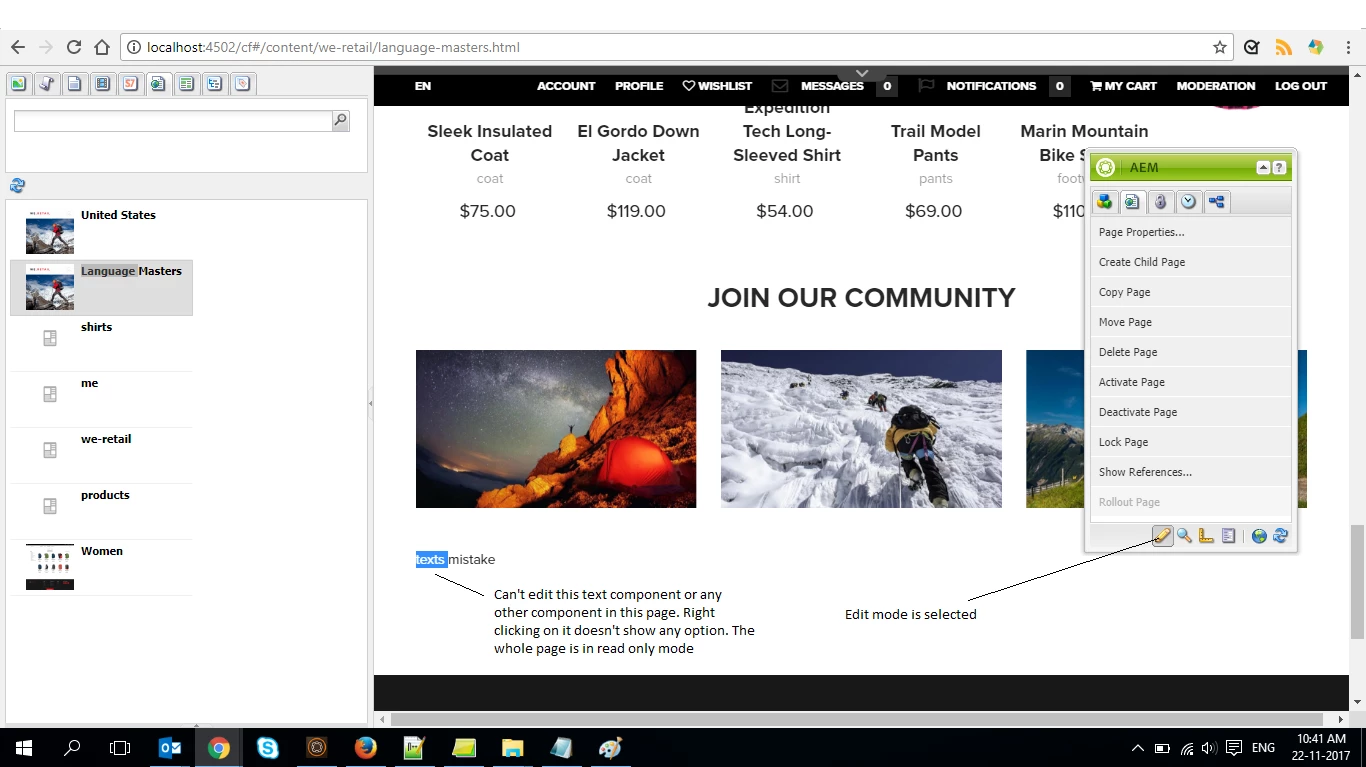
We also checked suggestion given here. Even though its for AEM 6.2. We already have the profile node present with correct value set up like the link says.

Thanks

This post is no longer active and is closed to new replies. Need help? Start a new post to ask your question.
kautuk_sahni
kautuk_sahniAccepted solution
Employee
Nov 22, 2017 9:13 AM UTC

Adding to Techaspect

This is AsDesigned behavior because WeRetail isn't supported on Classic UI by design.

You will be unable to edit WeRetail site whereas sites made from the static template are editable as mentioned by Techaspect that WeRetail  do not define dialog for classic UI.  A dialog defined for the classic UI will operate on the touch-optimized UI wheras a dialog defined for the touch-optimized UI will not operate on the classic UI.

Kautuk Sahni

6 replies

Techaspect_Solu
Level 7
Nov 23, 2017 8:58 AM UTC

Hi,

Please refer the link below. It has a package that uses both classic UI dialog and touch UI dialog.

https://helpx.adobe.com/experience-manager/using/creating-touchui-component.html

We hope this helps!

Regards,

TechAspect Solutions

Translate
ketanb
ketanbAuthor
New Participant
Nov 22, 2017 2:22 PM UTC

Thanks for the reply.

Since we.retail is not supported package, we will try to migrate Geometrixx package to 6.3 classic.

Can you point us to any publicly available AEM 6.3 packages that we can use with classic/touch UI for testing?

Translate
Techaspect_Solu
Level 7
Nov 22, 2017 9:17 AM UTC

Hi,

This is duplicate of below question:

Unable to edit components in AEM 6.3 Classic UI

We've already answered it. Please let us know if you need any other further information on this.

Regards,

TechAspect Solutions

Translate
kautuk_sahni
kautuk_sahniAccepted solution
Employee
Nov 22, 2017 9:13 AM UTC

Adding to Techaspect

This is AsDesigned behavior because WeRetail isn't supported on Classic UI by design.

You will be unable to edit WeRetail site whereas sites made from the static template are editable as mentioned by Techaspect that WeRetail  do not define dialog for classic UI.  A dialog defined for the classic UI will operate on the touch-optimized UI wheras a dialog defined for the touch-optimized UI will not operate on the classic UI.

Translate
Kautuk Sahni
kautuk_sahni
Employee
Nov 22, 2017 8:45 AM UTC

I can reproduce the behavior mentioned here. I have further asked the internal team to get back to me on this.

Translate
Kautuk Sahni
kautuk_sahni
Employee
Nov 22, 2017 8:23 AM UTC

Duplicate Question: - Unable to edit components in AEM 6.3 Classic UI

Translate
Kautuk Sahni