Unable to see the s3 asset ingestor tool | Community
Skip to main content
Level 4
Aug 11, 2020 5:30 PM UTC
Solved

Unable to see the s3 asset ingestor tool

I am trying to move bulk assets from s3 to AEM ..I was following along this https://adobe-consulting-services.github.io/acs-aem-commons/features/mcp-tools/asset-ingestion/s3-asset-ingestor/index.html . I got the s3 connector(1.8.6) installed in my local .. and i am using service pack 6.5.4 and acs commons 4.8 version.. I tried to start my AEM but i dont see this s3 ingestor tool. Can i know what else could i check to make sure i see that tool 
This post is no longer active and is closed to new replies. Need help? Start a new post to ask your question.
leoberliantAccepted solution
Employee
Aug 11, 2020 8:33 PM UTC

How did you install the S3 connector? You should download S3 connector zip that fits into your version of AEM version, stop AEM  and paste 

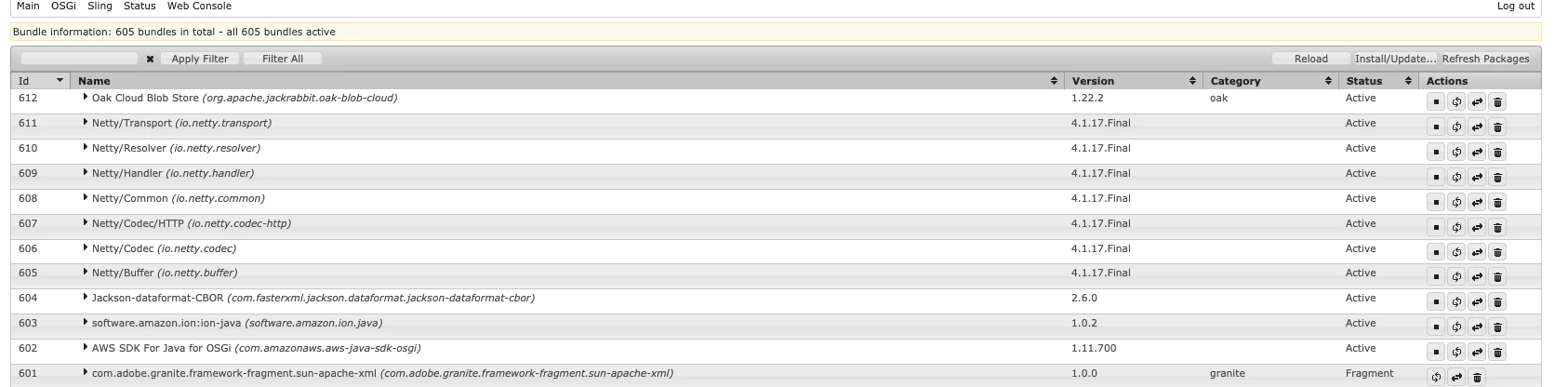
/Users/berliant/Downloads/com.adobe.granite.oak.s3connector-1.10.10/jcr_root/libs/system/install into crx-quickstart folder. Start AEM and make sure that all bundles are in runing state.


6 replies

Employee
Aug 11, 2020 9:15 PM UTC

From AEM TouchUI

Click Tools -> ACS AEM Common -> Manage Controlles Processes 

Click Start Process button

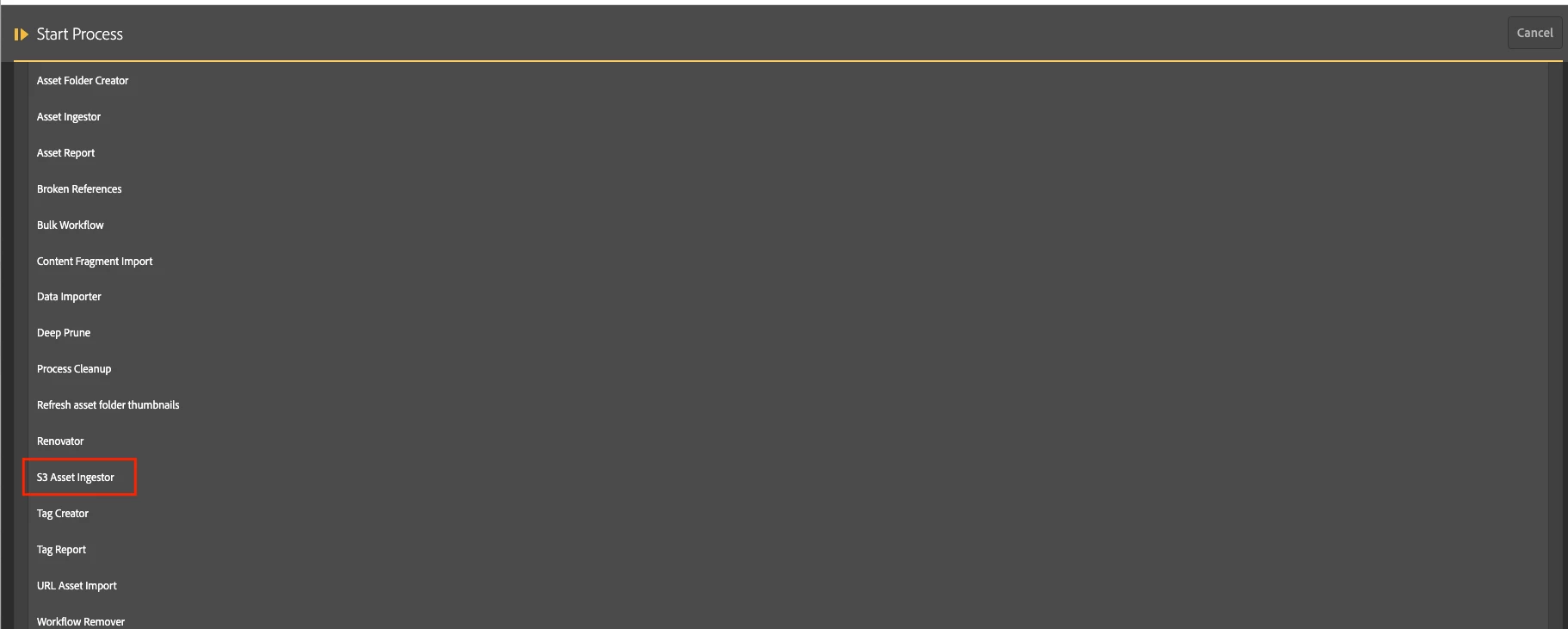
From the list of available tasks select S3 Asset Ingestor 

Translate
AEMnewbieAuthor
Level 4
Aug 11, 2020 9:30 PM UTC
Thanks!! @leoberliant
Translate
leoberliantAccepted solution
Employee
Aug 11, 2020 8:33 PM UTC

How did you install the S3 connector? You should download S3 connector zip that fits into your version of AEM version, stop AEM  and paste 

/Users/berliant/Downloads/com.adobe.granite.oak.s3connector-1.10.10/jcr_root/libs/system/install into crx-quickstart folder. Start AEM and make sure that all bundles are in runing state.


Translate
AEMnewbieAuthor
Level 4
Aug 11, 2020 9:11 PM UTC
@leoberliant ..Yeah thats exactly how i installed the connector.. And i see all the bundles running fine.. wondering if you could point me to the endpoint which is taking you to the second screenshot..
Translate
vanegi
Employee
Aug 11, 2020 5:37 PM UTC

Are you checking with admin user? This https://adobe-consulting-services.github.io/acs-aem-commons/features/mcp-tools/asset-ingestion/s3-asset-ingestor/index.html says that this tool only appears for the “admin” user right now.

Translate
AEMnewbieAuthor
Level 4
Aug 11, 2020 5:40 PM UTC
Yes i am logged in as Admin
Translate