Unlock Page not working - Touch UI - Page Edit | Community
Skip to main content
VeenaVikraman
New Participant
August 29, 2017
Solved

Unlock Page not working - Touch UI - Page Edit

  • August 29, 2017
  • 14 replies
  • 5413 views

Hi

    I am facing an issue with unlocking a page . I tried it in 3 ways

1. Via the sites.html top menu bar  - Works fine

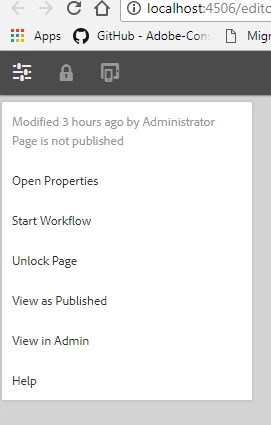
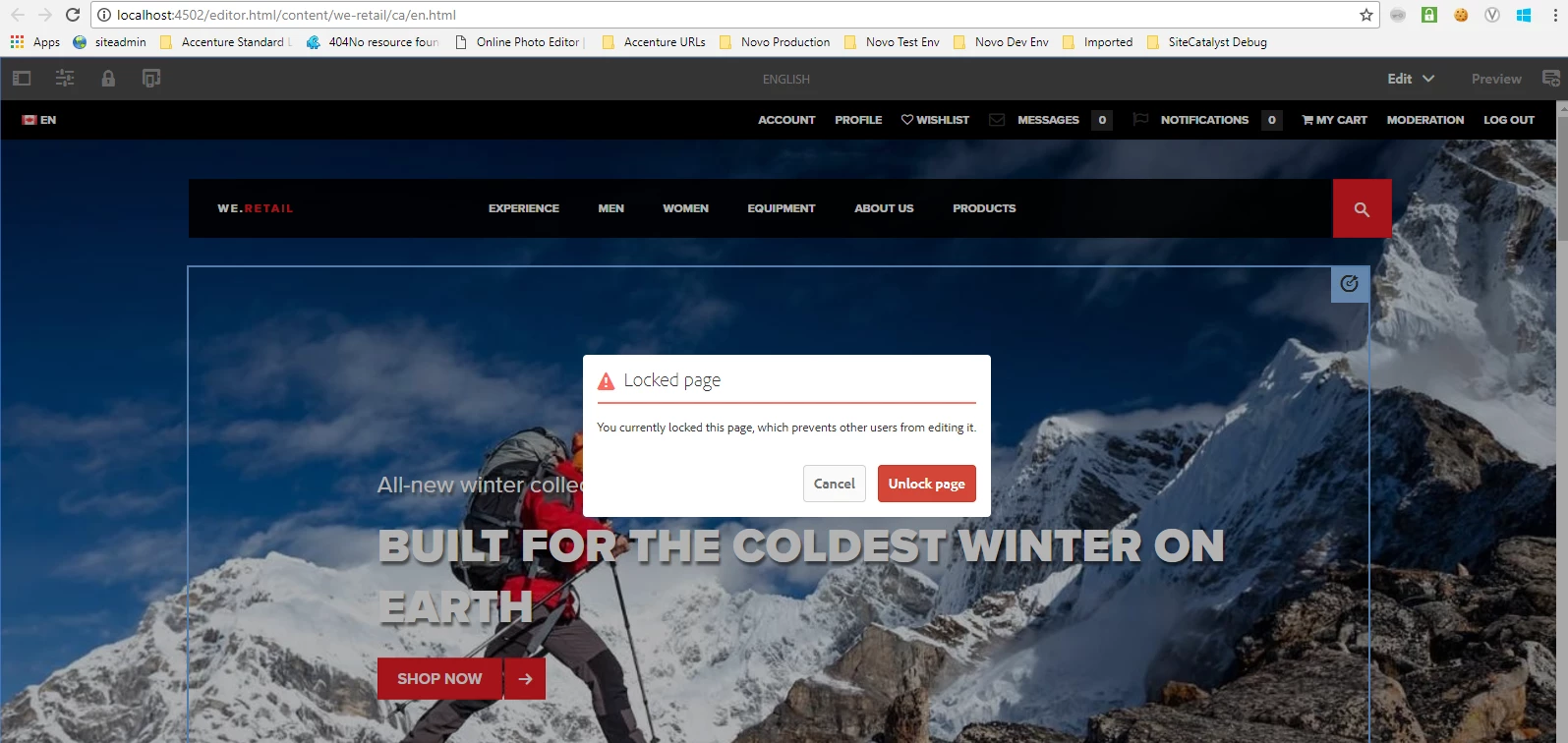
2. The Properties tab in the page top left corner  - Not working
3. The classic UI siteadmin - Working Fine

        smacdonald2008kautuksahni​ Is this an issue in AEM ? I faced the same issue in my STAGE server too ? Please find a screen share to help you understand the issue more clear

https://www.screencast.com/t/1kfsQ1xljYg

Thanks

Veena
This post is no longer active and is closed to new replies. Need help? Start a new post to ask your question.
Best answer by Ratna_Kumar

Hey kautuksahni, Veena_07

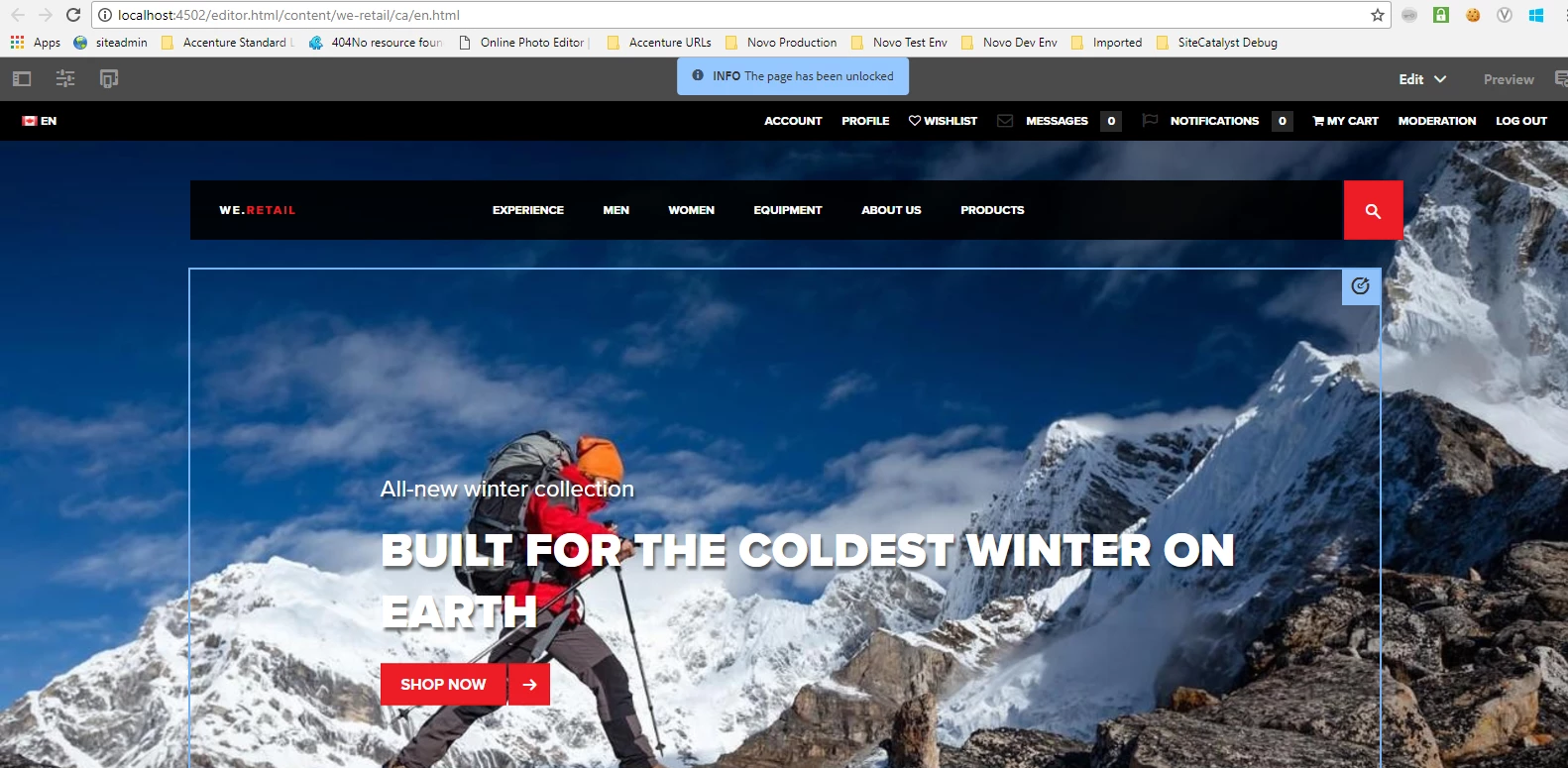
You are correct. I installed fresh instance AEM 6.3 and tested. It works!! Attaching the screenshot below.

Thanks,

Ratna.

14 replies

VeenaVikraman
New Participant
September 1, 2017

smacdonald2008​ I will get in touch with my BU for the same

Thanks

Veena

New Participant
September 14, 2021

Why this issue happens custom pages?


In we-retail pages it works, because cq.shared library is included as part of the page itself in the one of the scripts for ex: (/libs/wcm/foundation/components/basicpage/v1/basicpage/basicpage.html).


To fix the issue, copy the same the below lines code in any of the head.html where head is included in your custom page scripts.


<sly data-sly-use.clientlib="${'/libs/granite/sightly/templates/clientlib.html'}">
<sly data-sly-test="${!wcmmode.disabled}"
data-sly-call="${clientlib.all @ categories = [
'cq.authoring.page',
'cq.shared',
'cq.foundation-main',
'wcm.foundation.components.parsys.allowedcomponents'
]
}"></sly>

smacdonald2008
New Participant
September 1, 2017

To raise a ticket - email cuscare@adobe.com to ensure you have an account.  You should include your email address and company as well as the company’s Customer Id (EUID)

VeenaVikraman
New Participant
September 1, 2017

smacdonald2008kautuksahni​ Would you be able to help with a bug ticket ? I am afraid I don't have access to raise a day care ticket

Ratna_Kumar
New Participant
September 1, 2017

Hey Veena,

I think you are right. See my first comment when I tried in custom page I see the same error.

core.js:32697 Uncaught TypeError: Cannot read property 'shared' of undefined

    at HTMLButtonElement.unlockPage (core.js:32697)

    at HTMLDocument.dispatch (jquery.js:5226)

    at HTMLDocument.elemData.handle (jquery.js:4878)

If it is working in We retail page and not in custom page, it could be a bug. I suggest you to raise the Day care support ticket.

Thanks,

Ratna.

VeenaVikraman
New Participant
September 1, 2017

Ratna Kumar​ I see you also tried it in We.retail, Can you try this on a new project site as you tried in the first instance ?

VeenaVikraman
New Participant
September 1, 2017

kautuksahni

     This is working for the We.retail example for me in my old and new 6.3 . But when I try it in a custom page , it throws the below error

     This is a custom page created from scratch . Project created using AEM developer tool with Maven archetype 10.  Do you think it is expecting any foundation JS to be included in the page template ?

kautuk_sahni
Employee
September 1, 2017

Any browser error? Also, check AEM error.log.

~kautuk

Kautuk Sahni
VeenaVikraman
New Participant
September 1, 2017

I didn't get this message at all when I tried the same

Ratna_Kumar
Ratna_KumarAccepted solution
New Participant
August 31, 2017

Hey kautuksahni, Veena_07

You are correct. I installed fresh instance AEM 6.3 and tested. It works!! Attaching the screenshot below.

Thanks,

Ratna.

kautuk_sahni
Employee
August 31, 2017

See this:- ScreenCast Video

Working fine for me.

~kautuk

Kautuk Sahni