Uploading assets using file upload | Community
Skip to main content
Karl515
Level 5
Mar 7, 2019 8:07 AM UTC

Uploading assets using file upload

I'm uploading assets using

But how can I make the uploaded file display?

my Properties
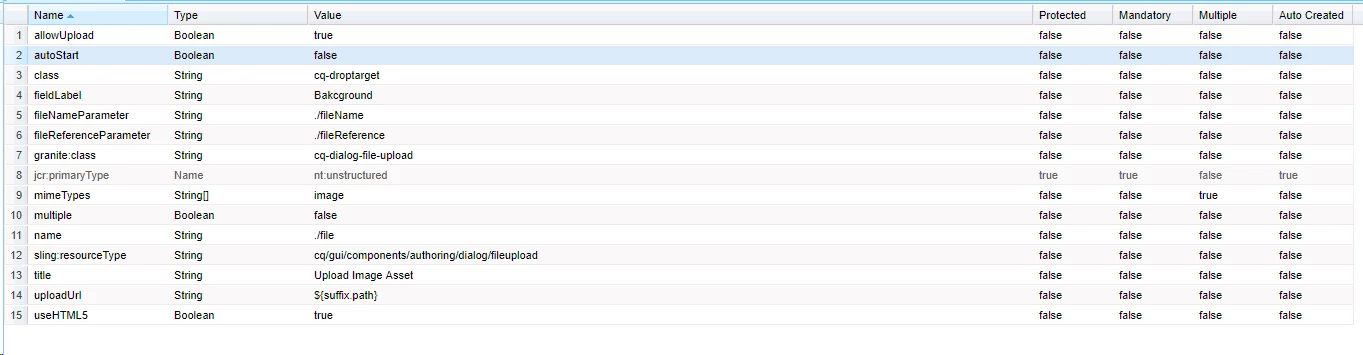
I've done a little research so I know that they created files under my components
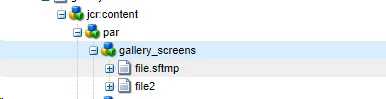
But how can I retrieve that files?

Thanks!

This post is no longer active and is closed to new replies. Need help? Start a new post to ask your question.

3 replies

arunpatidar
New Participant
Mar 7, 2019 2:27 PM UTC

Hi,

Please check OOTB or core image component implementaion. you need to check wether image is local or from DAM. And accordingly you need to include.

/libs/wcm/foundation/components/image/image.js

aem-core-wcm-components/ImageImpl.java at master · adobe/aem-core-wcm-components · GitHub 

Translate
Arun Patidar
Karl515
Karl515Author
Level 5
Mar 12, 2019 1:40 AM UTC

Hello there.

Thanks for the answer.

I'm trying to create multiple fields in the same component like this

But the problem is both file field only reads file under

/content/

if I rename the to file2, yes it creates file2 under /content/ but it only reads "file".

So if I put something in the first field, it also reflects in all image fields, cause they all read the same "file" under /content/

how can I make one image field read file, anothe image field read file2. and so on.

Translate
arunpatidar
New Participant
Mar 12, 2019 9:36 PM UTC

Hi,

It is because of below line of code in image.js-

// check if there's a local file image under the node

    granite.resource.resolve(granite.resource.path + "/file").then(function (localImageResource) {

Can you try to modify your dialog and save image under item node

e.g. name=./item/file

To achieve this you may need to use java but you can try above.

Translate
Arun Patidar