Using data-sly-list with multifield to include components | Community
Skip to main content
New Participant
February 1, 2022

Using data-sly-list with multifield to include components

  • February 1, 2022
  • 2 replies
  • 1936 views

I'm trying to loop through columns and rows to define a table like structure and add authoring interfaces for each cell with a component 


<sly data-sly-use.count="count.js" data-sly-unwrap data-sly-use.model="com.example.core.models.content.TableOfContentsModel"/> <div data-sly-test="${wcmmode.edit}" class="cq-placeholder cq-marker-start" data-emptytext="${component.title} Component" style="min-width:250px; min-height:100px;"></div> <div class="container "> <div class="table"> <sly data-sly-list.row="${count.numberOfRows}"> <div class="table-row"> <sly data-sly-list.column="${model.numberOfColumns}"> <div class="table-cell" data-sly-test.resourceNode="${['logo2',row.intValue, column.intValue] ='-'}"> <div data-sly-resource="${ =resourceNode, resourceType='example/components/content/tableLongForm/rte'}" data-sly-unwrap="${!wcmmode.edit && !wcmmode.preview}" style="min-width:60px;"> </div> </div> </sly> </div> </sly> </div> </div>


The data-sly-list.row="${count.numberOfRows}" array iterates through and repeats the table-row class and adds Rte component in each of the row but the multifield array data-sly-list.card="${model.listOfChapters}" only repeats the html element but dosent add that many number of Rte components and I'm left with only one Rte component per row as shown in the  image.
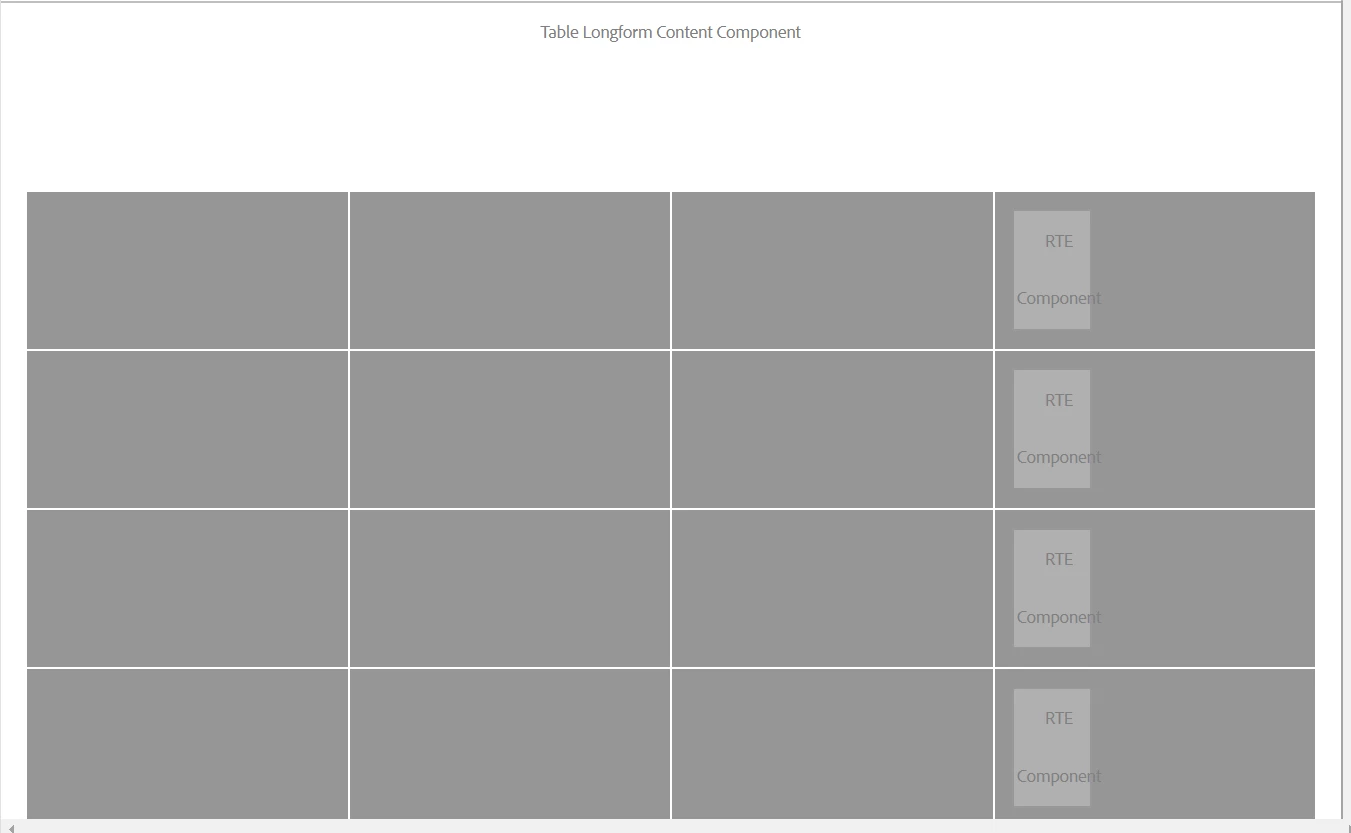
 

Am I doing it right or is there any other approach that I can use?
Thanks in advance!

This post is no longer active and is closed to new replies. Need help? Start a new post to ask your question.

2 replies

MukeshYadav_
New Participant
July 17, 2024

Hi all, 

this type of requirement can be achieved by providing unique value to each resource

<sly data-sly-use.count="count.js" data-sly-unwrap
data-sly-use.model="com.example.core.models.content.TableOfContentsModel"/>

<div data-sly-test="${wcmmode.edit}" class="cq-placeholder cq-marker-start"
data-emptytext="${component.title} Component" style="min-width:250px; min-height:100px;"></div>


<div class="container ">

<div class="table">
<sly data-sly-list.row="${count.numberOfRows}">
<div class="table-row">
<sly data-sly-list.column="${model.numberOfColumns}">
<sly class="table-cell" data-sly-test.resourceNode="cmp-${resource.path.hashCode}-${rowList.count}${columnList.count}"></sly>
<div data-sly-resource="${ resourceNode,
resourceType='example/components/content/tableLongForm/rte'}"
data-sly-unwrap="${!wcmmode.edit && !wcmmode.preview}" style="min-width:60px;">
</div>
 
</sly>
</div>
</sly>
</div>
</div>
Here resource node will always have unique value even if multiple component is added on the same page and work correctly.
${resource.path.hashCode} => will have unique value for each component
${rowList.count} => will be unique for each row withing that corresponding component
${columnList.count} => will be unique for each column withing that corresponding component
 
Thanks
Anmol_Bhardwaj
New Participant
February 2, 2022

I think there are 4 RTEs added but they are overlapping one another.

Try adding unique id to each div ( you can use list index for that), and then write some CSS to position these elements.

You would be able to see those RTEs now.


HiteshRa3Author
New Participant
February 2, 2022

I rechecked in the content tree, there are only 4 RTE's (one RTE per row). They are not overlapping


I tried to author one RTE and it gets applied to every cell in the row


New Participant
February 4, 2022

Can you make below changes and test? Looks like your resource name is duplicate:

<div class="table-cell" data-sly-test.resourceNode="${'{0}{1}{2}' @ format=['row2',rowList.count, columnList.count], i18n}">
<div data-sly-resource="${ resourceNode @ resourceType='demo/components/text'}" data-sly-unwrap="${!wcmmode.edit && !wcmmode.preview}" style="min-width:60px;">