Vertical Carousel with number
Dear All, I want to put the number when somebody selected the respective slide in carousel.
For example , I have 5 slides in my carousel and when somebody will select the slide 1 then number 1 will be displayed , as shown below.

For this I have added below in my mckcarousel.less file , as shown below.
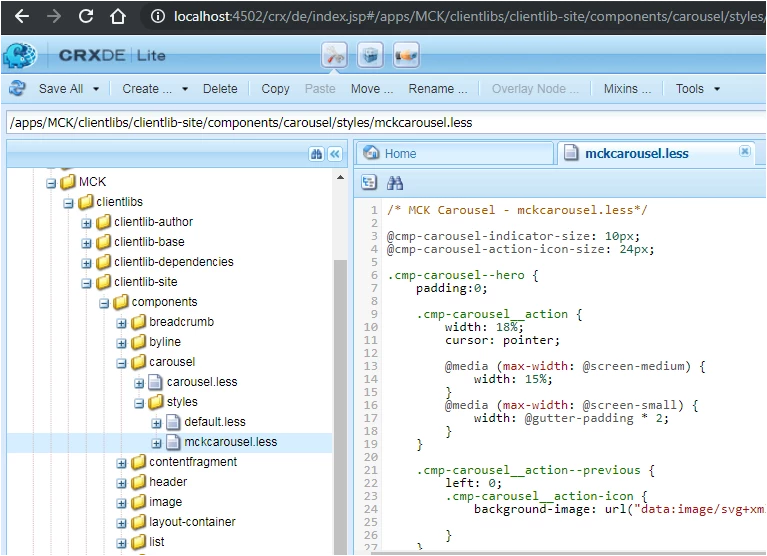
/* MCK Carousel - mckcarousel.less*/
@cmp-carousel-indicator-size: 10px;
@cmp-carousel-action-icon-size: 24px;
.cmp-carousel--hero {
padding:0;
.cmp-carousel__action {
width: 18%;
cursor: pointer;
@media (max-width: @screen-medium) {
width: 15%;
}
@media (max-width: @screen-small) {
width: @gutter-padding * 2;
}
}
.cmp-carousel__action--previous {
left: 0;
.cmp-carousel__action-icon {
background-image: url("data:image/svg+xml;charset=utf8,%3Csvg xmlns='http://www.w3.org/2000/svg' fill='%23666' viewBox='0 0 8 8'%3E%3Cpath d='M5.25 0l-4 4 4 4 1.5-1.5-2.5-2.5 2.5-2.5-1.5-1.5z'/%3E%3C/svg%3E");
}
}
.cmp-carousel__action--next {
right: 0;
.cmp-carousel__action-icon {
background-image: url("data:image/svg+xml;charset=utf8,%3Csvg xmlns='http://www.w3.org/2000/svg' fill='%23666' viewBox='0 0 8 8'%3E%3Cpath d='M2.75 0l-1.5 1.5 2.5 2.5-2.5 2.5 1.5 1.5 4-4-4-4z'/%3E%3C/svg%3E");
}
}
.cmp-carousel__indicators {
.container-content();
padding: 0;
bottom: 50px;
padding-left: @gutter-padding * 2;
top: 30%;
height: 82px;
margin: 40px 40px 20px 20px;
width: 52px;
display: inline-block;
justify-content: left;
list-style: none;
background-color: transparent;
@media (max-width: @screen-medium) {
justify-content: center;
}
}
.cmp-carousel__indicator {
position: relative;
cursor: pointer;
height: 82px;
margin: 20px 20px 10px 10px;
width: 52px;
width: @cmp-carousel-indicator-size;
height: @cmp-carousel-indicator-size;
margin: 10px 12px;
border-radius: 50%;
font-size: 10;
text-indent: -3000px;
background-color: rgba(116, 116, 116, 0.5);
&--active {
background-color: rgba(0, 0, 0, 0.9);
}
}
}
/******************************************************************************************************/
My current page is looking like below.
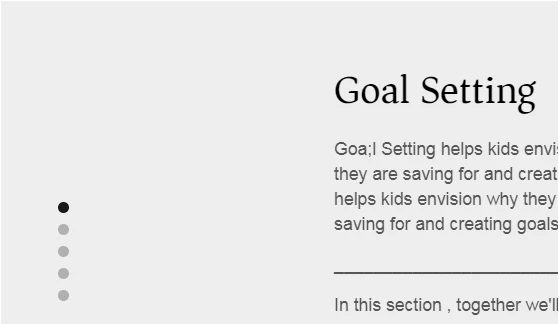
But , I am not sure where can I show the number when somebody will select the slide in above less file? Can somebody please help me on this. Also how can we increase the width and height of carousel dot ?
