What's the proper way to enable Classic UI in 6.3 | Community
Skip to main content
Level 3
Mar 21, 2018 10:41 PM UTC
Solved

What's the proper way to enable Classic UI in 6.3

I tried following the instructions here - Enabling Classic UI in Editor in 6.3

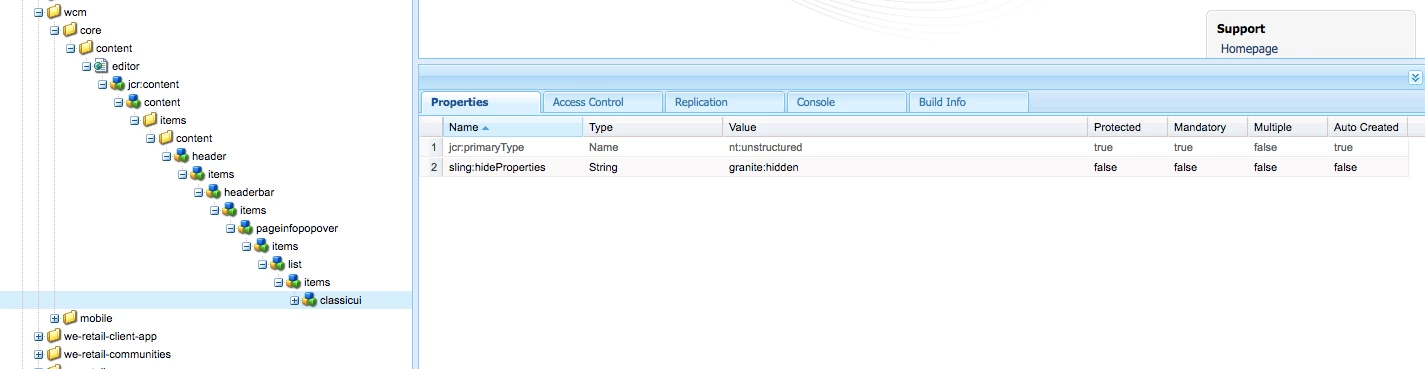
Here's what this looks like in CRXDE.
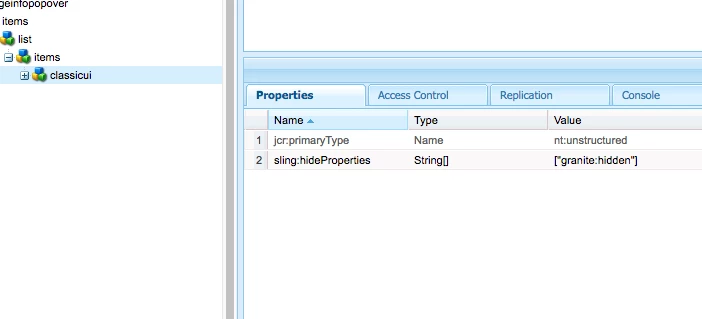
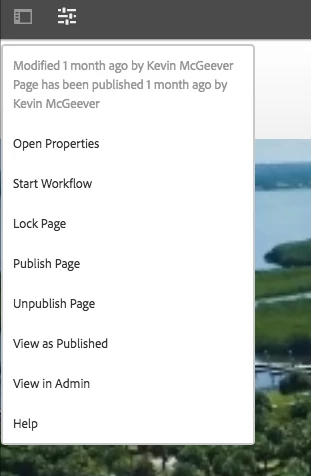
This didn't work, though.  https://helpx.adobe.com/experience-manager/6-3/sites/administering/using/enable-classic-ui-editor.html
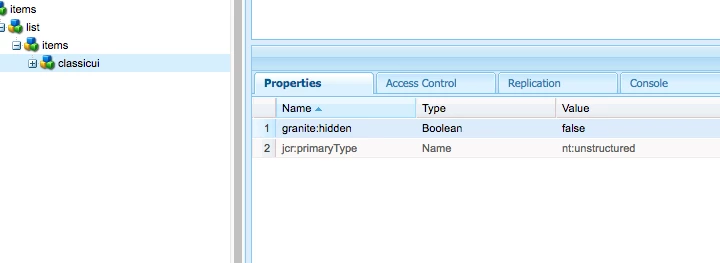
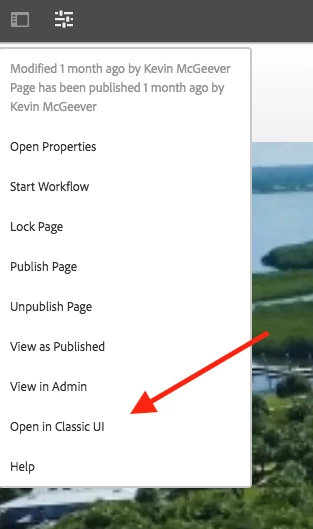
However, if in the overlay I just explicitly set that field ("granite:hidden") to false, it works as described in the linked article.
Does anyone know what's happening here? I'm happy to work with this, but I'd like to understand what's happening.

This post is no longer active and is closed to new replies. Need help? Start a new post to ask your question.
Ratna_Kumar
Ratna_KumarAccepted solution
Level 10
Mar 22, 2018 6:45 AM UTC

Hi Preston,

I see that you are doing mistake while adding property to the overlaid node.

You must add as per the below screenshot. Property must be sling:hideProperties - String - granite:hidden not [granite:hidden]

And it will show Open in classic UI as shown below

Hope this helps!!

~Ratna.

4 replies

Level 3
Mar 23, 2018 5:25 AM UTC

Thanks, Ratna Kumar​! Does the documentation need to be updated on the page I linked to, then, to reflect this?

Translate
smacdonald2008
Level 10
Mar 22, 2018 3:03 PM UTC
Ratna_Kumar
Ratna_KumarAccepted solution
Level 10
Mar 22, 2018 6:45 AM UTC

Hi Preston,

I see that you are doing mistake while adding property to the overlaid node.

You must add as per the below screenshot. Property must be sling:hideProperties - String - granite:hidden not [granite:hidden]

And it will show Open in classic UI as shown below

Hope this helps!!

~Ratna.

Translate
Hemant_arora
Level 8
Mar 22, 2018 6:15 AM UTC

Its working well for me. Opens fine in classic UI

Translate