Where to find an image being used on a page in Assets | Community
Skip to main content
New Participant
March 8, 2022
Solved

Where to find an image being used on a page in Assets

  • March 8, 2022
  • 1 reply
  • 1006 views

I want to see where a digital asset is being used on a page. Where would I look to find it in Asset?

This post is no longer active and is closed to new replies. Need help? Start a new post to ask your question.
Best answer by lukasz-m

Hi @0cean, please follow below steps:

  1. Navigate to Assets -> Files.
  2. Locate asset you would like to check.
  3. Select the asset and choose Properties from top menu.
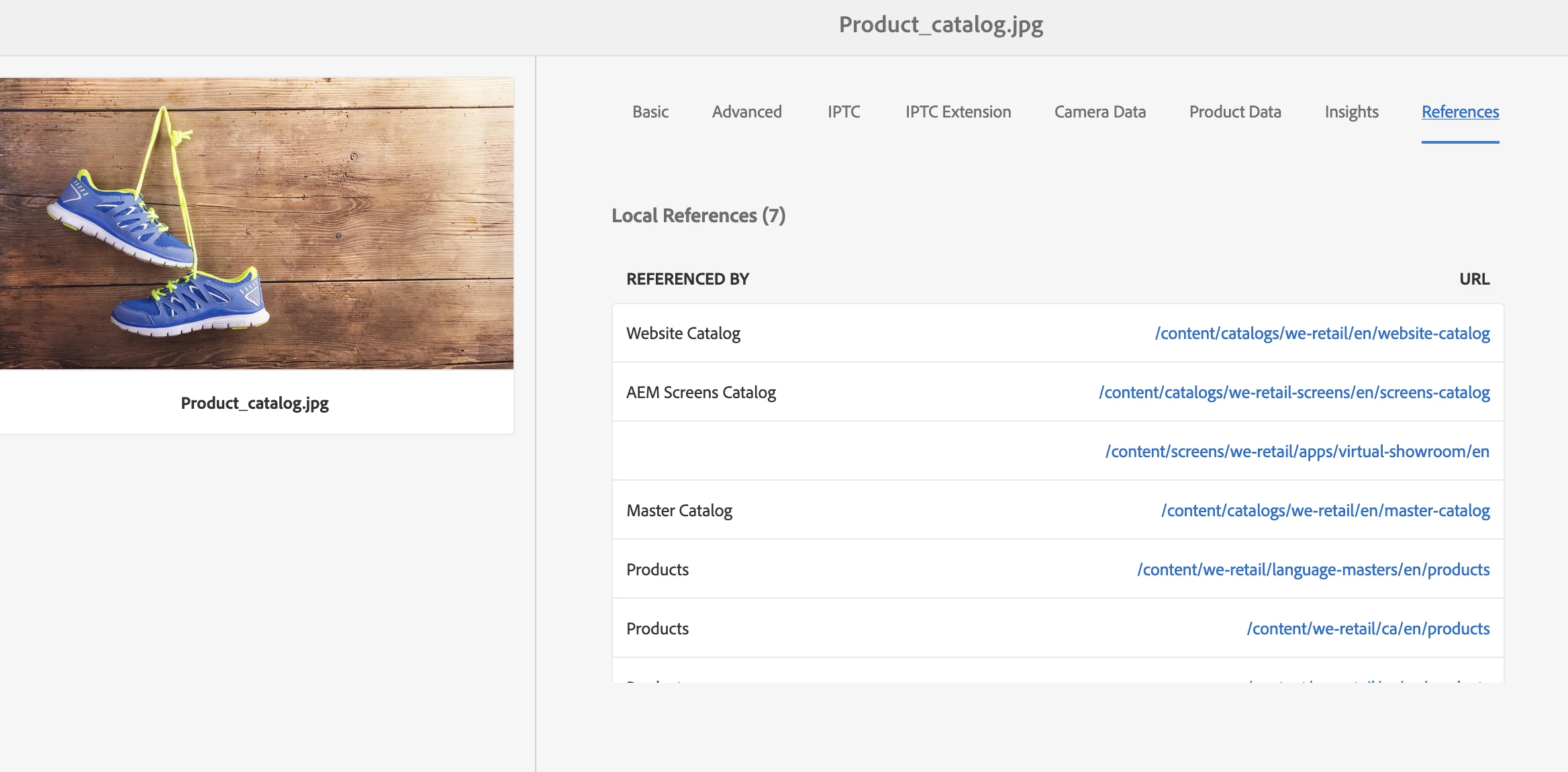
  4. In asset properties view switch to References tab.

You will see list of pages that use specific asset. Like below
1 reply

lukasz-m
lukasz-mAccepted solution
New Participant
March 8, 2022

Hi @0cean, please follow below steps:

  1. Navigate to Assets -> Files.
  2. Locate asset you would like to check.
  3. Select the asset and choose Properties from top menu.
  4. In asset properties view switch to References tab.

You will see list of pages that use specific asset. Like below

New Participant
January 30, 2023

How do I ge the report of all the images being used across website.