While building existing AEM archetype project throwing an error | Community
Skip to main content
New Participant
November 19, 2017
Solved

While building existing AEM archetype project throwing an error
  • November 19, 2017
  • 20 replies
  • 5202 views

Hi,

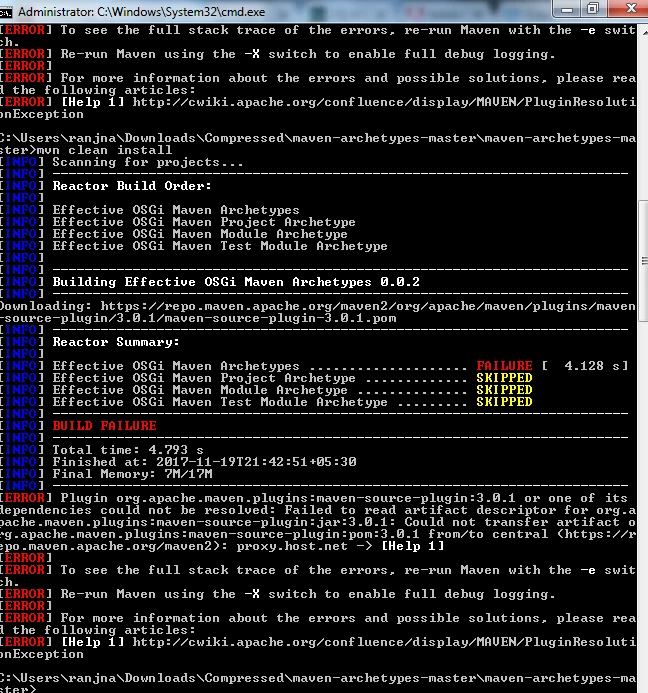
I am using AEM 6.1 and  took the aem archetype project from the official website of AEM which is maven-archetype-master . When i am trying to build the project with mvn-clean-install it is throwing the below error

[ERROR] Plugin org.apache.maven.plugins:maven-source-plugin:3.0.1 or one of its

dependencies could not be resolved: Failed to read artifact descriptor for org.a

pache.maven.plugins:maven-source-plugin:jar:3.0.1: Could not transfer artifact o

rg.apache.maven.plugins:maven-source-plugin:pom:3.0.1 from/to central (https://r

epo.maven.apache.org/maven2): proxy.host.net -> [Help 1]

earlier i was using maven 3.5.0 but later changed it to version 3.0.1 but still issue persist.

Could someone please help on the same , i have been trying it from so long but could not resolve it .

Is it because maven is not able to download the plugin from the repository? if yes then how it can be resolved?

any help on this would be really appreciated.

Thanks

Ranjna
This post is no longer active and is closed to new replies. Need help? Start a new post to ask your question.
Best answer by smacdonald2008

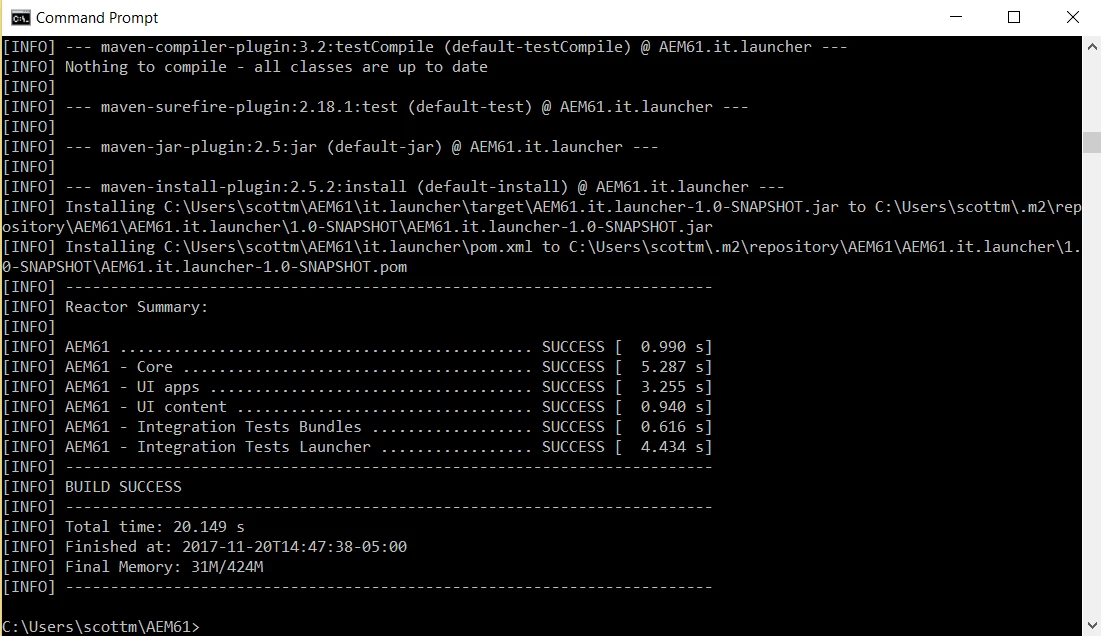
I just tested the above article. I changed to use UBER 6.1 in the POM. It worked:

Deployed to AEM using mvn -PautoInstallPackage install

20 replies

smacdonald2008
New Participant
November 21, 2017
smacdonald2008
New Participant
November 21, 2017

The C:\AdobeCQ is only a example windows based path i use when creating Maven Projects-  you can use what ever path you want.

FOr Maven 10 -- use this command:

mvn archetype:generate -DarchetypeGroupId=com.adobe.granite.archetypes -DarchetypeArtifactId=aem-project-archetype -DarchetypeVersion=10 -DarchetypeRepository=https://repo.adobe.com/nexus/content/groups/public/

Then fill in the input values as you see in the article --

Adobe Experience Manager Help | Creating your first Adobe Experience Manager 6.2 Project using Adobe Maven Archetype 10

This will build a project from scratch that you can them import into AEM using this command

mvn -PautoInstallPackage -install

You see that too in the article

FOllow all the steps and you will get the example project into AEM.

ranjnaAuthor
New Participant
November 21, 2017

Yes i am doing it in my local system not on any environment and

i just had few questions

Is this the build from scratch?

do i need to follow the same folder structure ?

Do i need a pom.xml in the blank folder to build the archetype?

is this the correct way to use the command when opening a cmd

C:\AdobeCQ>mvn archetype:generate -DarchetypeGroupId=com.adobe.granite.archetype

s -DarchetypeArtifactId=aem-project-archetype -DarchetypeVersion=10 -DarchetypeR

epository=https://repo.adobe.com/nexus/content/groups/public/ -DgroupId=AEM62App

-DartifactId=echo62 -Dversion=1.0-SNAPSHOT -Dpackage=com.aem.community -DappsFo

lderName=AEM62App -DartifactName=AEM62App -DcomponentGroupName=AEM62 -DcontentFo

lderName=AEM62App -DcssId=AEM62CSS -DpackageGroup=AEM62App -DsiteName=AEM62App

smacdonald2008
New Participant
November 21, 2017

Try following the artilce i listed above. I just tested yesterday and it worked perfectly. Also - if you have another computer try that too. Make sure its not your environment.

ranjnaAuthor
New Participant
November 21, 2017

Hi

i took the package from github repository and based on your comment changed the Uber jar 6.1 but still the build is getting failure . now i am facing the below error

joerghoh
Employee
November 20, 2017

In your error message I see the string "proxy.host.net" ... which makes me think that you have configured a proxy, which is likely non existent.

Please validate your maven setup not to use any proxy or configure the correct proxy.

Jörg

smacdonald2008
smacdonald2008Accepted solution
New Participant
November 20, 2017

I just tested the above article. I changed to use UBER 6.1 in the POM. It worked:

Deployed to AEM using mvn -PautoInstallPackage install

smacdonald2008
New Participant
November 20, 2017

Try following this for AEM 6.1. Change the UBER JAR to 6.1 in the POM

Adobe Experience Manager Help | Creating your first Adobe Experience Manager 6.2 Project using Adobe Maven Archetype 10

This works

ranjnaAuthor
New Participant
November 20, 2017
Ratna_Kumar
New Participant
November 20, 2017

Hi Ranjna,

Could you tell us from where you downloaded that project, so that we could also test the same.

Thanks,

Ratna.