Why the asset upload process failed and how to solve this problem | Community
Skip to main content
New Participant
December 20, 2021
Solved

Why the asset upload process failed and how to solve this problem

  • December 20, 2021
  • 3 replies
  • 5461 views

Hi everyone!


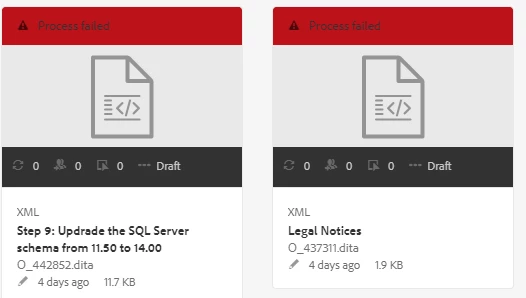
I uploaded files to AEM Assets, but I see process failed. However, I can still open, view, and edit the content.


Please help me with this.

TKS
This post is no longer active and is closed to new replies. Need help? Start a new post to ask your question.
Best answer by milind_bachani

Hi @user09510 ,

Can you share the requests failing here.

Open DevTools -> Navigate to NETWORK tab -> Try the activity again leading to this error and share the screenshot of requests failing (having error code 5xx or 4xx).


Also try checking the log files for any errors being reported relevant to the performed activity.

Thanks.

3 replies

Raja-Karuppsamy
New Participant
December 26, 2021

@user09510 Can you check the workflow process step -> dam update asset workflow .

1. Create a custom log for DAM upload step and tail the logs when you are trying the upload the DAM assets.

2. Check the workflow console if anything failed in failure tab.


Regards.,

Raja

MayurSatav
New Participant
December 20, 2021

Hi @user09510,


Can you please tell me which AEM version you are using, on premise? or cloud?

milind_bachani
milind_bachaniAccepted solution
Employee
December 20, 2021

Hi @user09510 ,

Can you share the requests failing here.

Open DevTools -> Navigate to NETWORK tab -> Try the activity again leading to this error and share the screenshot of requests failing (having error code 5xx or 4xx).


Also try checking the log files for any errors being reported relevant to the performed activity.

Thanks.