WKND - issue for importing file to Eclipse | Community
Skip to main content
New Participant
Sep 4, 2020 9:23 PM UTC
Solved

WKND - issue for importing file to Eclipse

I am a very beginner for AEM and was following WKND Tutorial. (https://docs.adobe.com/content/help/en/experience-manager-learn/foundation/development/set-up-a-local-aem-development-environment.html )

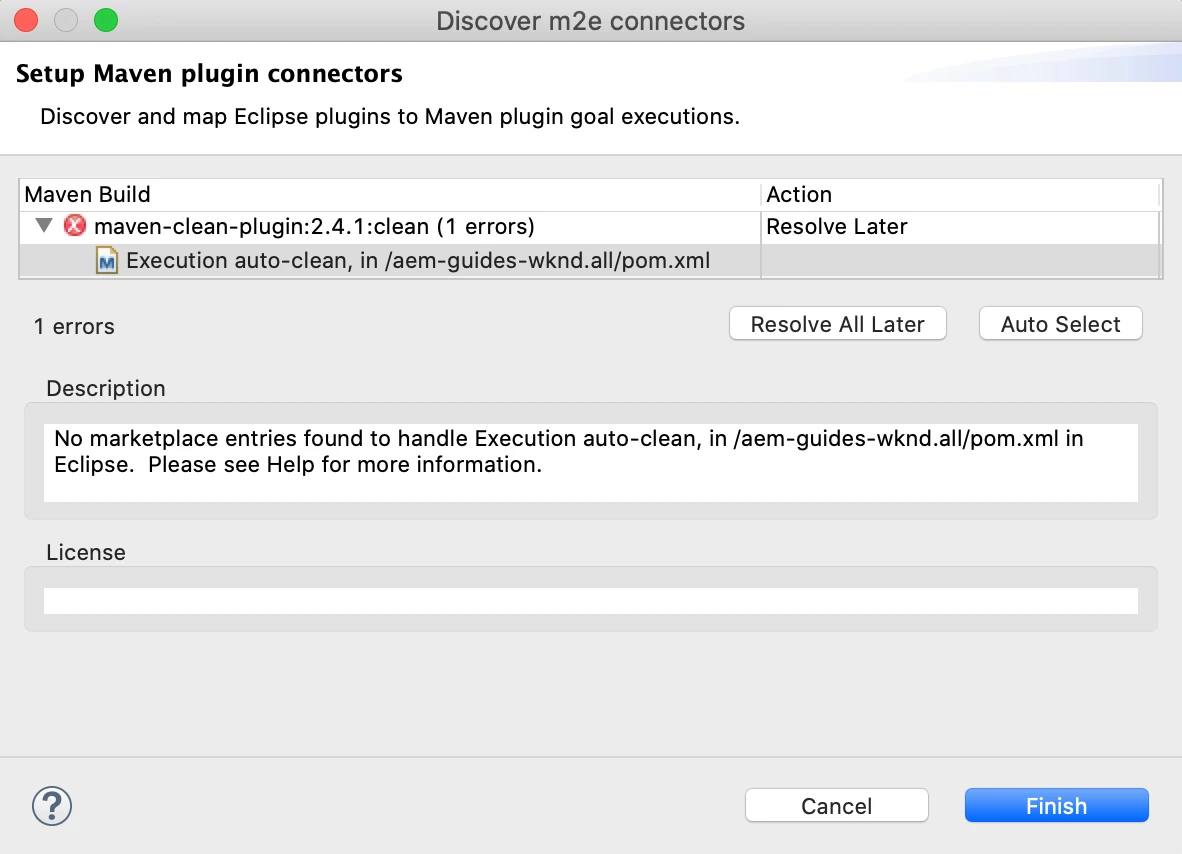
When I imported aem-guide-wknd file to Eclipse. I got this message. (please see the image)

I download a zip file from https://github.com/adobe/aem-guides-wknd.

I created "~/.m2/settings.xml" and verified that the adobe-public profile is active.

I very appreciate if you can help me to find out what I am doing wrong.... Thank you so much!


=== My System ===

macOS 10.15.6

Java 11.0.7

Maven 3.6.3

Node.js v12.18.0

npm 6.14.4

Git 2.24.3

AEM 6.5.5.0 (I run it before importing the file.)


This post is no longer active and is closed to new replies. Need help? Start a new post to ask your question.
Nikhil-Kumar
Nikhil-KumarAccepted solution
New Participant
Sep 6, 2020 1:54 PM UTC

@aembeginner 


Try cloning the project and then build and import it in eclipse. 
It should work!!!

Just let me know if this also doesn’t work.


Thanks,

Nikhil

2 replies

Nikhil-Kumar
Nikhil-KumarAccepted solution
New Participant
Sep 6, 2020 1:54 PM UTC

@aembeginner 


Try cloning the project and then build and import it in eclipse. 
It should work!!!

Just let me know if this also doesn’t work.


Thanks,

Nikhil

Translate
New Participant
Sep 8, 2020 5:18 PM UTC

Hi Nikhil,

Thank you soooooo much for your response! It worked!!! Yaaaay! I can finally go forward to the next step! Thank you so much again!  🙂

Translate