WKND - OSGi Bundle Dependency Issue | Community
Skip to main content
New Participant
September 11, 2020
Solved

WKND - OSGi Bundle Dependency Issue

  • September 11, 2020
  • 4 replies
  • 1561 views

After I installed WKND to AEM, I noticed that I don't see some of components. I got the error after I added the "byline" component.
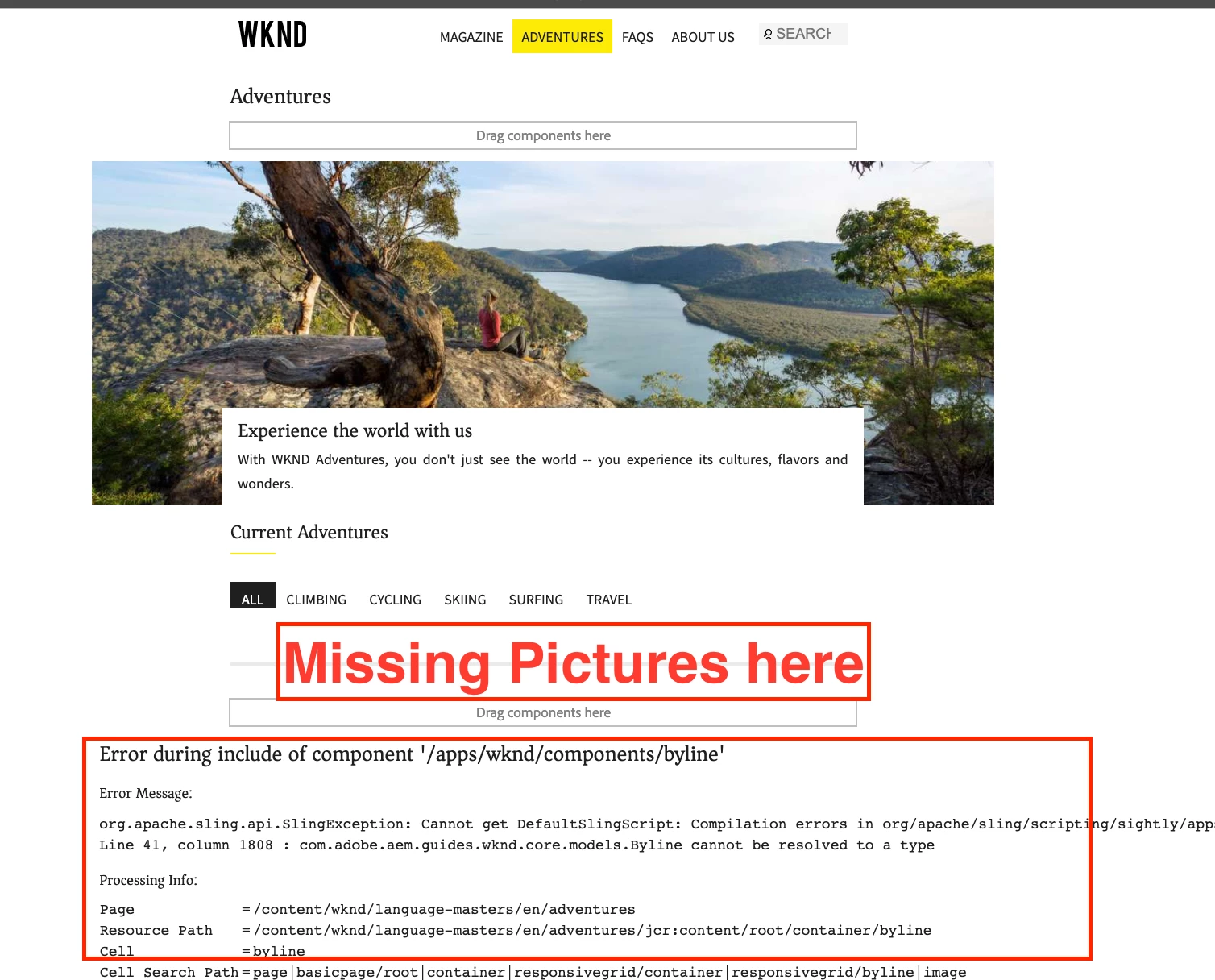


Then, I found I have some dependency issues. 
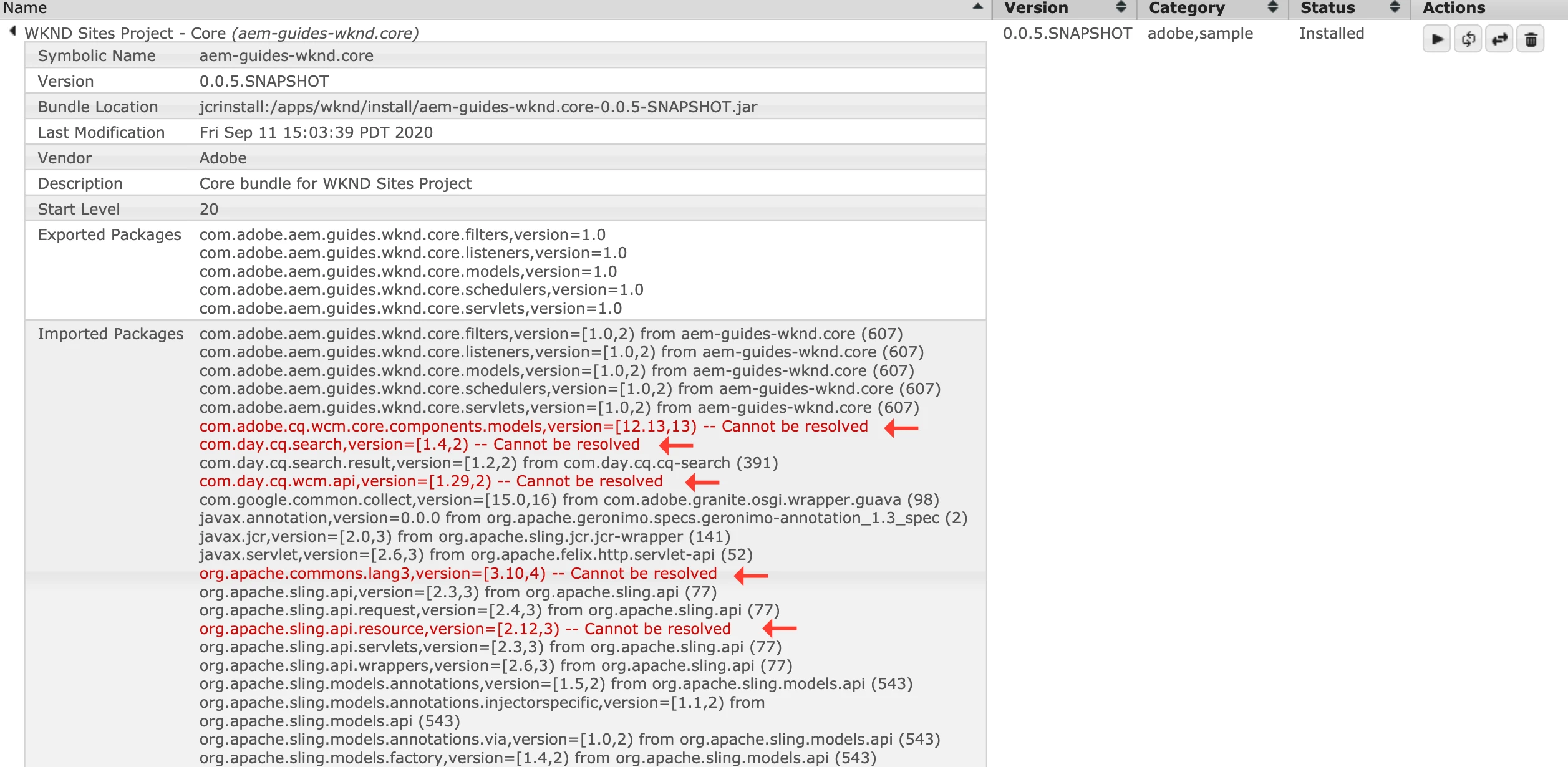
I went to http://localhost:4502/system/console/depfinder

 

I was looking at other article, and tried a command from a terminal console (Mac), it didn't fix it.

          mvn -PautoInstallPackage -Padobe-public clean install


I deleted all installed WKND packages from a package manager (http://localhost:4502/crx/packmgr/index.jsp) and deleted the WKND bundle from OSGi and started over to install WKND files, but I got same issues. 


I appreciate if you can find out what I need to do. I'm a beginner of AEM, Java, and Eclipse. Thank you so much for your help. 


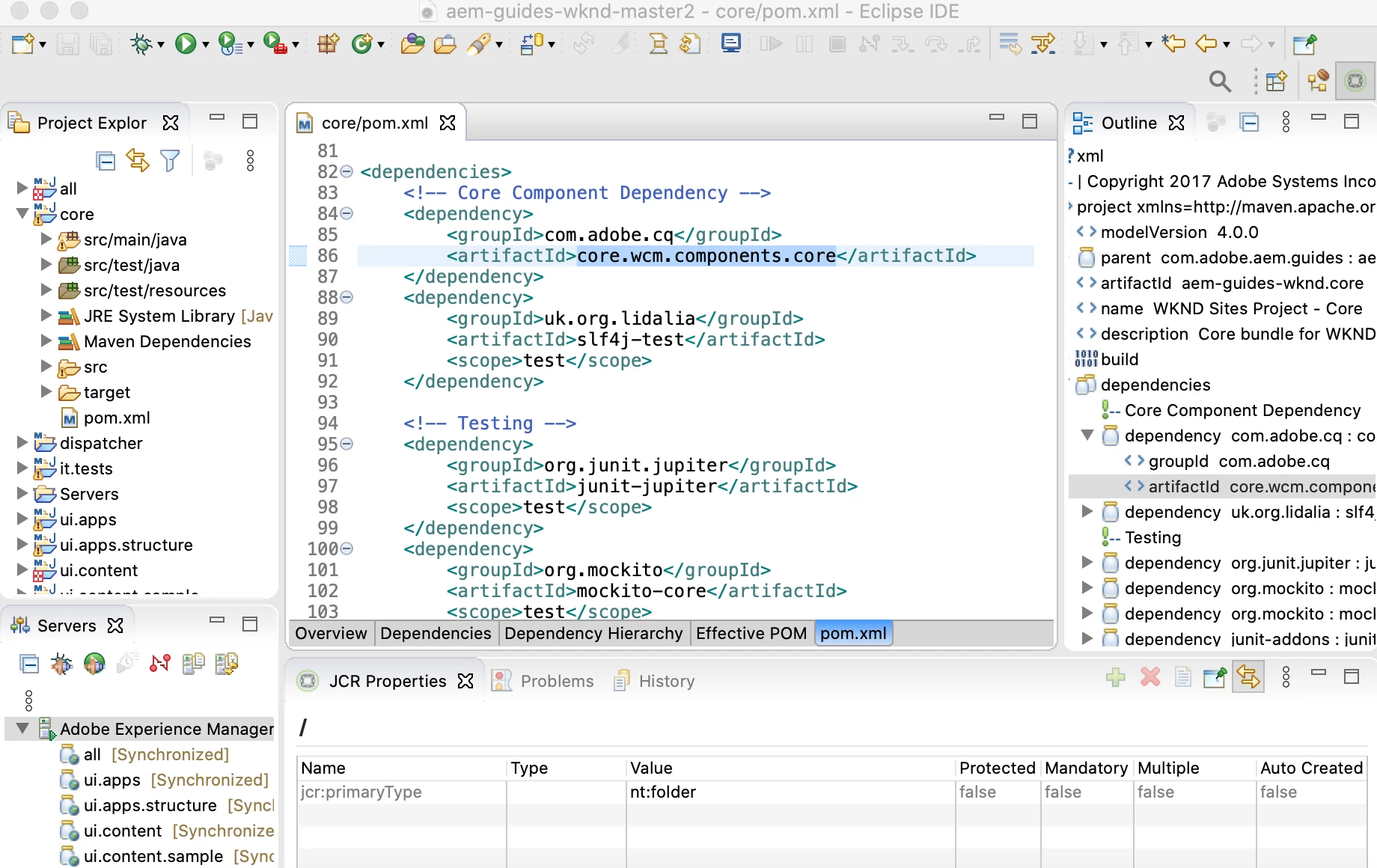
I took pom.xml screenshot just in case.
 

=== My System ===

macOS 10.15.6

Java 11.0.7

Maven 3.6.3

Node.js v12.18.0

npm 6.14.4

Git 2.24.3

AEM 6.5.5.0 


This post is no longer active and is closed to new replies. Need help? Start a new post to ask your question.
Best answer by joerghoh

Looks like you did not use the release 0.0.4 version of the wknd tutorial, but used the un-released master-branch of the wknd-tutorial (in the screenshot I see the version number 0.0.5-SNAPSHOT). But according to the documentation this release is targeting AEM as a Cloud Service as "primary" version.

But the documentation also says, that if you want to use it on AEM 6.x (and not Cloud Service), you should use this command:


mvn clean install -PautoInstallSinglePackage -Pclassic


4 replies

New Participant
September 14, 2020

Thank you so much for replying my issues!! @arunpatidar @nikhil-kumar @joerghoh 


I run this command, it worked!! Thank you sooooooo much to find out my issue. I appreciate all your help. 🙂

mvn clean install -PautoInstallSinglePackage -Pclassic


joerghoh
joerghohAccepted solution
Employee
September 14, 2020

Looks like you did not use the release 0.0.4 version of the wknd tutorial, but used the un-released master-branch of the wknd-tutorial (in the screenshot I see the version number 0.0.5-SNAPSHOT). But according to the documentation this release is targeting AEM as a Cloud Service as "primary" version.

But the documentation also says, that if you want to use it on AEM 6.x (and not Cloud Service), you should use this command:


mvn clean install -PautoInstallSinglePackage -Pclassic


New Participant
September 17, 2020
Thank you @joerghoh! I have a quick question. I was able to install it correctly from your command to AEM. Since I didn't install WKDN from Eclipse, what should I do for Eclipse side? It looks like it's not connected. When I followed the video instruction to update “Byline” component and saved the html. It didn’t save to AEM. But, When I started Servers, everything is synchronized.
arunpatidar
New Participant
September 13, 2020

Can you try with java 8.

Arun Patidar
Nikhil-Kumar
New Participant
September 13, 2020

@aembeginner 

Sometime back I also used WKND sample project on 6.5.5 but didn't found any such issue. 
Below steps I followed to setup WKND on 6.5.5
1. Installed SP5 over 6.5
2. Installed latest ACS Commons package.
3. Deployed AEM WKND Project.


@joerghoh  @vanegi  @arunpatidar  Can you guys provide your inputs ?


Thanks,
Nikhil