WKND Tutorial AEM Editor Dark mode? | Community
Skip to main content
Level 2
Mar 26, 2021 4:53 AM UTC
Solved

WKND Tutorial AEM Editor Dark mode?

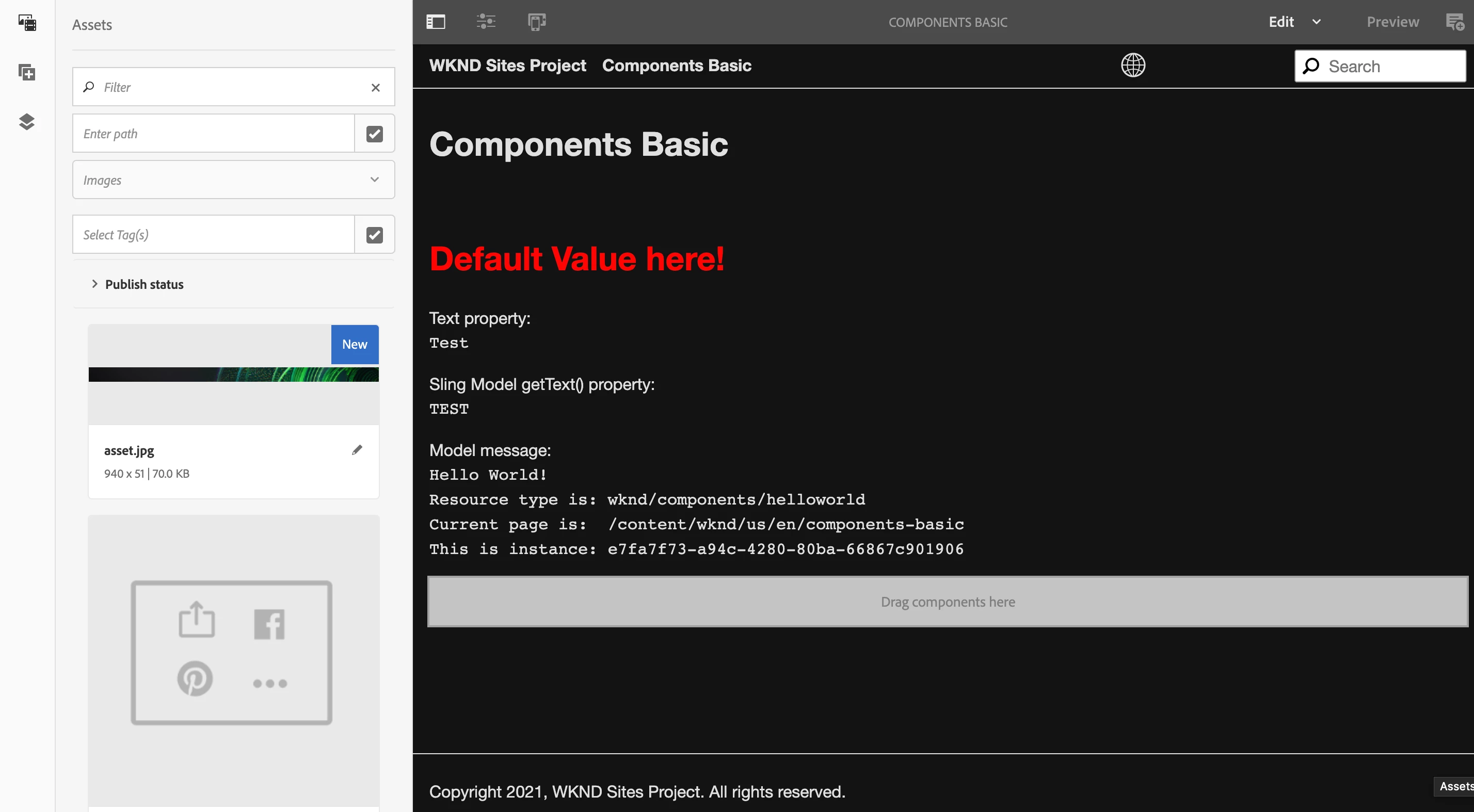
I don't know if this could be changed, but I would like to edit with normal mode. My AEM Editor has been like this ever since and now I'm at applying CSS in the WKND tutorial so it's pretty weird. 

Thank you!


This post is no longer active and is closed to new replies. Need help? Start a new post to ask your question.
PavelNazaro-1
PavelNazaro-1Accepted solution
New Participant
Jan 20, 2022 2:55 PM UTC

Hi

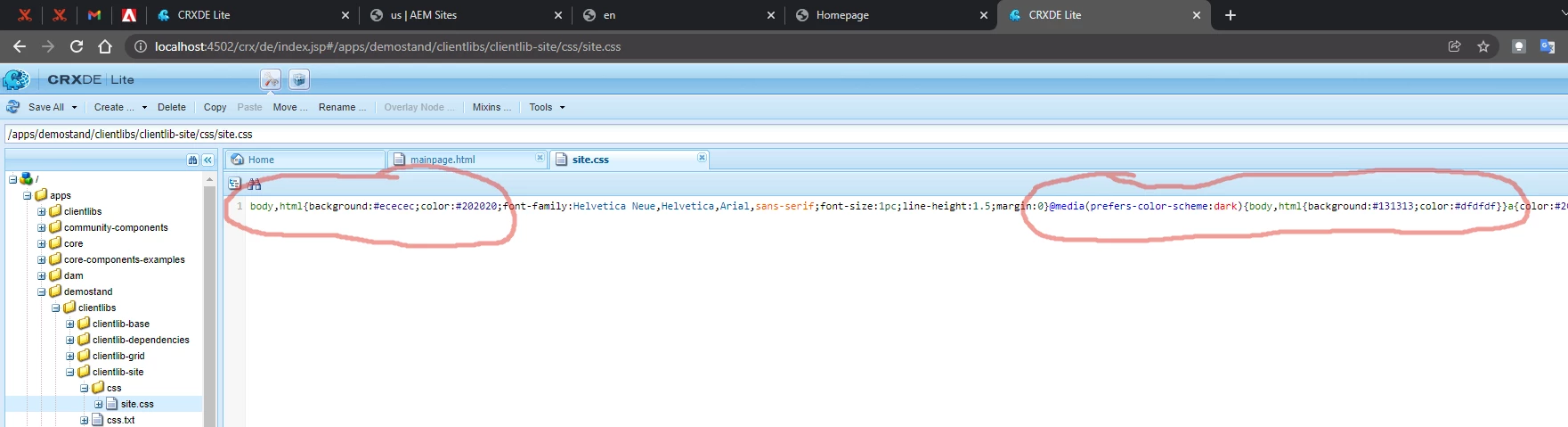
I faced the same issue. I found this (in the screenshot). If "Use dark mode" is checked in the system, then after opening the page, the background will be #131313. Cuz @ media points to it. Otherwise, it will be by default, that is, the background will be #ececec.
Or you can change the site.css file. The path is visible in the screenshot.

3 replies

PavelNazaro-1
PavelNazaro-1Accepted solution
New Participant
Jan 20, 2022 2:55 PM UTC

Hi

I faced the same issue. I found this (in the screenshot). If "Use dark mode" is checked in the system, then after opening the page, the background will be #131313. Cuz @ media points to it. Otherwise, it will be by default, that is, the background will be #ececec.
Or you can change the site.css file. The path is visible in the screenshot.

Translate
Asutosh_Jena_
New Participant
Mar 26, 2021 5:25 AM UTC

Hi @marks16411289 

All the CSS styles are coming from /libs/cq/gui/components/authoring/editors/clientlibs/core/css path.

Can you inspect the page and see anywhere the background color is being overridden which is why you are getting this dark mode.


Here is the place where the Core CSS will be loading.

http://localhost:4502/libs/cq/gui/components/authoring/editors/clientlibs/core.css


Thanks!

Translate
Level 2
Nov 12, 2021 3:02 PM UTC

Hello i was trying to figure out what is being overridden and where could you please advise, below is what is see in developer tools.


Translate