Workflow running multiple times. | Community
Skip to main content
New Participant
September 18, 2023
Solved

Workflow running multiple times.

  • September 18, 2023
  • 4 replies
  • 1622 views

Hello, 
I am working on the custom workflow and I have configured the workflow launcher for my  workflow to be triggered on the modification of .zip file in the specific folder in asset. But when I modify the .zip file in that specific folder its triggering the workflow twice with admin user and also with the service user. What I am missing here? How I can make my workflow to run only once by admin user? Thank you
This post is no longer active and is closed to new replies. Need help? Start a new post to ask your question.
Best answer by aanchal-sikka

@testweewew 


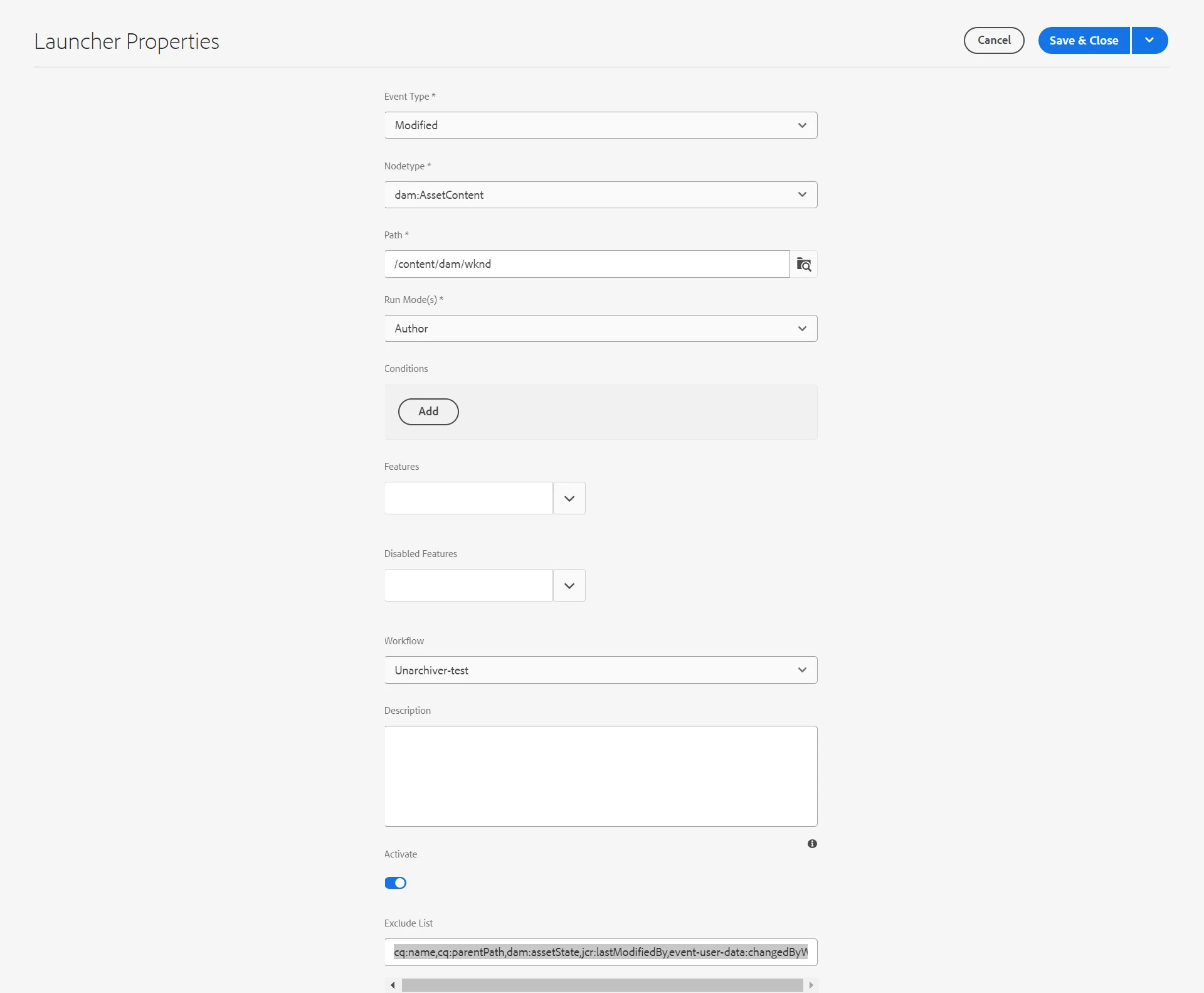
It can be controlled by using Exclude List of the Workflow Launcher. We need to ignore property updates or event triggers via workflow itself.


I have appended following list

cq:name,cq:parentPath,dam:assetState,jcr:lastModifiedBy,event-user-data:changedByWorkflowProcess


This is how the launcher looks like.


4 replies

kautuk_sahni
Employee
September 21, 2023

@testweewew Did you find the suggestions from users helpful? Please let us know if more information is required. Otherwise, please mark the answer as correct for posterity. If you have found out solution yourself, please share it with the community.

Kautuk Sahni
aanchal-sikka
aanchal-sikkaAccepted solution
New Participant
September 19, 2023

@testweewew 


It can be controlled by using Exclude List of the Workflow Launcher. We need to ignore property updates or event triggers via workflow itself.


I have appended following list

cq:name,cq:parentPath,dam:assetState,jcr:lastModifiedBy,event-user-data:changedByWorkflowProcess


This is how the launcher looks like.


Aanchal Sikka
Shashi_Mulugu
New Participant
September 18, 2023

@testweewew are you adding any metadata or updating contents of zip via workflow? If yes then it may trigger twice unless you add user specific rule or go property based jcr event listener 

New Participant
September 18, 2023

I am using the unarchiver OOTB workflow(Unarchiver) a and then adding custom process step to copy the content of the unarchived folder to some other location. In launcher I am using dam:AssetContent as nodeType when zip file is created/modified I am triggering the workflow. I am using AEM cloud version. 

Harwinder-singh
New Participant
September 18, 2023

@testweewew  check if this launcher based workflow is also applied as a Post processing workflow on this asset folder.

That could cause your workflow to run twice.

If you are on AEM as cloud service, the recommendation from Adobe is to stop using launcher based workflows and switch to post processing workflows.