ZIP file referencing not showing in metadata references | Community
Skip to main content
New Participant
September 3, 2025
Solved

ZIP file referencing not showing in metadata references

  • September 3, 2025
  • 1 reply
  • 840 views

Hello All,


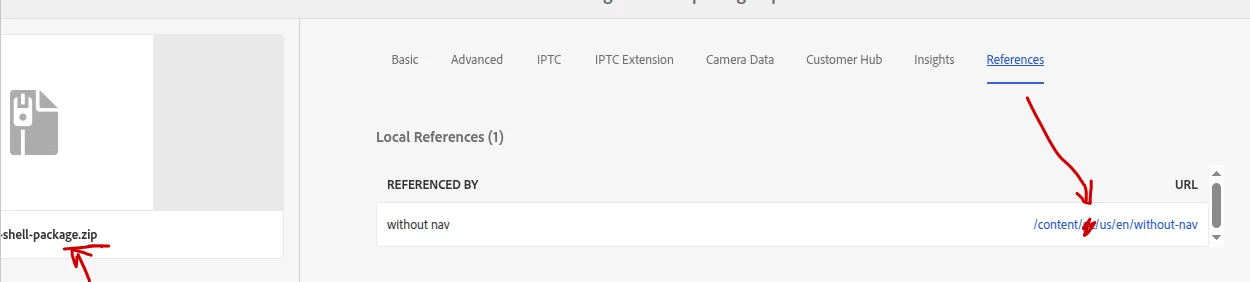
Recently I noticed that ZIP files that are stored in the DAM and are referenced in websites do not show their references (links) in the Metadata properties / References tab. Other files like documents, pdfs and images of course show their reference links, but the ZIPs dont.... 

Is this a ZIP file thing, or bug, or... ?


This is important because when conducting asset audit I usually prioritise deleting files that are not referencing and are expired. This potentially may lead to a very unpleasant situation and is nearly impossible to check. Running reports to scan for references does not pick it up either... 

Running on-prem version with SP22. 


Thanks! 

Best answer by MukeshYadav_

Hi @poveim ,

I tried adding a zip to a link in rte and able to see the page in Reference tab of zip. (6.5.23 & cloud)


Cross check your zip file or if something is override the default feature. How are you referencing zip on page using anchor tag?

Thanks

1 reply

MukeshYadav_
MukeshYadav_Accepted solution
New Participant
September 3, 2025

Hi @poveim ,

I tried adding a zip to a link in rte and able to see the page in Reference tab of zip. (6.5.23 & cloud)


Cross check your zip file or if something is override the default feature. How are you referencing zip on page using anchor tag?

Thanks

PovEimAuthor
New Participant
September 3, 2025

Thank you @mukeshyadav_ ,


I will have to check and confirm how the file is referenced. At the moment I see it uses the relative link in the CMS. 

One thing I discovered though, and I don't know yet if it may be the reason for this, when I try to add the zip file into the website for download, I don't see it in the folder in the selecting tool... The file type filter does not have "Archives" as file types option. I suspect the fact that the ZIP file is not shown may have something to do with this... Will continue investigating.