testing email content in journeys | Community
Skip to main content
Michael_Soprano
New Participant
January 20, 2025
Solved

testing email content in journeys

  • January 20, 2025
  • 1 reply
  • 643 views

Is it possible to test email content in one node in journeys or we need to use Condition node and split the users manually?

Best answer by vraghav

@michael_soprano assuming you want to test a journey which have a single email activity and inside the content you have enabled dynamic/conditional content? If yes, then you will have to create test profiles which cater to each conditional content specifically and it will allow you to simulate the content using each one of them.

Additionally, you can put the journey in test mode and trigger the journey for each such test profile to see email client rendering.


If the content is completely different for each type of profile, I'm assuming you have put a condition into the journey. In that case, simulate content will still work but you will have to open each email activity and simulate against the intended test profile. 

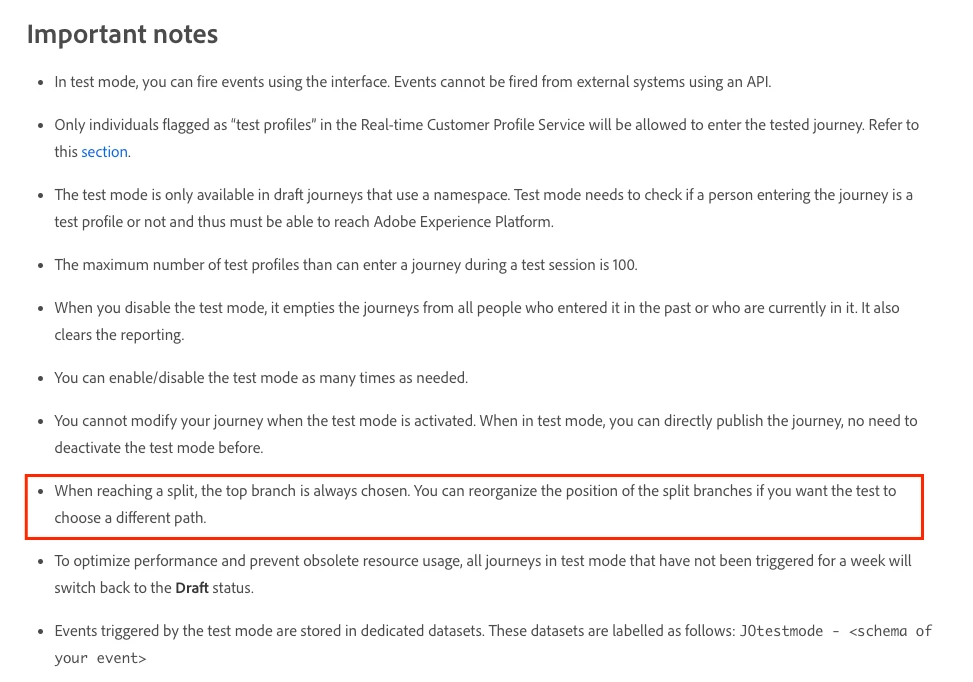
As far as sending email is concerned, with a condition activity only the first condition is triggered in test mode. You can test one condition/branch, then reorder the conditions to move the next branch to topmost level and test again. Repeat the process till you've tested everything.This is also documented here https://experienceleague.adobe.com/en/docs/journey-optimizer/using/orchestrate-journeys/create-journey/testing-the-journey

 

1 reply

vraghav
vraghavAccepted solution
Employee
January 21, 2025

@michael_soprano assuming you want to test a journey which have a single email activity and inside the content you have enabled dynamic/conditional content? If yes, then you will have to create test profiles which cater to each conditional content specifically and it will allow you to simulate the content using each one of them.

Additionally, you can put the journey in test mode and trigger the journey for each such test profile to see email client rendering.


If the content is completely different for each type of profile, I'm assuming you have put a condition into the journey. In that case, simulate content will still work but you will have to open each email activity and simulate against the intended test profile. 

As far as sending email is concerned, with a condition activity only the first condition is triggered in test mode. You can test one condition/branch, then reorder the conditions to move the next branch to topmost level and test again. Repeat the process till you've tested everything.This is also documented here https://experienceleague.adobe.com/en/docs/journey-optimizer/using/orchestrate-journeys/create-journey/testing-the-journey

 

TylerKrause
New Participant
January 28, 2025

Great answer. This is a perfect explanation!