
Unable to use purchase event contextual attributes in message | Community
Skip to main content
tksol95
New Participant
January 20, 2023
Solved

Unable to use purchase event contextual attributes in message

  • January 20, 2023
  • 1 reply
  • 1018 views

We are attempting to test functionality to send a follow-up SMS with info about their order to users who complete a purchase. We are using the current contextual event fields:
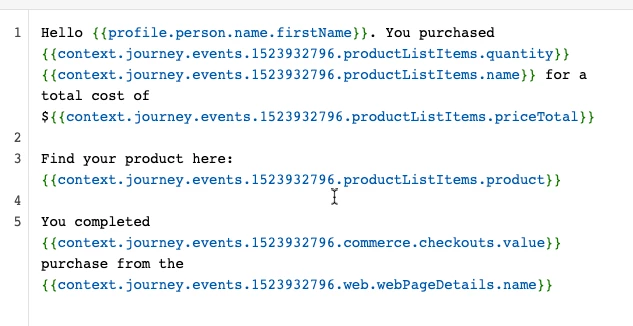
Based on the following test payload for a simulated purchase event:
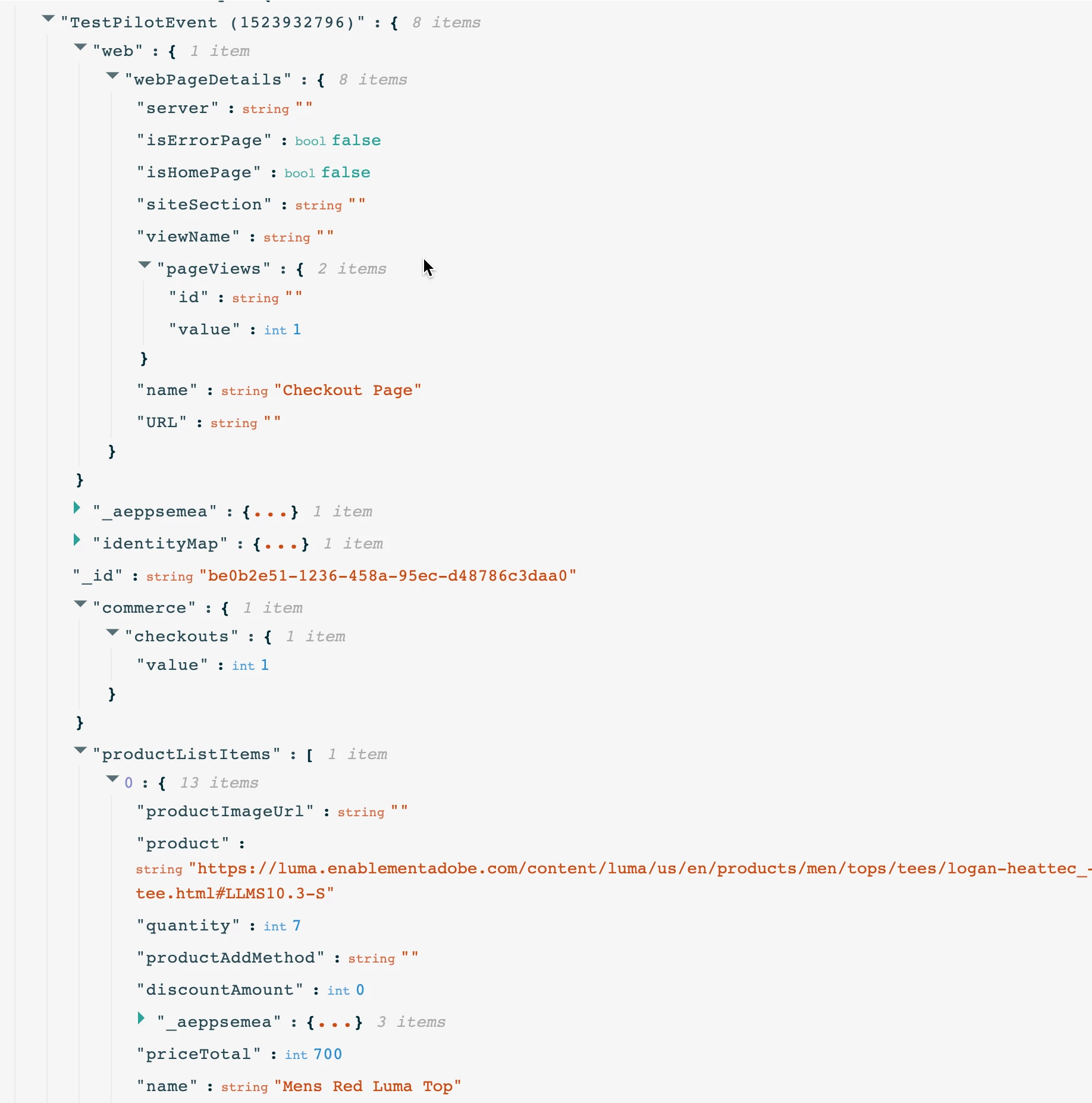
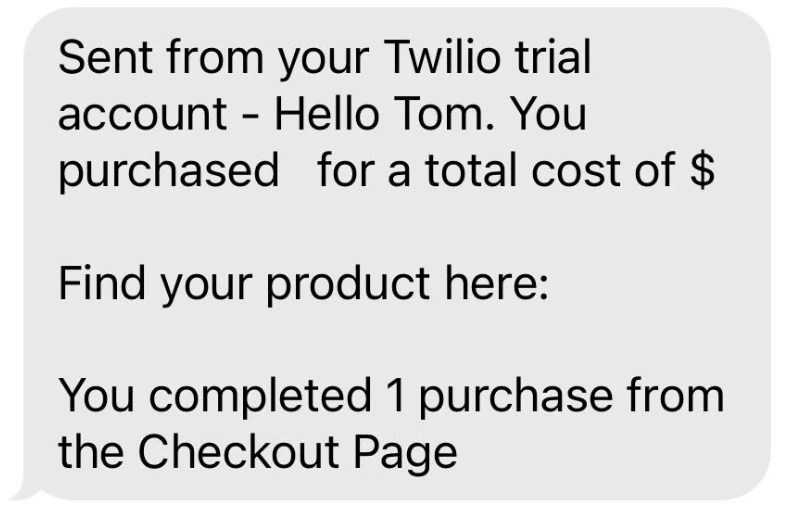
In the SMS, the contextual fields for commerce.checkouts and webpagedetails.name are appearing, but no productListItems information appears:
 

I found a similar thread that mentions "You can't use the timeseries data in the message. Check if the data is available in the dataset and the correct path for that data."


I am trying to understand if this is the problem that I am experiencing, and if so, how can I get productListItems information to show properly?

In addition, if my order were to contain multiple items (productListItems array has multiple elements), how do I display each element separately using contextual attributes?



This post is no longer active and is closed to new replies. Need help? Start a new post to ask your question.
Best answer by _Manoj_Kumar_

Hello @tksol95 


ProductListItems is an array of objects. So you cannot directly pull the data in the content. You will have to use each method like this.


{{#each context.journey.events.1523932796.productListItems as |product|}} {{ product.name }} <!--- this prints the product name ---> {{/each}}

1 reply

_Manoj_Kumar_
_Manoj_Kumar_Accepted solution
New Participant
January 24, 2023

Hello @tksol95 


ProductListItems is an array of objects. So you cannot directly pull the data in the content. You will have to use each method like this.


{{#each context.journey.events.1523932796.productListItems as |product|}} {{ product.name }} <!--- this prints the product name ---> {{/each}}
     Manoj     Find me on LinkedIn
tksol95
tksol95Author
New Participant
January 24, 2023

Confirming that this format resolved my problem - @_manoj_kumar_ thank you for the help.


Pasting the updated SMS script and output below for reference:

In order to use test mode with multiple productListItems array elements (e.g. multiple products) we had to make changes to the Code View of the Event Configuration, but this was a simple process to copy/paste and edit the previous element under productListItems