Sending report via workflow | Community
Skip to main content
priyal_b
New Participant
December 12, 2017
Solved

Sending report via workflow

  • December 12, 2017
  • 21 replies
  • 9059 views

Team,

Is there any way to send a report via workflow ?

I see there is a topic about this: Sending a report to a list

I am trying different way via normal delivery and few of recipients but trying to incorporate the java script from this topic within workflow but its giving an error.

----

js JST-310000 Error while compiling script 'SWKF9679/js' line 8: missing = in XML attribute (line='_context_"global"/> ' token='"global"/> ').

----

Is there any way to incorporate out of the box report within delivery as an (calculated) attachment?

Thanks!

This post is no longer active and is closed to new replies. Need help? Start a new post to ask your question.
Best answer by Jean-Serge_Biro

Hi Alistairk,


Everything can be done, but it is often tricky... fortunately there is the debug view to see the context elements/attributes (and so parameters/values available asURL GET parameters).

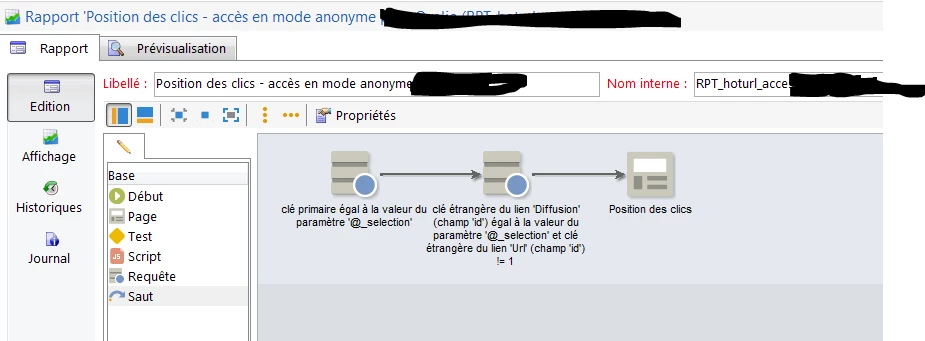
For instance, if you need a report specific to a delivery, but without having a Adobe Campaign operator (anonymous mode), you can achieve the query activity in the report with a deliveryId parameter (URL) and deal with it as is:

http://yourdomain/report/RPT_hoturl_anonymous_access?_selection=770392130

Regards

JS

21 replies

Jean-Serge_Biro
New Participant
December 12, 2017

Hi Priyal,

Please may you paste your Javascript code equivalent of that one given in the documentation:

var _ctx = <ctx _context="global" _reportContext={reportName} />xtk.report.export(reportName,_ctx,exportFormat,path,isAdHoc)


You should check for syntax, it seems you don't have put a = but a _ if I understand the error:
_context_"global

Regards
J-Serge