404 Not Found Error in Email Links | Community
Skip to main content
January 3, 2018
Solved

404 Not Found Error in Email Links

  • January 3, 2018
  • 2 replies
  • 4987 views

We recently migrated from an old Marketo instance to a new one. All of the programs and assets were cloned over to the new instance, but the links in the emails do not work. They will work properly in Preview mode, but when I send myself a test, I get the following error:
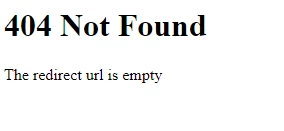
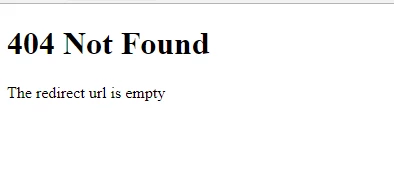
Does anyone have any idea why this is happening?

This post is no longer active and is closed to new replies. Need help? Start a new post to ask your question.
Best answer by SanfordWhiteman

Have you been sure to set your branding domain CNAME to point to the new instance?

2 replies

SanfordWhiteman
SanfordWhitemanAccepted solution
New Participant
January 4, 2018

Have you been sure to set your branding domain CNAME to point to the new instance?

January 8, 2018

Sanford,

We set the CNAME to point to the new instance and I am still having issues.. Now the images show up, but they direct to our homepage instead of the page they are supposed to go to. Do you know the issue could be here?

SanfordWhiteman
New Participant
January 8, 2018

Does the old Munchkin ID appear in the image path? (i.e. pages.example.com/rs/aaa-111-333/image.jpg)

Community Manager
January 4, 2018

did you migrate your redirect list too? Is this happening for ALL links to previous content, or only some?

January 4, 2018

What is/where do I find the redirect list?

And this is to ALL links - including local Marketo landing pages and external pages.

Community Manager
January 4, 2018

if it's "all links" then it's probably not the redirect list (which is found in Admin under Landing Pages, then the "Rules" tab).