
A Pride flag effect for Marketo forms (though maybe too late for 2023)
Yes, it’s almost June! But the other day the idea of “form rows as flag stripes” came to me. Myriad ways to interpret that idea, of course, but here’s what I came up with:
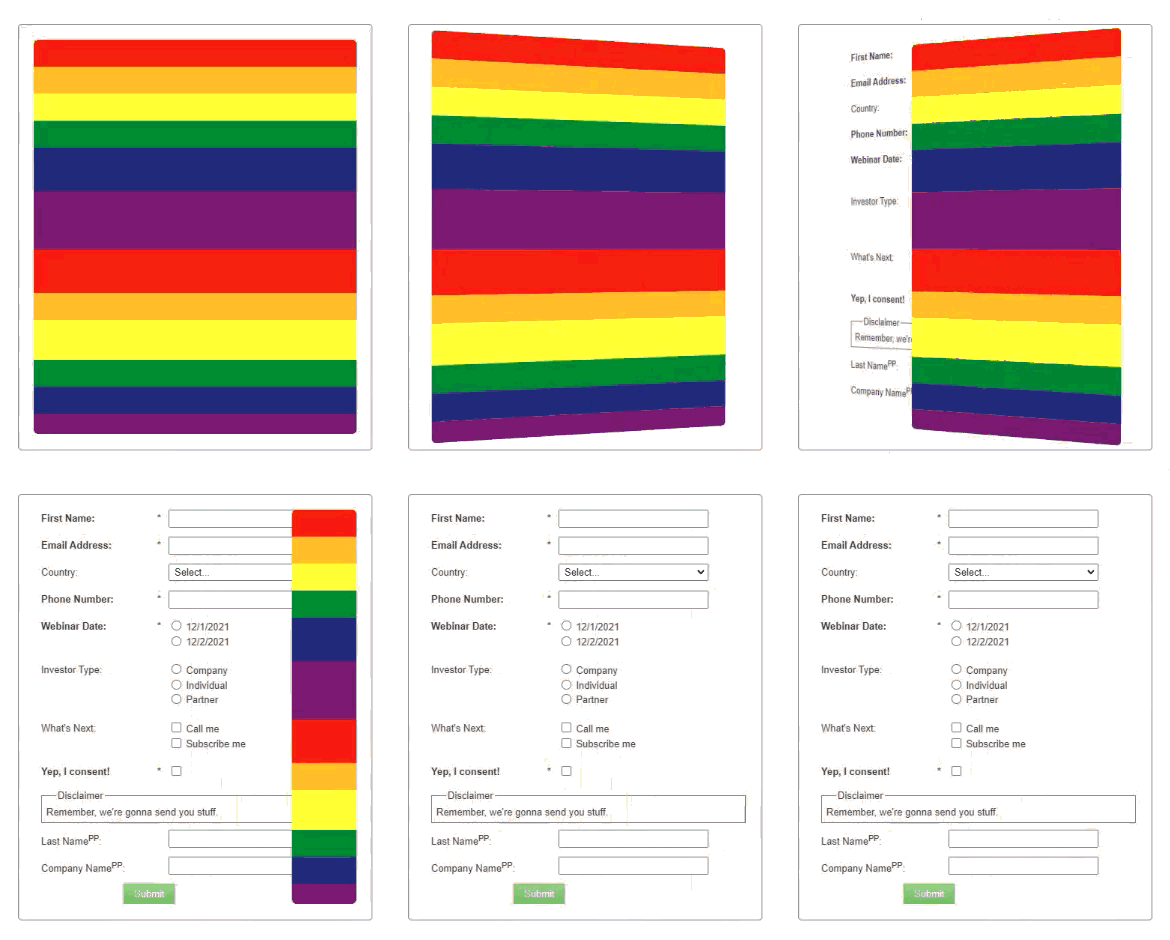
My goal was to stick to standard Marketo form HTML, not injecting any new (non-pseudo) elements nor rearranging existing ones. And my custom CSS doesn’t override the native Simple theme.
(A custom HTML form could of course do much more, but that defeats the point of “simply” dressing up an existing Marketo form for a special occasion.)
To get the effect, we need a tiny snippet of JS and a small amount of CSS.
The JS
MktoForms2.whenReady(function (mktoForm) {
   let formEl = mktoForm.getFormElem()[0],
      allRows = formEl.querySelectorAll(".mktoFormRow,.mktoButtonRow"),
      visibleRows = Array.from(allRows).filter( (row) => window.getComputedStyle(row).height !== "0px" );

   visibleRows[0].classList.add("flag-top");
   visibleRows.forEach((row, idx) => {
      row.classList.add("flag-stripe");
      row.setAttribute("data-flag-stripe-color", idx % 6);
   });

   setTimeout(function () {
     formEl.setAttribute("data-state", "show");
   }, 400);
});
You might wonder why we need to tag the rows — why not use CSS nth-of-type()? Well, we only want to use the initially visible rows as stripes to keep to the color sequence, not the rows with Visibility Rule placeholders or hidden fields. So it can’t be pure CSS, though it’s CSS-heavy.
The CSS
body {
   padding: 40px;
}

.mktoFormRow.flag-top:after {
   border-radius: 6px 6px 0 0;
}
.mktoButtonRow:after {
   border-radius: 0 0 6px 6px;
}

.mktoForm {
   perspective: 2000px;
   border: 1px solid gray;
   padding: 20px;
   border-radius: 5px;
   background-color: whitesmoke;
}
.mktoButtonRow {
   width: 100%;
}
.mktoFormRow,
.mktoButtonRow {
   position: relative;
}
.mktoFormRow:after,
.mktoButtonRow:after {
   content: "";
   width: 100%;
   height: 100%;
  right: 0;
   top: 0;
   position: absolute;
   pointer-events: none;
}

.flag-stripe[data-flag-stripe-color="0"]:after {
   background-color: #e40303;
}
.flag-stripe[data-flag-stripe-color="1"]:after {
   background-color: #ff8c00;
}
.flag-stripe[data-flag-stripe-color="2"]:after {
   background-color: #ffed00;
}
.flag-stripe[data-flag-stripe-color="3"]:after {
   background-color: #008026;
}
.flag-stripe[data-flag-stripe-color="4"]:after {
   background-color: #24408e;
}
.flag-stripe[data-flag-stripe-color="5"]:after {
   background-color: #732980;
}

.mktoFormRow,
.mktoButtonRow {
   transition: transform 1.5s ease-in 0s;
}
.mktoFormRow:after,
.mktoButtonRow:after {
   transition: transform 1.5s ease-in 0s, width 2s ease-out 1s;
}

.mktoFormRow,
.mktoButtonRow {
   transform: rotateY(-180deg);
}

.mktoFormRow:after,
.mktoButtonRow:after {
  transform: rotateY(180deg);
}

.mktoForm[data-state="show"] .mktoFormRow,
.mktoForm[data-state="show"] .mktoButtonRow {
   transform: rotateY(0);
}
.mktoForm[data-state="show"] .mktoFormRow:after,
.mktoForm[data-state="show"] .mktoButtonRow:after {
   width: 0;
 }