Accidentally added People to an Engagement Program | Community
Skip to main content
Ben_Pope
New Participant
October 25, 2018
Solved

Accidentally added People to an Engagement Program

  • October 25, 2018
  • 1 reply
  • 1762 views

Hello!

My original goal was to pause all engagement programs for a list of people who attended an event -- if they were already a member of any. Many of the people were new and not originally in any engagement program. After running the program, all people were added into every engagement program with a status of paused. I did not intend to add people to nurture programs if they weren't originally in them before running the program.

I'm wondering if someone smarter than I might help me figure out where I went wrong.

The Smart List:
(List 1 is the list containing all the people who attended the event)

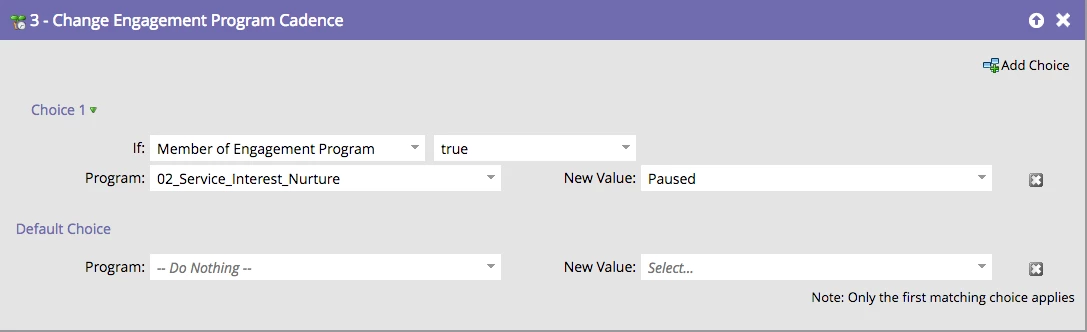
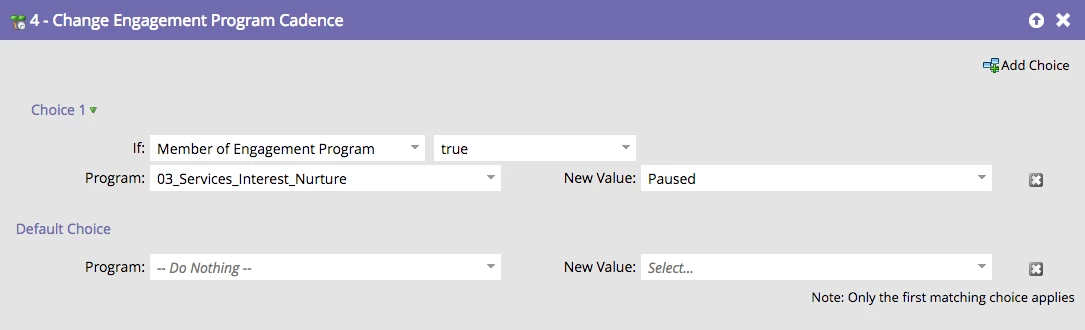
Flow Steps:
(My logic was if, and only if, someone was a member of any of the aforementioned programs then their status would be set to pause)
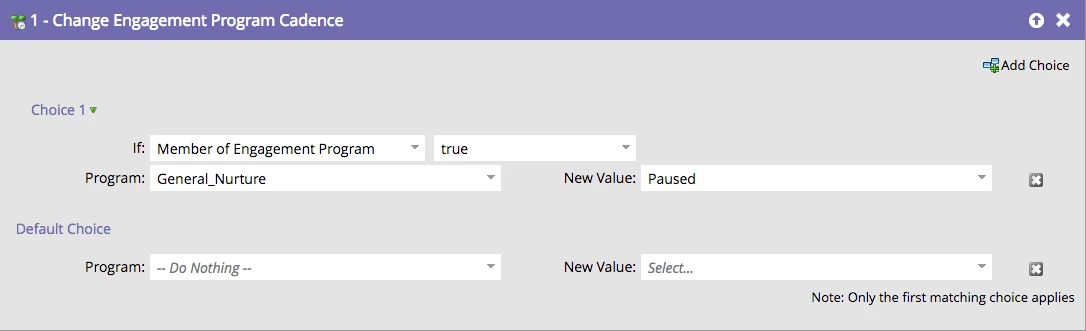
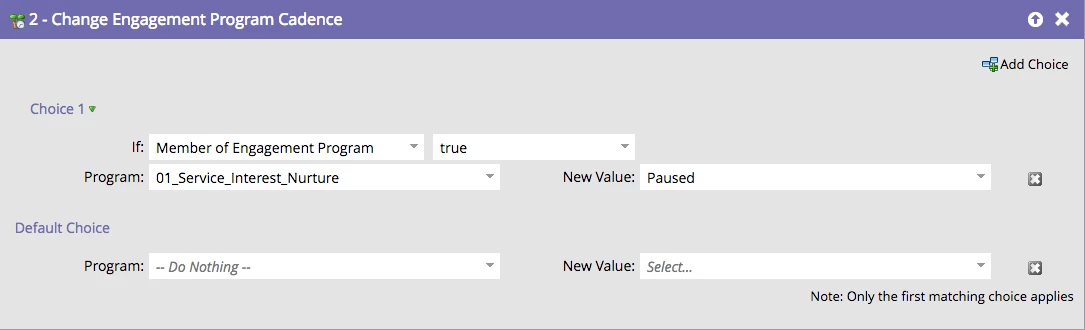
However this proceeded to happen:
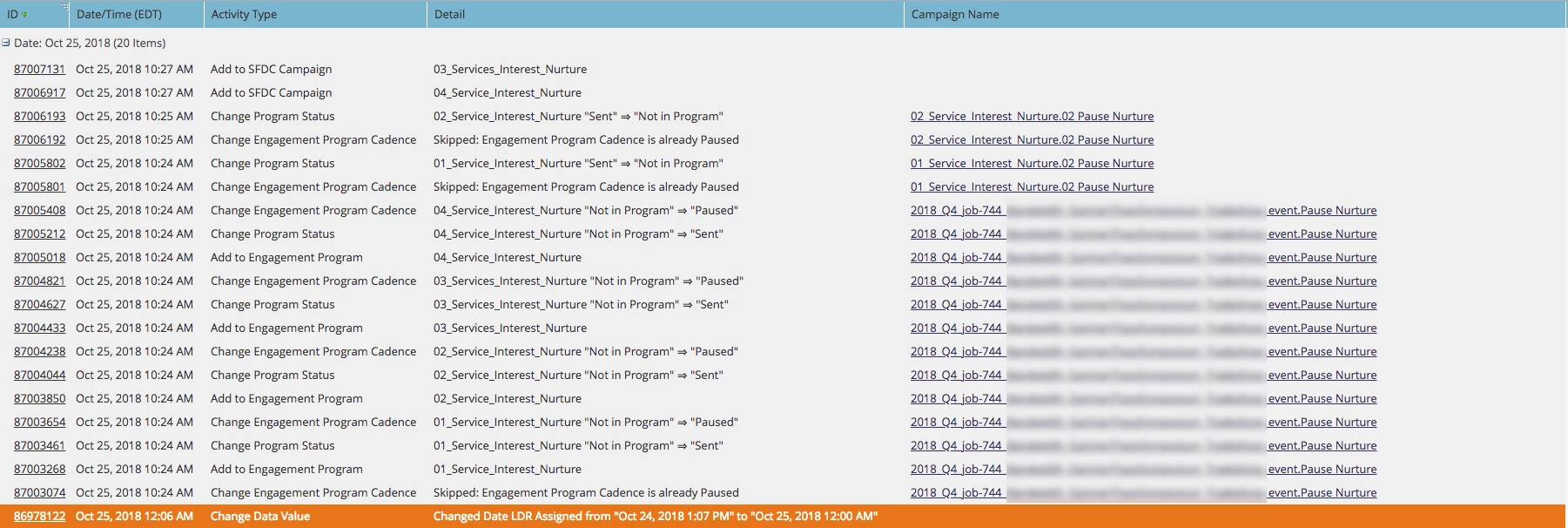
Each person in List 1 was added to every nurture program and then their status was set to pause.

My Questions Are:

1. Why was anyone added to a nurture track at all.

2. What would be a better way to pause people if they're in a nurture track without adding them to the nurture track if they're not in it already.

Thank you so much for you help!

This post is no longer active and is closed to new replies. Need help? Start a new post to ask your question.
Best answer by Anne_Angele1

Your choice options don't indicate WHICH engagement program. If you look at the "member of engagement program" filter, you have the true/false option, then you can add "engagement program is X". In this case, it's checking to see if the person is a member of ANY engagement program, if yes, change cadence to pause in X engagement program. If a lead isn't already in the engagement program, changing the cadence adds them to the program to complete the action.

In the future, you'll either need to separate these out into multiple campaigns so the smart list can reference membership in a specific engagement program OR reference smart lists of engagement program members in your choices.

1 reply

Anne_Angele1
Anne_Angele1Accepted solution
New Participant
October 25, 2018

Your choice options don't indicate WHICH engagement program. If you look at the "member of engagement program" filter, you have the true/false option, then you can add "engagement program is X". In this case, it's checking to see if the person is a member of ANY engagement program, if yes, change cadence to pause in X engagement program. If a lead isn't already in the engagement program, changing the cadence adds them to the program to complete the action.

In the future, you'll either need to separate these out into multiple campaigns so the smart list can reference membership in a specific engagement program OR reference smart lists of engagement program members in your choices.