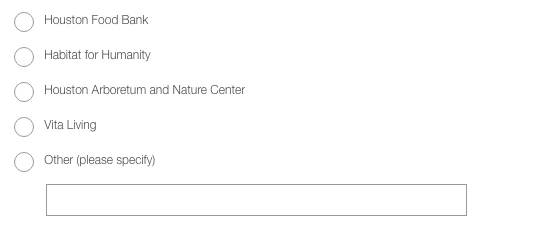
Solution with some Forms 2.0 JS (not simple in general, but simple for me since I'm used to it!) here: MktoForms2 :: Radios w/Other
Set up the form with the magic value [OTHER] for the last radio button:

Add a Rich Text area with your "Other" textbox:


Visibility Rule to show the Rich Text when "Other" radio button is chosen:

JS:
MktoForms2.whenReady(function(form) {
var otherTextPlaceholders = {
"Dealer_SegmentAU__c": "#Dealer_SegmentAU__c_other"
}
/* ---- no need to edit anything below this line ---- */
form.onSubmit(function(form) {
var formEl = form.getFormElem()[0],
currentValues = form.getValues(),
newValues,
otherRadio,
otherTextValue;
Object.keys(otherTextPlaceholders).forEach(function(fieldName) {
if (currentValues[fieldName] == '[OTHER]') {
otherTextValue = formEl.querySelector(otherTextPlaceholders[fieldName]).value;
newValues = {};
newValues[fieldName] = otherTextValue;
// ensure user-supplied value is allowed via API
otherRadio = formEl.querySelector('INPUT[name="' + fieldName + '"][value="' + currentValues[fieldName] + '"]');
otherRadio.value = otherTextValue;
// note this method call is redundant in this particular use case, but conforms to the proper API
form.setValues(newValues);
}
});
});
});
Only part you'd need to edit is the otherTextPlaceholders, which is a simple map between the names of your radio button set(s) and the corresponding "Other" textboxes. In this case, the radio buttons for the real Marketo field are Dealer_SegmentAU__c and the textbox I inserted in the Rich Text is <INPUT id="Dealer_SegmentAU__c_other">.
With the code in hand, the only thing to think about is the CSS. It could be tricky but if you know CSS principles you'll figure it out. In my demo I applied pos:abso to the Rich Text to place it at the bottom of the column, opposite the radio button that says "Other."