Adding fields to reports (via Analytics) | Community
Skip to main content
New Participant
April 23, 2020
Question

Adding fields to reports (via Analytics)

  • April 23, 2020
  • 1 reply
  • 2461 views

Hi,
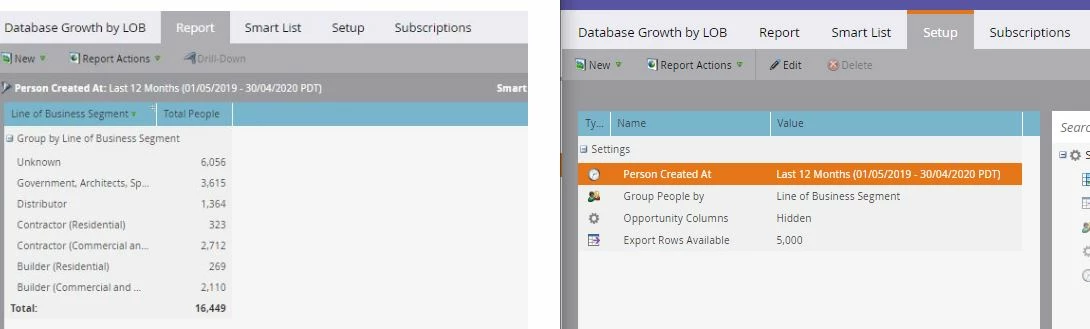
I'm creating a few reports through the analytics tab however unsure how to add extra columns of data.

e.g. I want to show "segment" growth by month for the last 12 months. In the report table how to get it to also display the "months" and possible "state" fields? 
This post is no longer active and is closed to new replies. Need help? Start a new post to ask your question.

1 reply

New Participant
April 23, 2020

Hi Rondo


For some reports (eg. Person Performance) you can add in custom columns based on smart lists (https://docs.marketo.com/display/public/DOCS/Add+Custom+Columns+to+a+Person+Report). So if you had a series of smart lists, each of which had the criteria "state is CA" "state is NA" etc etc, then you could get state in there. But I don't think you could have months in the same report since those categories are not mutually exclusive.


You could create another report with the monthly data if you had smart lists set up with "converted one month ago" "converted one-two months ago" etc etc. Hope this is what you need!

New Participant
April 27, 2020

Hi Phillip,


I was hoping there was an easier way but this did work for me. thank you.


Mark

New Participant
April 28, 2020

Yeah sorry Rondo, if there is, I don't know it 🙂


If this worked for you, if you could mark my answer as correct that would be great. Thanks!