Adding Values to a Form Picklist | Community
Skip to main content
June 28, 2016
Solved

Adding Values to a Form Picklist

  • June 28, 2016
  • 1 reply
  • 3588 views

New to Marketo! Answers greatly appreciated.

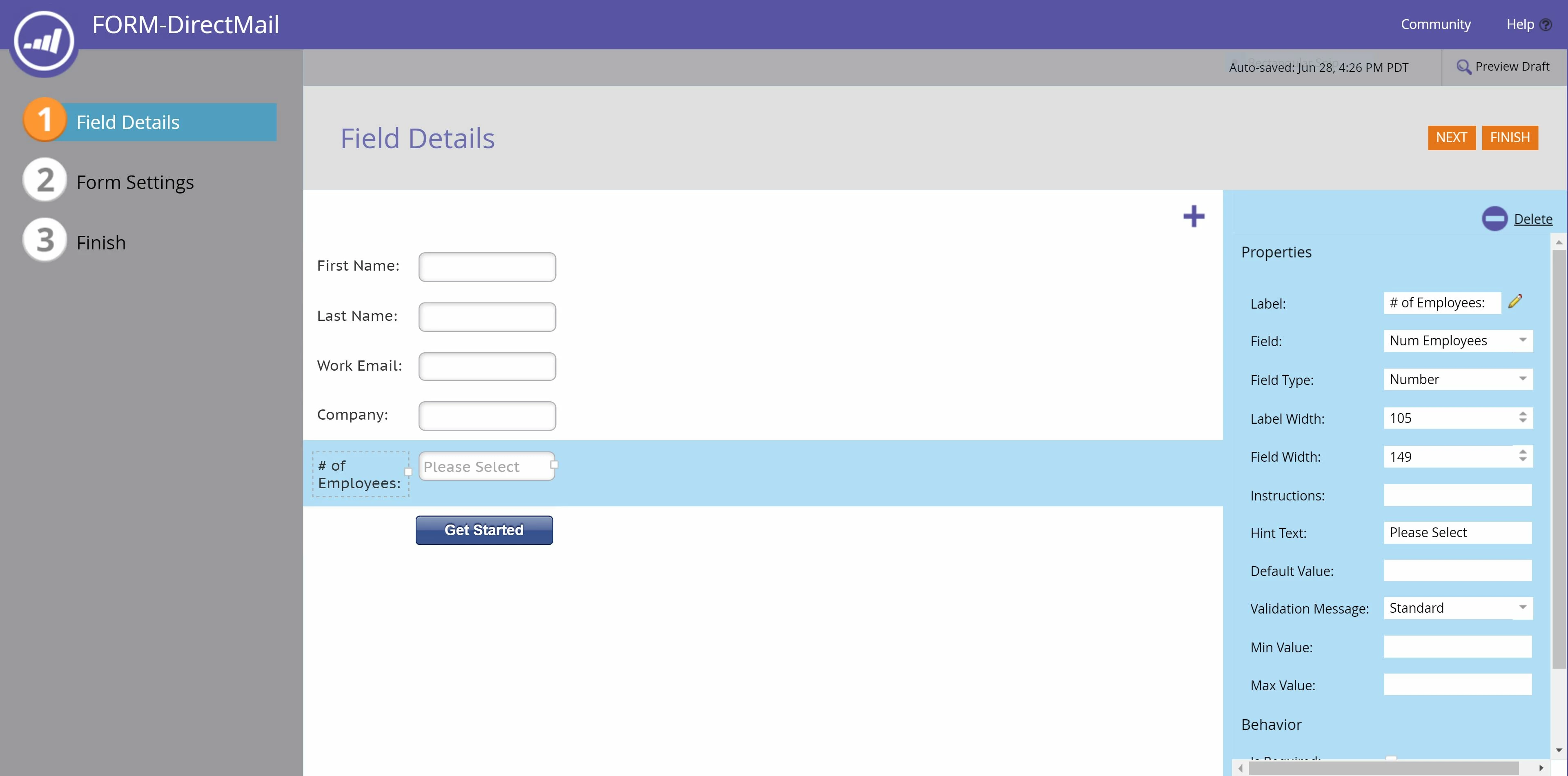
I am creating a global form for a landing page. I want to add picklist values for the # of employees field. 1-10, 11-24, 25-49, 50-99, 100+.

I found this guide in the Product Docs but it is only for a Salesforce sync. I do not yet have my CRM synced with Marketo. My company will not be using Salesforce.

Add/Remove Picklist Values - Marketo Docs - Product Docs

How can I assign values?

Thank you,

Hayley
This post is no longer active and is closed to new replies. Need help? Start a new post to ask your question.
Best answer by SanfordWhiteman

First, you have a fundamental problem in your choice of field type in Marketo, assuming you have set this as a Number in Field Management.  A range of values cannot be stored in a Number (integer) field. By definition it holds one number at a time.  While you could use the number 1 to signify 1-10, 11 to signify 11-24, etc. this will likely prove cumbersome.  Instead, you should be using a String field.

As for the picklists side, change the Field Type in Form Editor to Select. Then you can manage the values.

1 reply

SanfordWhiteman
SanfordWhitemanAccepted solution
New Participant
June 28, 2016

First, you have a fundamental problem in your choice of field type in Marketo, assuming you have set this as a Number in Field Management.  A range of values cannot be stored in a Number (integer) field. By definition it holds one number at a time.  While you could use the number 1 to signify 1-10, 11 to signify 11-24, etc. this will likely prove cumbersome.  Instead, you should be using a String field.

As for the picklists side, change the Field Type in Form Editor to Select. Then you can manage the values.

June 28, 2016

Thank you Sanford! That completely makes sense. I changed the field type to "Select" and then I was able to manage the values.

SanfordWhiteman
New Participant
June 29, 2016

Great, if you could mark my answer as Correct, that would look nice 'n' clean.
