Alerts with filters not working? | Community
Skip to main content
New Participant
October 2, 2018
Solved

Alerts with filters not working?

  • October 2, 2018
  • 1 reply
  • 3247 views

Hello,

I'm new to Marketo so please forgive me if this is a stupid question. I can't seem to get the Send Alert with filters to work. Here's a screen shot of my Campaign:
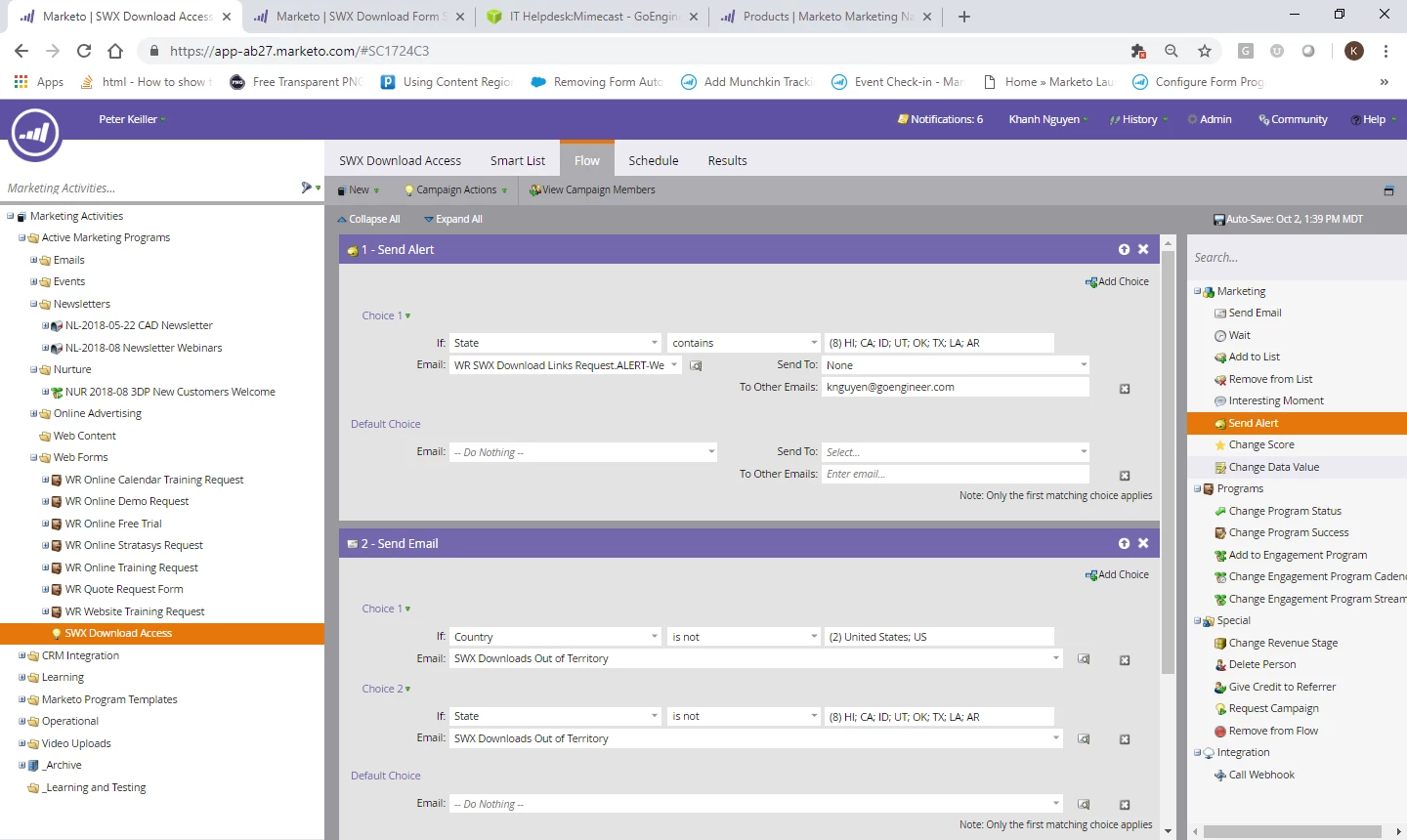
At first I had "If State Is" as the Choice 1, but when that didn't seem to work, I tried switching to "contains" but that's not working either. I made sure to check my spam/junk folders as well. The Send Email works fine though. Could someone please help me in identifying what I did wrong?

Thanks!
This post is no longer active and is closed to new replies. Need help? Start a new post to ask your question.
Best answer by Grégoire_Miche2

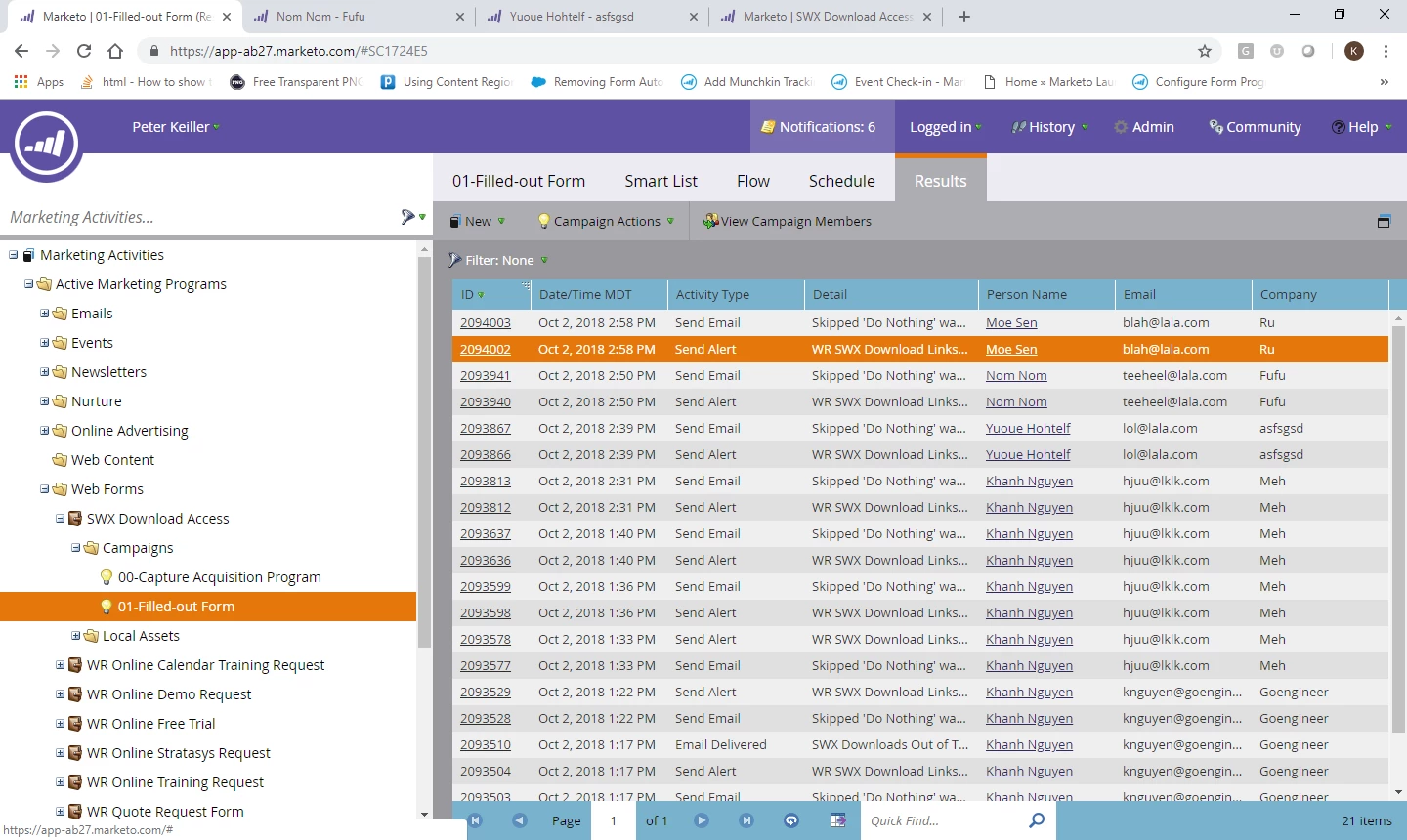
I tried waiting for 2 minutes and then 5, but I still wasn't getting any alerts. The Results show that the alerts should have been triggered. I double checked the email address it was suuposed to be sent to and checked my spam/junk folders just in case, even tried a different email address and still nothing. Please help!


Hi Khanh,

Then the problem is with the delivery of the alert. hence the interest of the activity log

Check you alert email has not design problem (invalid sender or reply to addresses, missing subject, ...) and check your IT has white listed Marketo IO addresses. double check your addressee email address in the "send alert" flow step.

-Greg

1 reply

Grégoire_Miche2
New Participant
October 2, 2018

You need first to check the lead qualifies to the smart campaign. Look at the detailed result of the campaign, if the lead is in the campaign but not subject to the alert sent, there will be a line for it still. Looking at the lead activity log will also display the same information.

Also is the campaign is triggered on a fills out form or a person is created trigger, and the state is entered on form fill out, you might have a race condition issue (you are testing a value that is not yet posted in the database), that you can solve adding a wait at the beginning of the smart campaign.

once you are sure the lead is in the campaign, simply check the state field.

Please display lay screenshots of the smart list of the smart campaign and of the activity log of the lead.

-Greg

Kana_LaiAuthor
New Participant
October 2, 2018

Thanks for your quick response!

Here is my Smart List:

The State field is filled out. Do I just need to set a delay before the notification then? How long?

Grégoire_Miche2
New Participant
October 2, 2018

start With 2 minutes. It’s not 100% fail proof (no duration is absolutely 100%if your instance is very loadEd) but should cover most the cases. Check you smart campaign from times to times and if you see errors, change it to 5 minutes.

Greg