
Always set a utm_source on your Fallback Page
Tag your Fallback Page. The official doc doesn’t call this out, but it should be part of your default setup.
When somebody goes to a nonexistent Marketo LP URL (or no-longer-existent, same thing) they’re redirected to your Fallback Page. But wouldn't you like to distinguish these visits from regular, legit visits to your corporate homepage? So tag your Fallback Page like so:
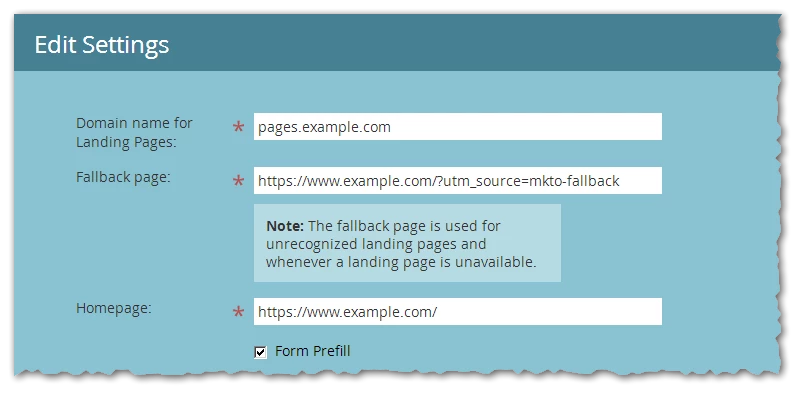
Now, you’ll at least know when somebody (or lots of somebodies) followed a bad link... though, unfortunately, you still won’t know what that bad URL was. So it’s more of a cue for further troubleshooting: if UTM Source “mkto-fallback” shoots up on a given day, look for the LPs that went live that day.
Tagging also helps detect non-fatal but still-confusing asset errors on your LPs. For example, a nonexistent favicon.ico path will redirect to your Fallback Page, and this can cause SSL-related warnings. You can now pick out those redirects in F12 Dev Tools » Network.