Asset delivery emails for different form dropdowns | Community
Skip to main content
New Participant
October 25, 2022
Solved

Asset delivery emails for different form dropdowns

  • October 25, 2022
  • 1 reply
  • 1248 views

Hi all, 

Hoping there is an answer to this! 

My request a demo form has a dropdown to select which various products you would like to receive a demo of, example in the image below: 
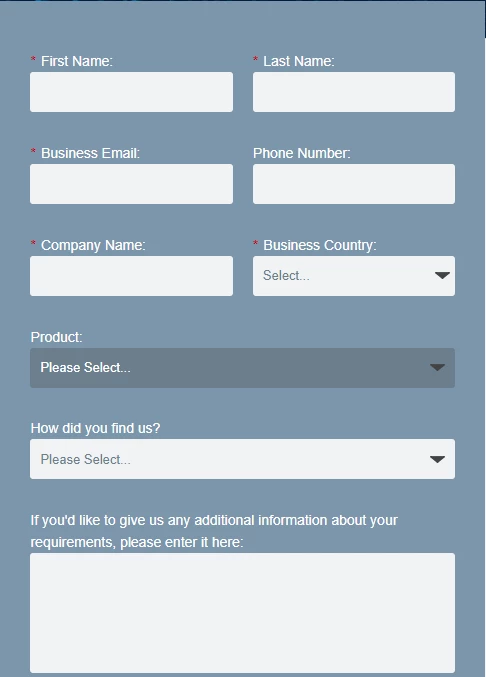
I'd like to create a different asset delivery email tailored to the specific product that they select when requesting a demo - is this possible as I can't seem to find a way to do it and may just have to settle for a generic asset delivery? 


Thanks! 
This post is no longer active and is closed to new replies. Need help? Start a new post to ask your question.
Best answer by Darshil_Shah1

Well, you can send the email based on the value in the Product Interest field - I see the Product Interest field is not a mandatory field on the form, and hence if you'd like you can either choose not to send any email to people with empty value in the Product Interest field or send a generic email.


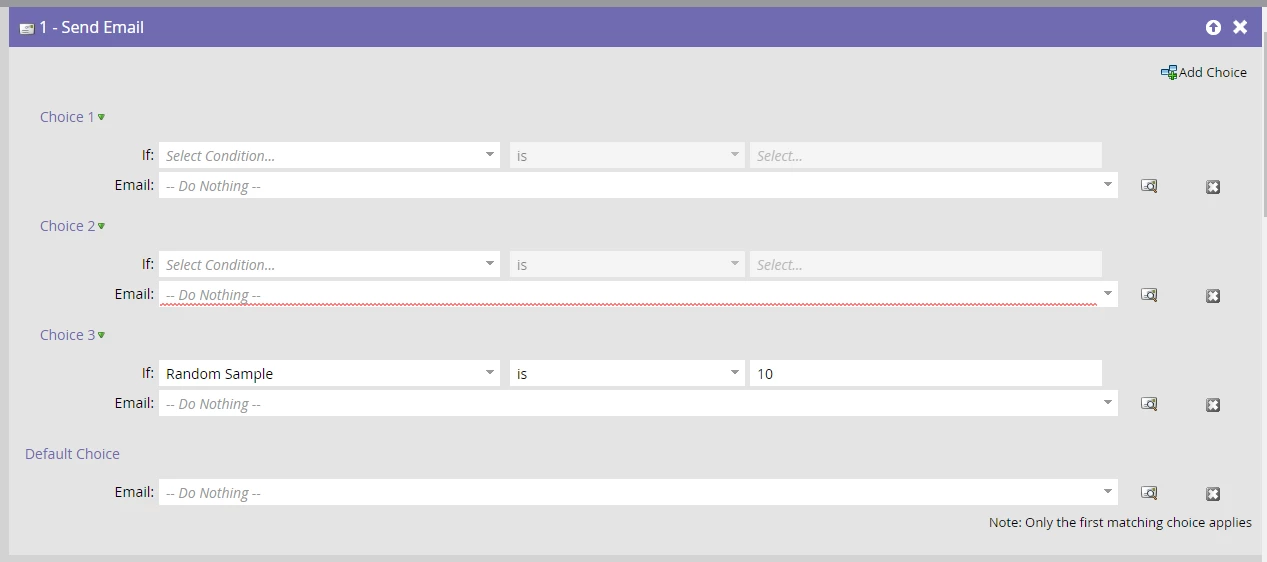
Also, you can either create a different email based on the POI values or choose to use the velocity script to set the email content dynamically based on the POI value, in the former, you'd need to use the choice steps in the send email flow step (like the image below) to send the correct email based on the POI value.


You can also set the campaign's SL in a way so that you only let people whose POI data value got changed from the form-fill that just triggered the campaign (if at all that's the requirement).


1 reply

Darshil_Shah1
Darshil_Shah1Accepted solution
Community Manager
October 25, 2022

Well, you can send the email based on the value in the Product Interest field - I see the Product Interest field is not a mandatory field on the form, and hence if you'd like you can either choose not to send any email to people with empty value in the Product Interest field or send a generic email.


Also, you can either create a different email based on the POI values or choose to use the velocity script to set the email content dynamically based on the POI value, in the former, you'd need to use the choice steps in the send email flow step (like the image below) to send the correct email based on the POI value.


You can also set the campaign's SL in a way so that you only let people whose POI data value got changed from the form-fill that just triggered the campaign (if at all that's the requirement).


New Participant
October 25, 2022

Thank you for your help Darshil!