Attended and No Show not coming through from GoTo Webinar | Community
Skip to main content
New Participant
January 4, 2024
Solved

Attended and No Show not coming through from GoTo Webinar

  • January 4, 2024
  • 1 reply
  • 1400 views

Hi Everyone,


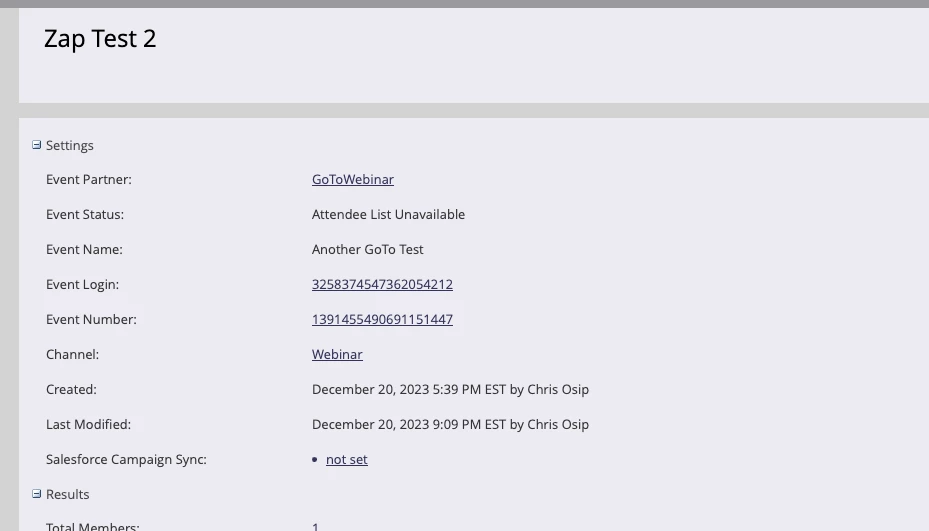
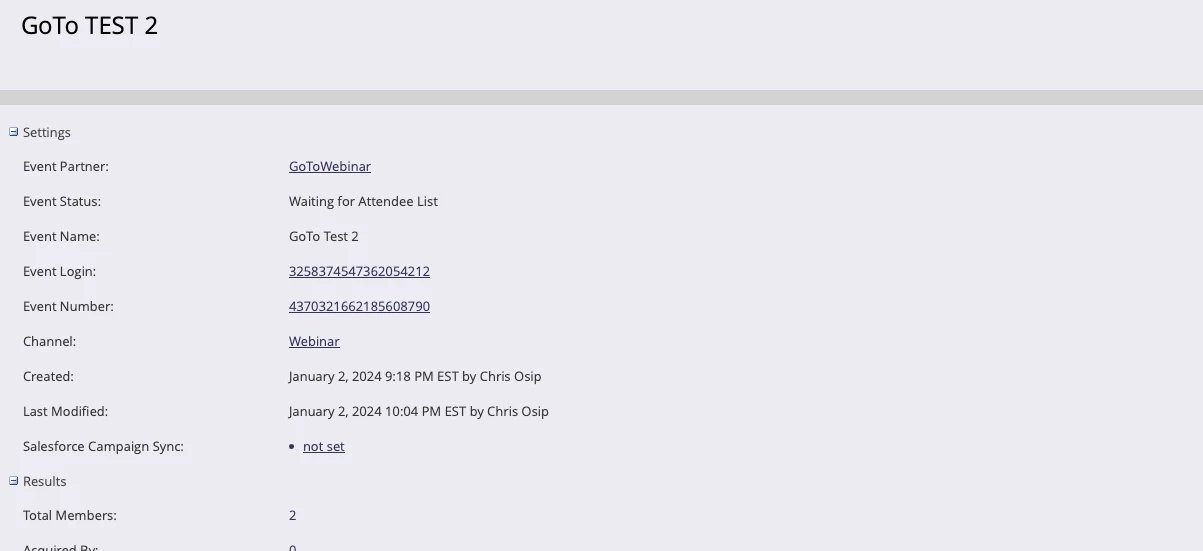
I'm at a loss here. In the test webinar I run in GoTo I cannot get the 'Attended' and 'No Show' statuses to pass through to my registered folks in the Marketo event campaigns. I've double check my integration in Launchpoint and everything seems to be set up correctly. Initially the event status gets stuck as 'Waiting for Attendee List' for a while and then becomes 'Attendee List Unavailable' after several days.

Some notes:

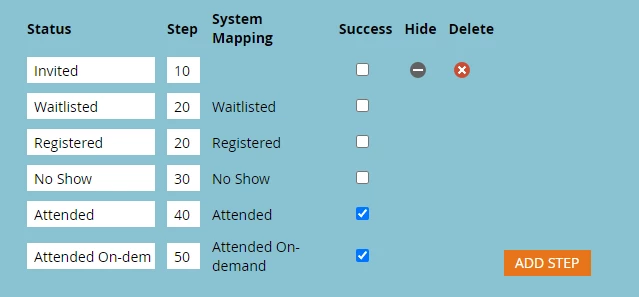
- my Webinar channel does not use the default statuses, my predecessor added some extras that are likely extraneous like clicked and opened. Could this be part of it?
 

Thank you!


Chris

This post is no longer active and is closed to new replies. Need help? Start a new post to ask your question.
Best answer by Michael_Florin-2

- my Webinar channel does not use the default statuses, my predecessor added some extras that are likely extraneous like clicked and opened. Could this be part of it?


No, I don't think so. You can add custom statuses to your webinar channel, as long as you don't mess with the system mapped ones.


A couple of ideas:

Did you start and finish your test webinar correctly? And do you have an attendance report in GTW?
Did you already click the button "Refresh from Webinar Provider" under "Event Actions" in Marketo?

Have you registered your members through Marketo? Or in other words: Did the integration work in the Marketo --> GTW direction?

I've seen this error before, and I believe it just happens occasionally. I don't know a systematic reason why it occurs, but it certainly occurs with various webinar providers.

1 reply

Michael_Florin-2
Michael_Florin-2Accepted solution
New Participant
January 4, 2024

- my Webinar channel does not use the default statuses, my predecessor added some extras that are likely extraneous like clicked and opened. Could this be part of it?


No, I don't think so. You can add custom statuses to your webinar channel, as long as you don't mess with the system mapped ones.


A couple of ideas:

Did you start and finish your test webinar correctly? And do you have an attendance report in GTW?
Did you already click the button "Refresh from Webinar Provider" under "Event Actions" in Marketo?

Have you registered your members through Marketo? Or in other words: Did the integration work in the Marketo --> GTW direction?

I've seen this error before, and I believe it just happens occasionally. I don't know a systematic reason why it occurs, but it certainly occurs with various webinar providers.