Button not centering in Marketo form | Community
Skip to main content
New Participant
July 2, 2021
Solved

Button not centering in Marketo form

  • July 2, 2021
  • 3 replies
  • 6744 views

Hello,


I am trying to center a button on a Marketo form. I have used the following code but the button is still not centering.
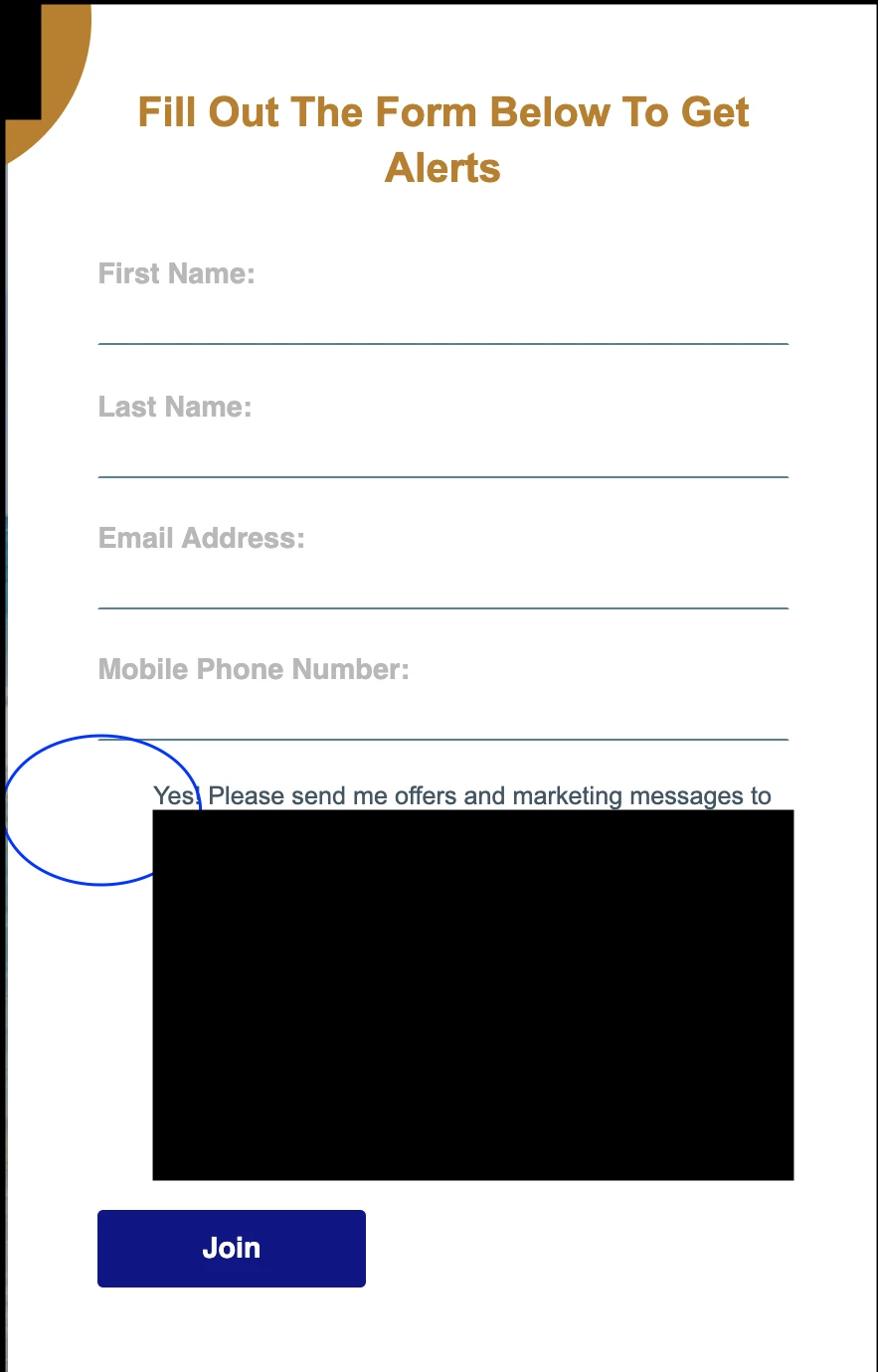


Does anyone have any suggestions?


.mktoForm { width:100% !important; } .mktoFormRow, .mktoFieldWrap, .mktoButtonRow { width:100% !important; } .mktoForm input[type=url], .mktoForm input[type=text], .mktoForm input[type=date], .mktoForm input[type=tel], .mktoForm input[type=email], .mktoForm input[type=number], .mktoForm textarea.mktoField, .mktoForm select.mktoField { width:100% !important; } input[type="checkbox" i] { background-color: #000 !important; cursor: default; appearance: auto; box-sizing: border-box; margin: 3px 3px 3px 4px; padding: initial; border: initial; } }


Thank you,


LK


This post is no longer active and is closed to new replies. Need help? Start a new post to ask your question.
Best answer by Dave_Roberts

I've added some feedback here: https://nation.marketo.com/t5/product-discussions/button-not-centering-in-marketo-form/m-p/314532/highlight/false#M177722 which covers the centering of the button -- I read/responded to this post before I saw the other w/ the link. 


Here's the bit of code that's centering the button isolated from the other example:

/* center form button - display wrapper as inline block and center button w/ text-align */ form.mktoForm .mktoButtonWrap { display: inline-block; text-align: center; }


Please let me know if you've got any feedback specifically about centering the button on this thread so we can try and keep it useful for anyone who comes along in the future with a similar question.


Thanks again,

Dave

3 replies

Dave_Roberts
Dave_RobertsAccepted solution
New Participant
July 2, 2021

I've added some feedback here: https://nation.marketo.com/t5/product-discussions/button-not-centering-in-marketo-form/m-p/314532/highlight/false#M177722 which covers the centering of the button -- I read/responded to this post before I saw the other w/ the link. 


Here's the bit of code that's centering the button isolated from the other example:

/* center form button - display wrapper as inline block and center button w/ text-align */ form.mktoForm .mktoButtonWrap { display: inline-block; text-align: center; }


Please let me know if you've got any feedback specifically about centering the button on this thread so we can try and keep it useful for anyone who comes along in the future with a similar question.


Thanks again,

Dave

New Participant
July 3, 2021

Thank you so much Dave! 😄

New Participant
July 9, 2021

@Dave_Roberts 


Hello, the width of the button on the form is a little smaller than I would like. How can I make it closer in size to the other buttons on the landing page (regardless of desktop vs. mobile)?


Also, how do I remove the border appearing around the button? I've tried adding this code below to the form theme custom CSS, but no luck 😥:

border: none !important; border-color: none !important;


Link to landing page:  http://promos.ovstravel.com/IM---Operational-Testing-Program_SMS-Test-Landing-Page.html.

Thank you,


LK

Dave_Roberts
New Participant
July 2, 2021
Dave_Roberts
New Participant
July 2, 2021

Could you post a link to a test page with this form on it? If I can get into the dev console and have a look at the code I can probably help you get this ironed out. To be clear here - are you looking to deal with the button being centered on the form or the left spacing on the dark background input (or both)?