Calendar: Understand how views work and how to share them | Community
Skip to main content
May 26, 2016

Calendar: Understand how views work and how to share them

These 3 points will help you to understand calendar better.

1. Calendar views are sticky.

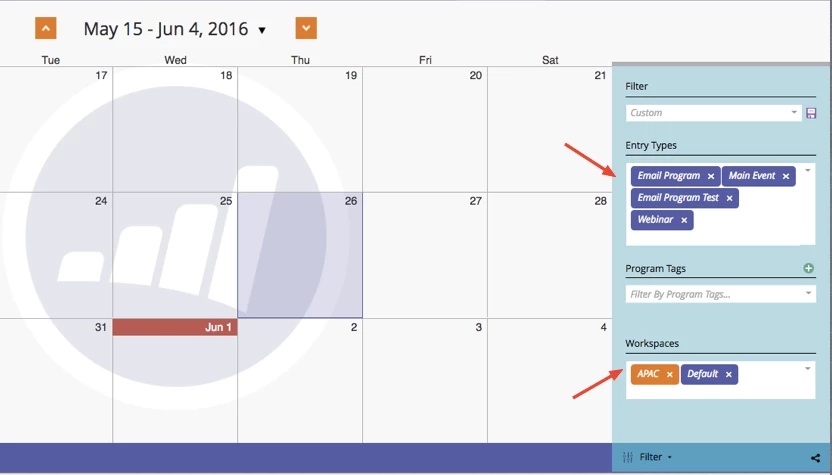
This means that if you your last calendar view will remain until you change it for a new one. Let's say you selected the below view,  you leave your calendar and go to a different place in Marketo, when you come back to your calendar you will find the same view that you had before.

In the example below you can see that you have Email Programs, Main Events, Email Program Tests and Webinars as entry types and APAC and Default as Workspaces.

If you leave your Calendar, go to Marketing Activities and then you come back to Calendar you will find the same view that you had before.
2. Save views as filters

You can save a view that you use frequently.

Go to filters / Type in Custom
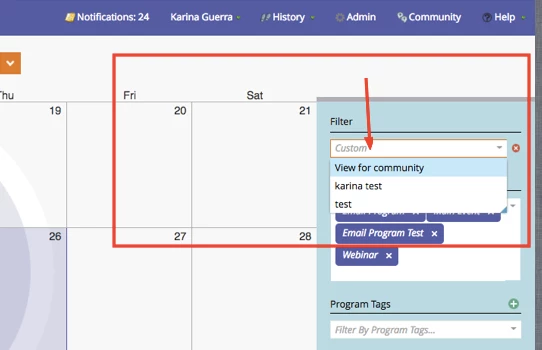
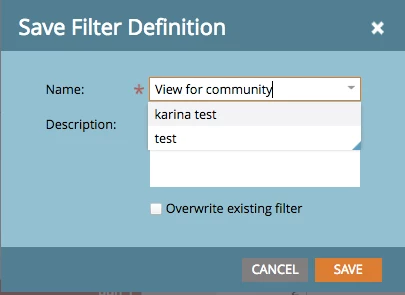
A new box will appear, enter a name for a view.

I entered 'View for community'

Save
You can share a view with someone who has a login access to Marketo.

Click on the share symbol as indicated below.
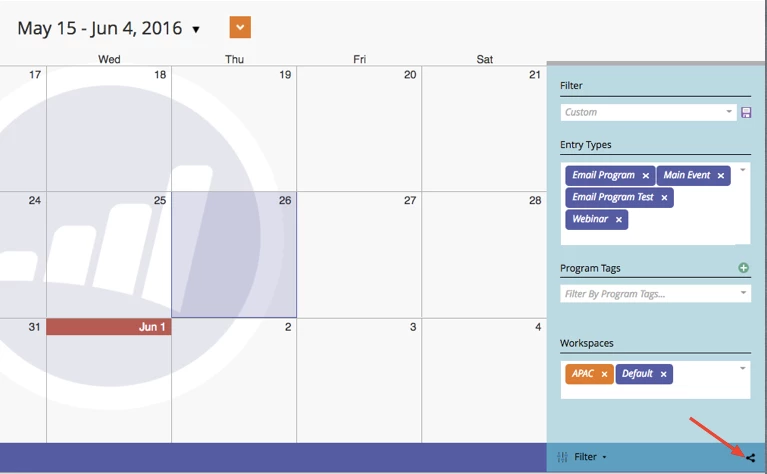
You will be provided with a link.
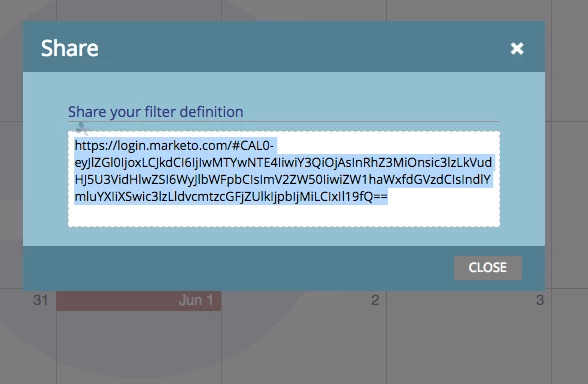
Share this link and as long as the other person can login, they would be able to see the same view.

This post is no longer active and is closed to new replies. Need help? Start a new post to ask your question.

5 replies

Danielle_Wong
Community Manager
September 6, 2017

Where do i go to see this calendar?

Translate
Level 10
June 22, 2016

Also, point #3 was not noted in the original post, or has been lost.

I think the share feature was your 3rd point @Karina Guerra​

Translate
Colin_Mann
Level 4
June 22, 2016

I agree with you - it's currently not very user-friendly or as valuable as it could be. It's a relatively new feature and hopefully it will continue to improve.

Translate
Level 10
June 13, 2016

Does the product team or support have any suggestions to my comment above @Karina Guerra​?

Translate
Level 10
May 26, 2016

I'm still plagued by the calendar only returning a max of 200 items in any given view.


I cannot filter down to a view of just one week, which being able to provide date ranges would be a great feature!


Calendar, IMO, is not well suited for Enterprise use as it stands today.


Is anyone with a complex instance (>200 programs) using Calendar or have advice?

Translate