Hey Chris,
First I want to say thank you for the work you're putting in to help me out, I appreciate it!
What you posted makes sense, I may just not fully understand how Marketo works and am making it more complicated than it needs to be. We sell hearing aids and about 4 years is the point where it's worth investing in new devices. We want to set up a campaign where we send an email out at the 3-year mark, then the 5-year mark. Right now our API isn't connected, so we upload a new database once a week until it will be.
Here is what our flow looks like (baby stage, could be very wrong):
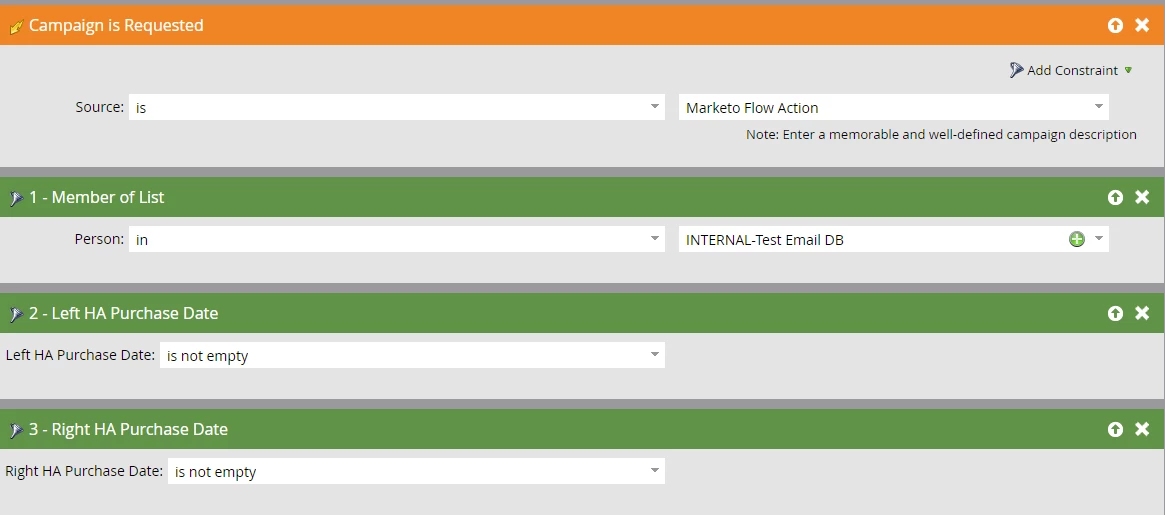
Smart List:
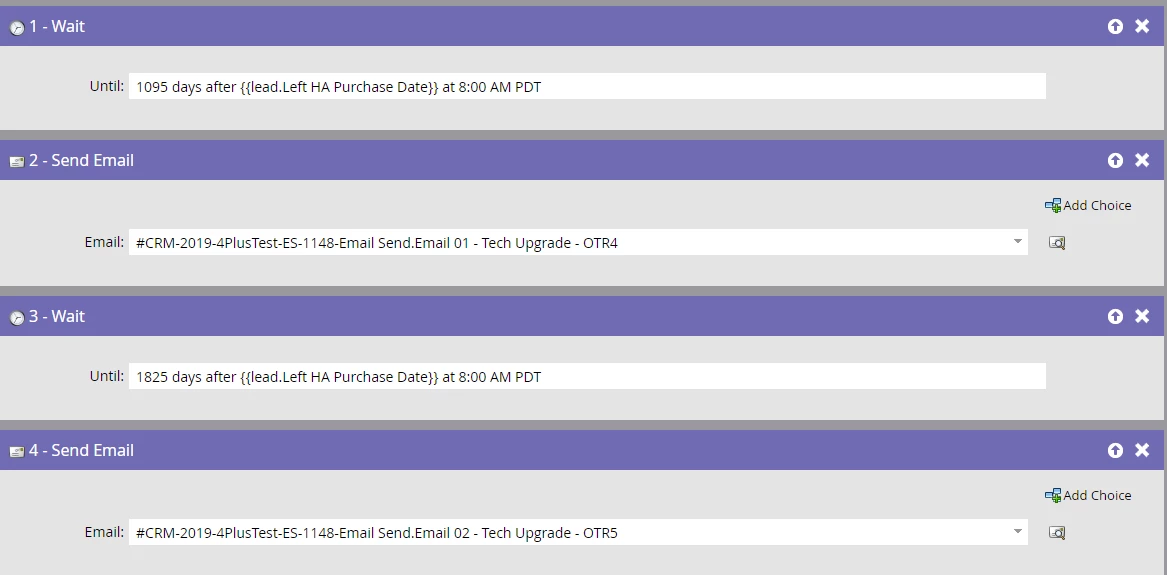
Flow:
Thanks Chris!
Hey John,
Yea, you definitely don't want wait steps as long as that just as a best practice. To get a little deep and technical for a second, wait steps get tricky because the way Marketo handles contacts in a wait step. If someone is in a wait step and, for example, the flow steps for that Smart Campaign get updated or changed while someone is still in the wait step, they will still be responding to the OLD wait step, but with NEW updated next actions. Also, if you turned off the smart campaign, people continue to flow through the wait steps and flow even if the smart campaign is deactivated. Deactivating a smart campaign only stops more people from being added, so super long wait steps can make getting people to stop receiving emails after long wait steps becomes a huge pain. Long story short, long wait steps are a pain and try to avoid them.
The easiest way I like to describe the general way that Marketo works is that it's just a giant IFTT (if-this-than-that) tool. IF (someone does something or meets some qualifications) THEN (take some action, send an email, etc.). The IF is your Smart List, the THEN is your Flow.
For your program, what I would do is create a single Default Program with your email assets inside, and I would create a single smart campaign with choices in the flow step to determine which email to send to people based on their date.
Looking at your smart list today, I'm not sure what your "Campaign is Requested" trigger is. Unless there is another Marketo smart campaign that is being used to push people into this campaign, I think you are just misunderstanding how to setup the campaign.
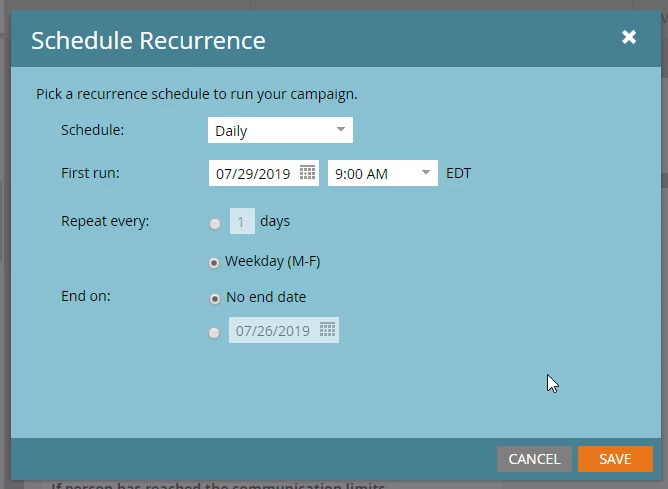
What you want to use are the green filters to define who you want to qualify for the email every time the smart list is run (which we will setup to run every single day or weekdays, whatever you think makes sense). The orange filters are actually triggers that are used to watch specific actions happen (visiting a specific web page, clicking a specific email, etc.) and then your smart campaign will trigger when someone takes that action. Since here you just want to identify the people who are ready for an upgrade, you just want to look at your database every day and say "who's purchase day is greater than X days?" and that's your smart list.
Also in Marketo, you don't need to reference the list itself. If you uploaded someone into a list, they're now just broadly in Marketo's contact database, so your member of list isn't necessary. Marketo is just going to look through all of it's uploaded contacts to see who meets your filter qualifications.
For your Left / Right purchase dates, here's how I would set this up. Make sure you change the filter choice at the top to be "ANY," which means if EITHER their left purchase date OR their right purchase date is on or before 3 years ago they will qualify. If you leave it as "AND" BOTH left AND right would have to be 3+ years to qualify. I'm assuming you want either or. This is your entire smart list.

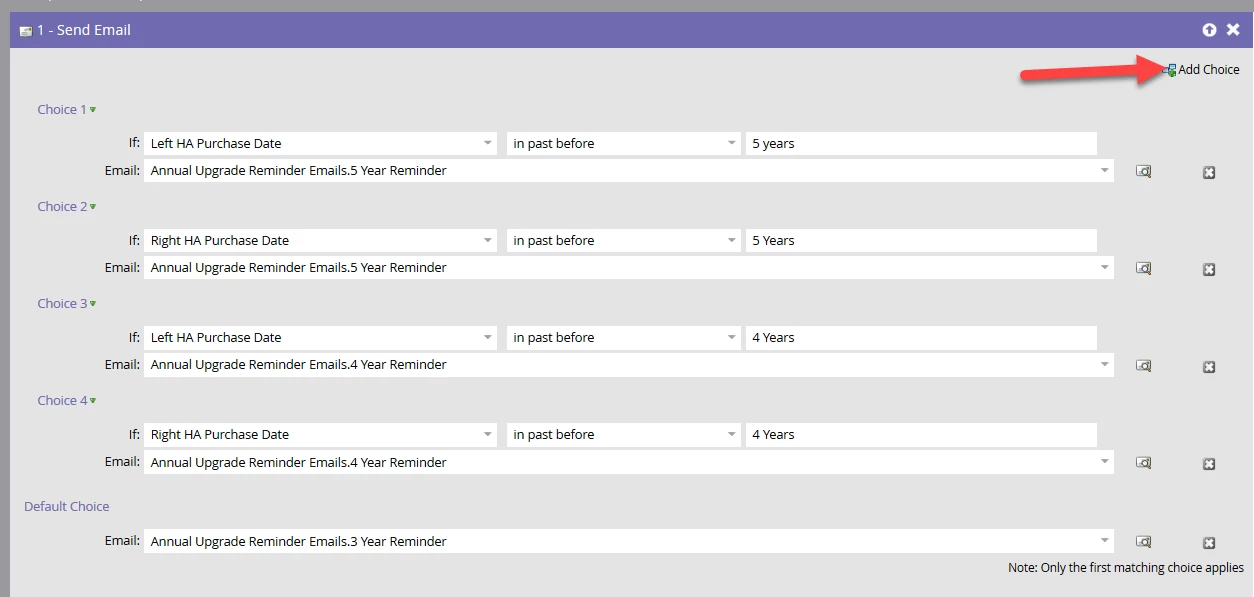
For the flow, I would use the "Add Choice" option to determine which email to send. The way this works, Marketo will go down the list of choices 1-6, and the FIRST one a person qualifies for, it'll send that email in that choice. This allows us to have a single smart campaign that will send out all three emails. You have to check for left and right respectively. You also want to make sure you start from the farthest in the past date so that if they're 5+ years, they get that email, then it'll check 4, then everyone else gets the 3 year.
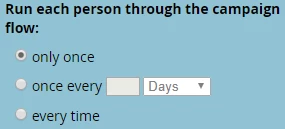
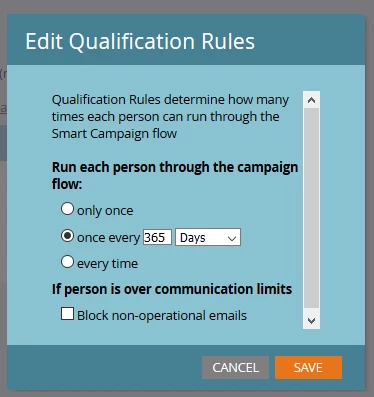
Then in your qualification rules, you want someone to qualify one time every year, so I set this to once every 365 days. Also, setup the recurrence to run your smart list once a day to check for anyone who qualifies.
This setup will:
1) Run daily on Weekdays
2) Look for anyone with a left or right purchase date greater than 3 years in the past
3) Send an email. Which email it sent is based on how far in the past the customer's purchase date is (5, 4 or 3 years)
4) People can only run through this once every year.