Can I show options on email preferences form based on boolean fields? | Community
Skip to main content
New Participant
June 5, 2023
Question

Can I show options on email preferences form based on boolean fields?

  • June 5, 2023
  • 2 replies
  • 3142 views

To explain more, we have created an email preferences form (embedded on a Marketo landing page) wherein each selection uses a boolean field:


Fields on existing member record:
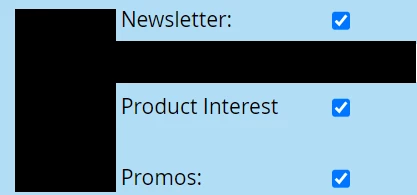


Fields as selections on Marketo form/landing page:
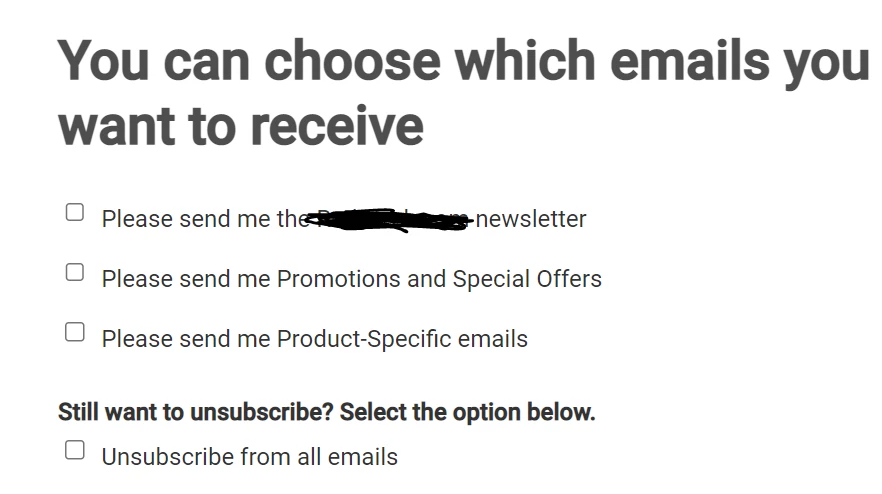
 

I've scoured through Sandy's blogs on forms on blog.teknkl.com/, but did not come across a specific solution for my situ.

Is it possible to show each of the options above only if the corresponding field on an individual member's record is unchecked/false? And/or can the option be shown as checked if it is checked/true on the member's record?


Thank you,

LK


2 replies

Michael_Florin-2
New Participant
June 7, 2023

Have you checked if form pre-fill works on any other field? I'm asking as there was an issue which affected the Ashburn, London and San Jose data centers a couple weeks ago. It might be fixed by now, but you should update your form and drag it back in onto your landing page.


New Participant
June 12, 2023

Thank you Michael! It was actually a caching issue.


Appreciate your input!


LK

SanfordWhiteman
New Participant
June 13, 2023

Thank you Michael! It was actually a caching issue.

A cookie issue perhaps. Caching shouldn’t matter here, that would be very bad.

Darshil_Shah1
Community Manager
June 6, 2023

From what I can understand, you need the form pre-fill on your page. Based on the data of the cookied person record, you can either show/hide fields or display the fields with the data prefilled if the person record already has data for that field in the Marketo. Check out Sandy’s form pre-fill solution here.


I think you should prefill and show all the fields instead of hiding the ones that have a True value, as if you do so, the person once opted in wouldn’t be able to opt out from the individual categories via this page (unless of course if they clear their cookies or visit from a different browser or system).

New Participant
June 6, 2023

Hi @darshil_shah1 ,


Thanks so much for your response! 


I know that there is a Form Prefill setting on Marketo landing pages (see below), but are you saying that I would need to implement the instructions Sandy provided in his blog--that just enabling the Form Prefill option isn't enough?


Important to note too is that, unlike the first prerequisite in Sandy's blog, we will not be using an external site so there's no need to enable prefill on an external site. We just want to be able to update the form fields on the Marketo landing page itself based on the data on a customer record in Marketo.


Thanks again,

LK


Darshil_Shah1
Community Manager
June 6, 2023

Hi @guitarrista82,


The native form pre fill only works if the lead lands on the landing page by clicking a tracked link from an e-mail, check this post:

https://nation.marketo.com/t5/knowledgebase/form-pre-fill-feature-upgrade/ta-p/251652


Sandy’s solution helps getting around this and with it the forms prefill as long as the person is cookied (i.e., munchkin tracking cookie is associated with a known person record in Marketo).