
Cannot move up or down modules when mktoModuleScope="True". Bug or expected behavior? | Community
Skip to main content
Grégoire_Miche2
New Participant
October 9, 2016
Solved

Cannot move up or down modules when mktoModuleScope="True". Bug or expected behavior?

  • October 9, 2016
  • 3 replies
  • 3598 views

Just detected a strange behavior linked to the mktoModuleScope variable setting.

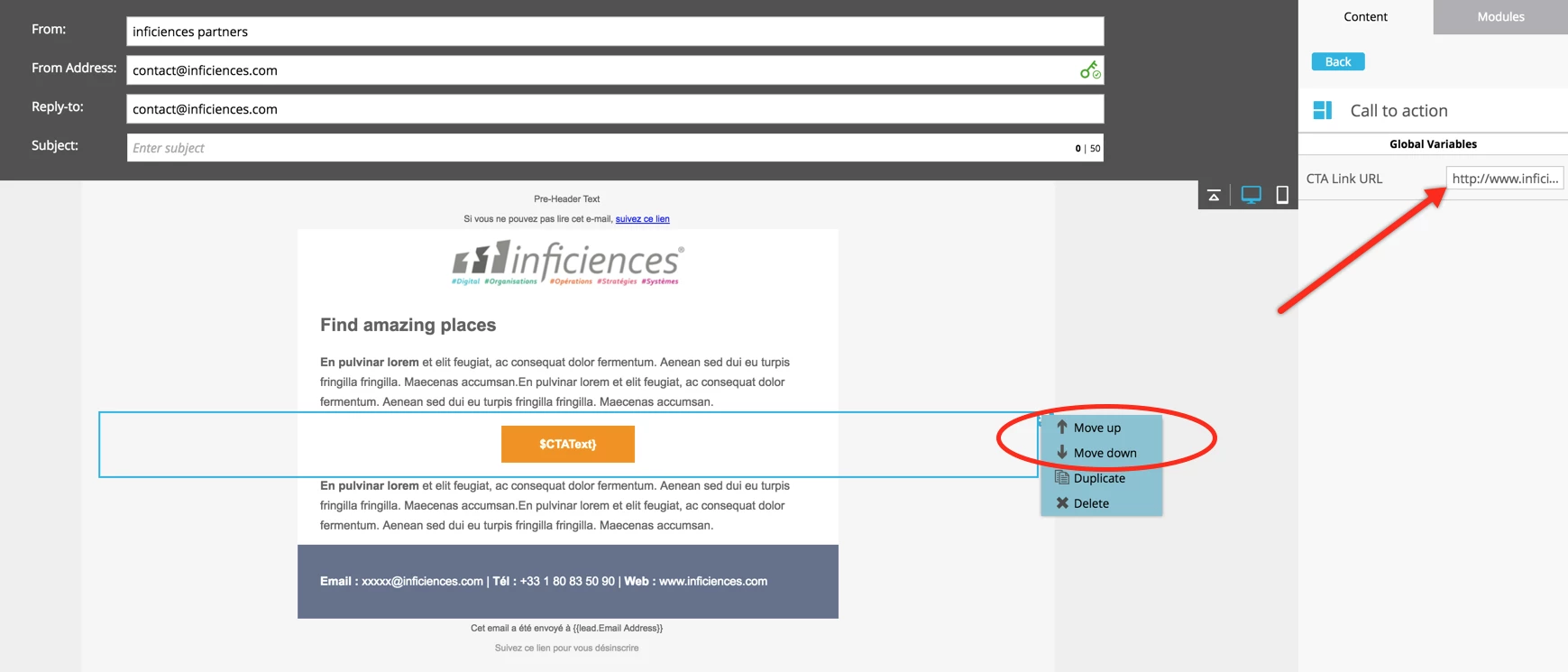
If one sets it to false, the module can be moved up and down in the template, as one can see in the screenshot below, where the variable is global, the "move up" and "move down" menus are available:
But if you set it to "True", the module can no longer be moved up or down, and the 2 menu entries are greyed:
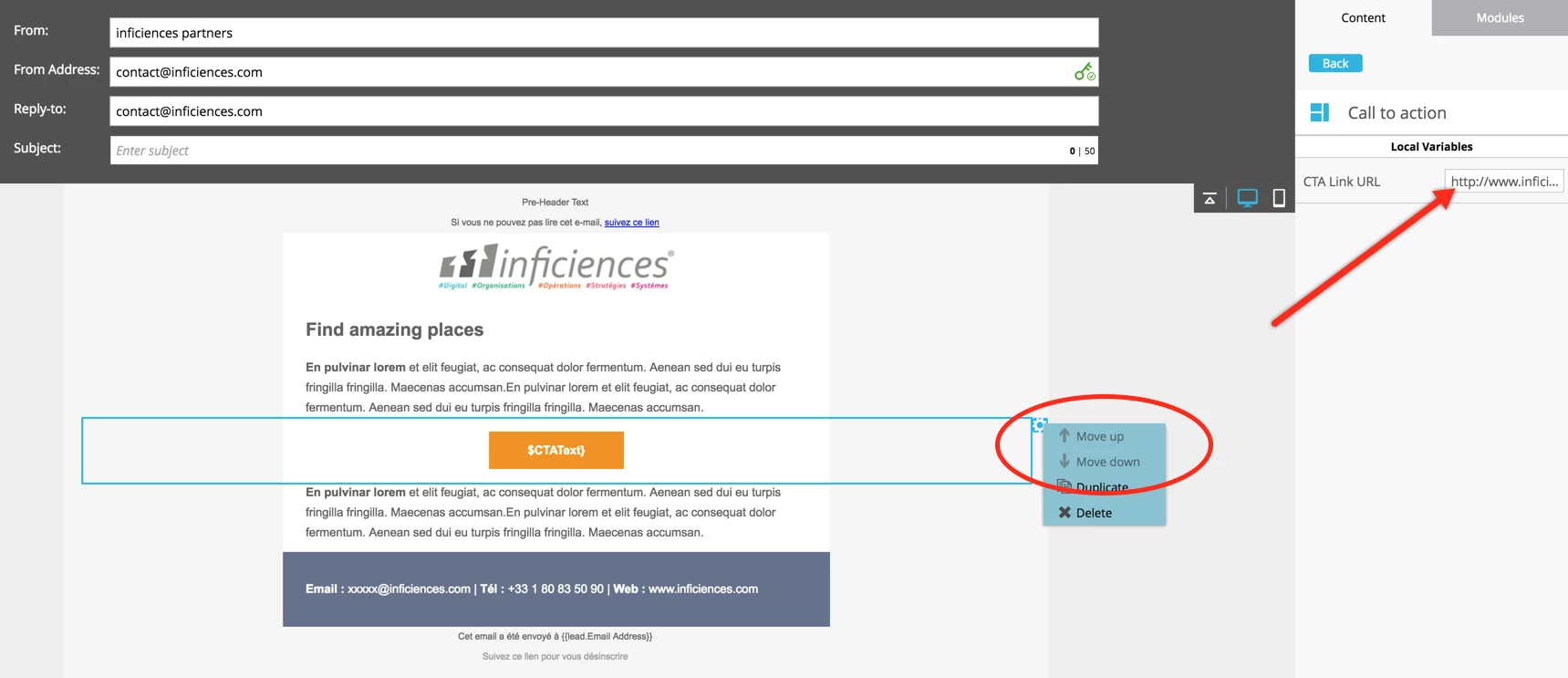
The 2 templates I used are totally identical, excepted for the mktoModuleScope setting.

@Justin Cooperman​, is this expected (in which case it is not documented) or is it a bug?

-Greg

This post is no longer active and is closed to new replies. Need help? Start a new post to ask your question.
Best answer by Justin_Cooperm2

Btw, workaround is to right click module in the right-hand pane and move that way. Or, drag them in the right-pane using handles. It appears that resets things and gives you the context menu options back within the canvas.

3 replies

Justin_Cooperm2
New Participant
October 11, 2016

Ok, I am able to reproduce it using your files. We're looking into it.

Justin

Justin_Cooperm2
Justin_Cooperm2Accepted solution
New Participant
October 11, 2016

Btw, workaround is to right click module in the right-hand pane and move that way. Or, drag them in the right-pane using handles. It appears that resets things and gives you the context menu options back within the canvas.

Grégoire_Miche2
New Participant
October 12, 2016

Thx ! We will add it to the training, in the meantime.

-Greg

Justin_Cooperm2
New Participant
October 10, 2016

I can't reproduce this. Any additional info you can provide would be really helpful. I tried creating a new template with some variables mktoModuleScope="true" and some "false" and that worked fine. Similarly, I tried changing the variable settings in the email code editor itself (disconnecting the email from the template) and that worked also. Am I doing something differently than you are?

Justin

Grégoire_Miche2
New Participant
October 10, 2016

Hi Justin,

Do you want me to grant you access to my instance and point you to the 2 templates ?

-Greg

Grégoire_Miche2
New Participant
October 10, 2016

Additional info: the "Greyed move up and down" syndrome apply to all modules in the templates, even those that have no local variables.

-Greg

October 10, 2016

I encountered this on Friday as well. Had to delete all modules and reassemble the email in the order desired.