Changing Lead Source Data Value when filling in a Form | Community
Skip to main content
June 29, 2016
Solved

Changing Lead Source Data Value when filling in a Form

  • June 29, 2016
  • 1 reply
  • 1325 views

Hi there,

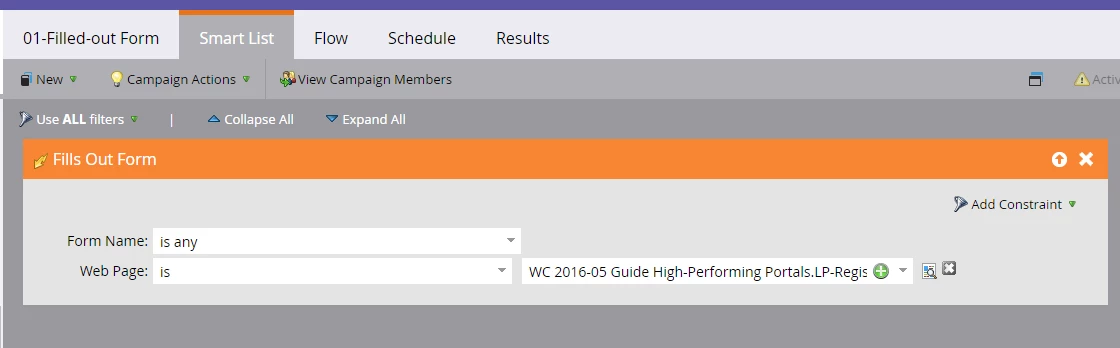
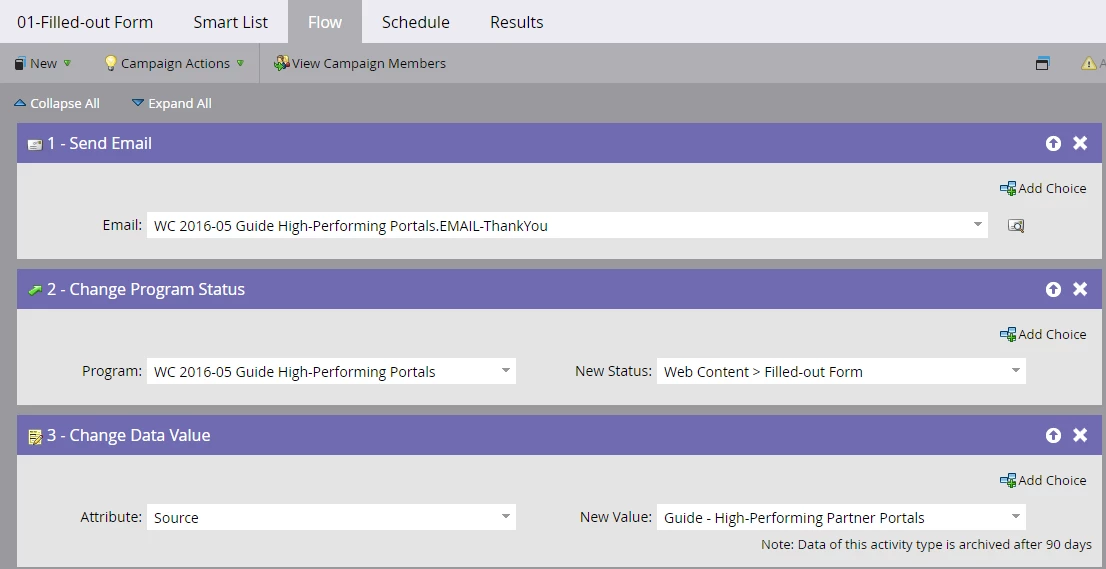
I have created a flow so that when a form is filled in on a specific landing page, it changes the data value of "source" so that value from that landing page. It works fine the first time someone fills in form the only problem is if someone fills in a form on a different page it doesn't update the "Source" this is something that I would like. Any recommendations?

Smart List:
Flow:
Kind Regards,

Mason

This post is no longer active and is closed to new replies. Need help? Start a new post to ask your question.
Best answer by Dory_Viscoglio

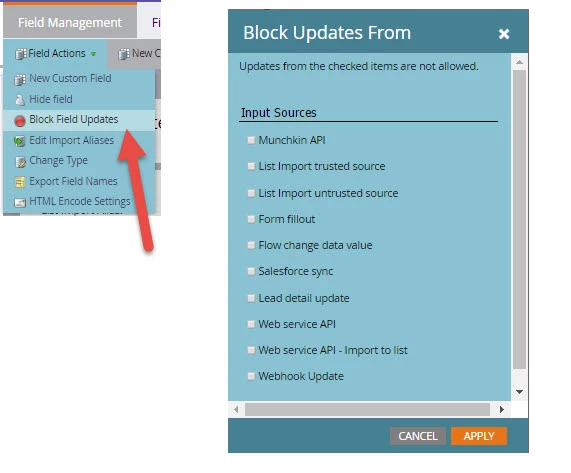
Hi Mason, your field value is likely blocked from updating. You need to go into Admin > Field Management, and select the field that isn't updating > Field Actions > Block Field Updates. Then review if there's anywhere (form fillout) that you are blocking leads updates from.

1 reply

Dory_Viscoglio
Dory_ViscoglioAccepted solution
New Participant
June 29, 2016

Hi Mason, your field value is likely blocked from updating. You need to go into Admin > Field Management, and select the field that isn't updating > Field Actions > Block Field Updates. Then review if there's anywhere (form fillout) that you are blocking leads updates from.

June 29, 2016

Thank you very much!!