Channel Set up - System Mapping values | Community
Skip to main content
New Participant
July 17, 2021
Solved

Channel Set up - System Mapping values

  • July 17, 2021
  • 1 reply
  • 3762 views

Hi everyone, 


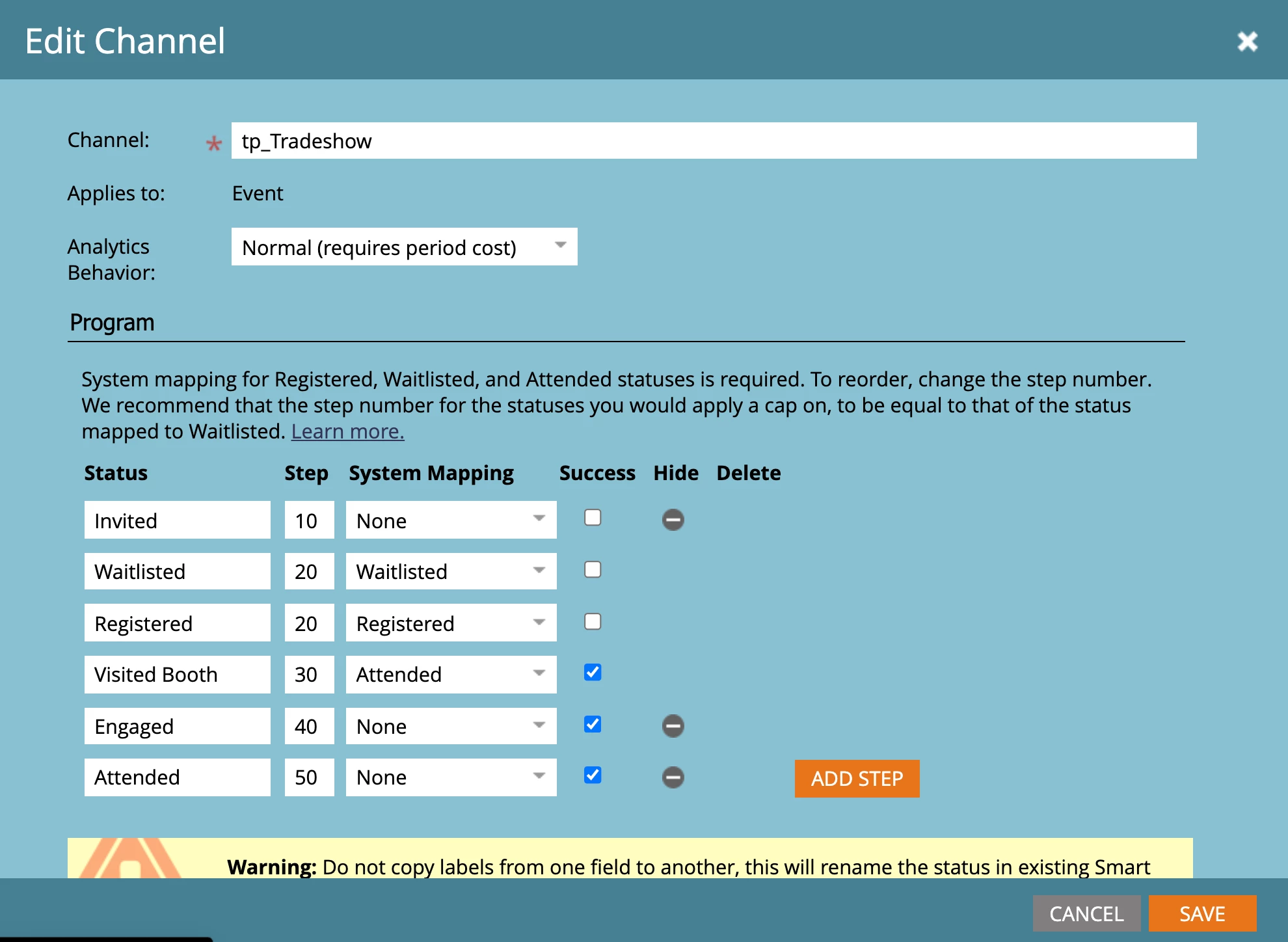
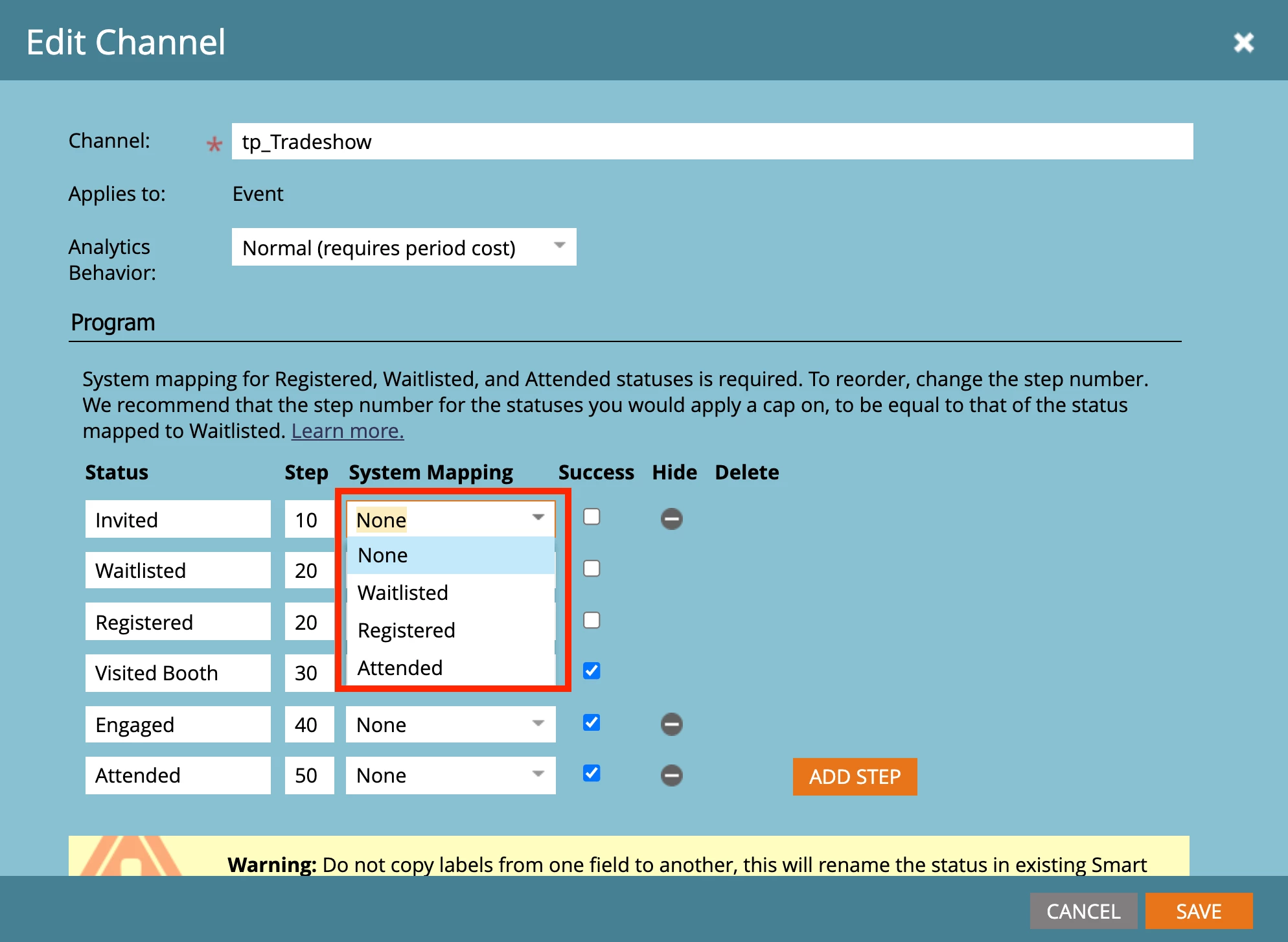
I wanted to edit a channel for a trade show, although under "system mapping" I'm missing the fields "Invited" und "Engaged". The are not exciting in the drop down. I couldn't figure out, how to add those values as a choice in the drop down. Does anyone know?


This post is no longer active and is closed to new replies. Need help? Start a new post to ask your question.
Best answer by Andy_Caron3

Hi Maria,


The system mapping component for this channel is provided to connect the program with the event app for use on your mobile or smart devices. The app is designed for you to be able to check in people at a registration desk. Only the three options provided can be mapped as they represent the app options. They will only matter if and when you are using the mobile app.

1 reply

Andy_Caron3
Andy_Caron3Accepted solution
New Participant
July 18, 2021

Hi Maria,


The system mapping component for this channel is provided to connect the program with the event app for use on your mobile or smart devices. The app is designed for you to be able to check in people at a registration desk. Only the three options provided can be mapped as they represent the app options. They will only matter if and when you are using the mobile app.

Andy Caron
New Participant
April 2, 2024

Hi @andy_caron3 


That means we cannot add new system mapping and we cannot remove/edit the pre-existing system mapping fields one? 

SanfordWhiteman
New Participant
April 2, 2024

Can you explain what you’re trying to accomplish in business terms?