
Checkboxes on forms - CASL compliant approach | Community
Skip to main content
Ande_Kempf4
New Participant
June 7, 2017
Solved

Checkboxes on forms - CASL compliant approach

  • June 7, 2017
  • 3 replies
  • 5640 views

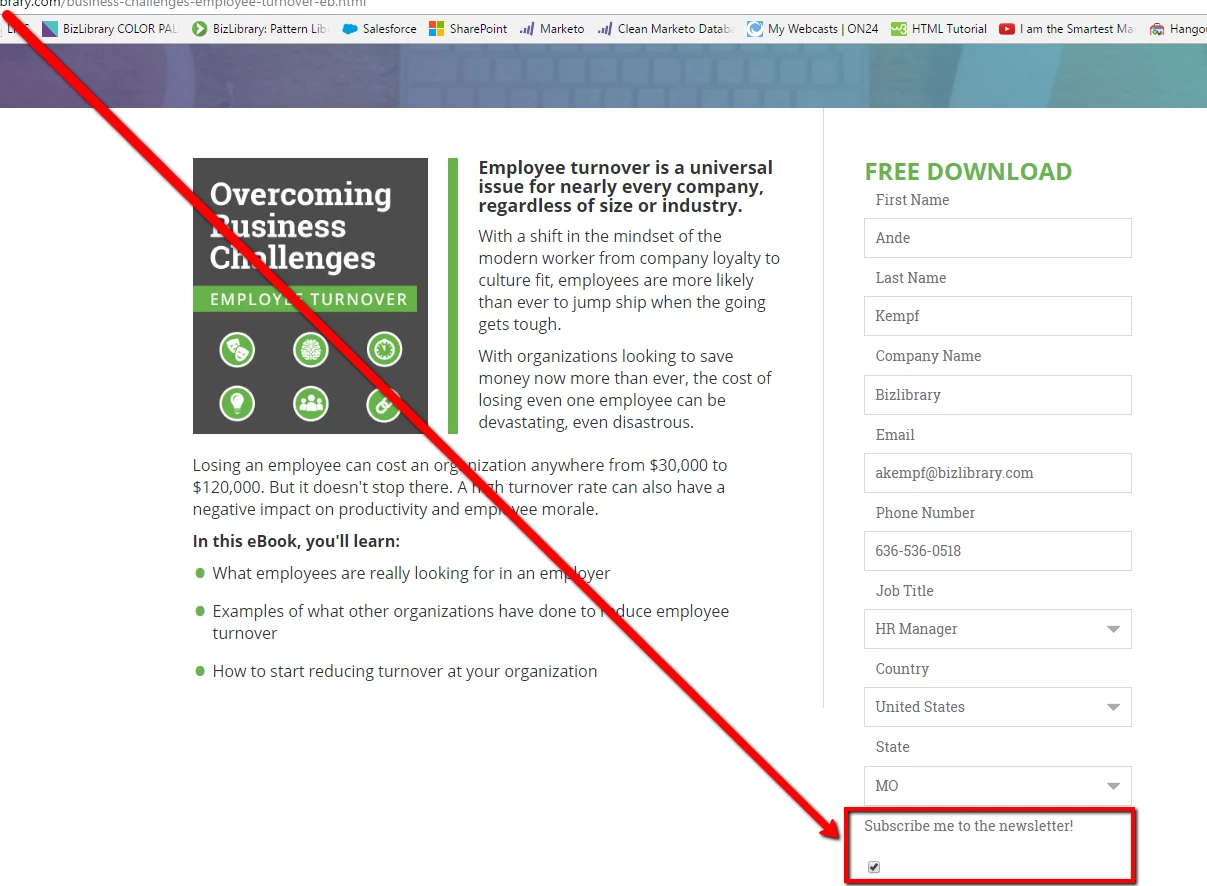
I'm trying to update my forms to contain a CASL compliant opt-in. However, when you add in a checkbox field on a form the checkbox displays on the left instead of the right and on my LPs that means the checkbox actually appears underneath the field question: I wanted the checkbox on the left because it looks better and is easier to read:
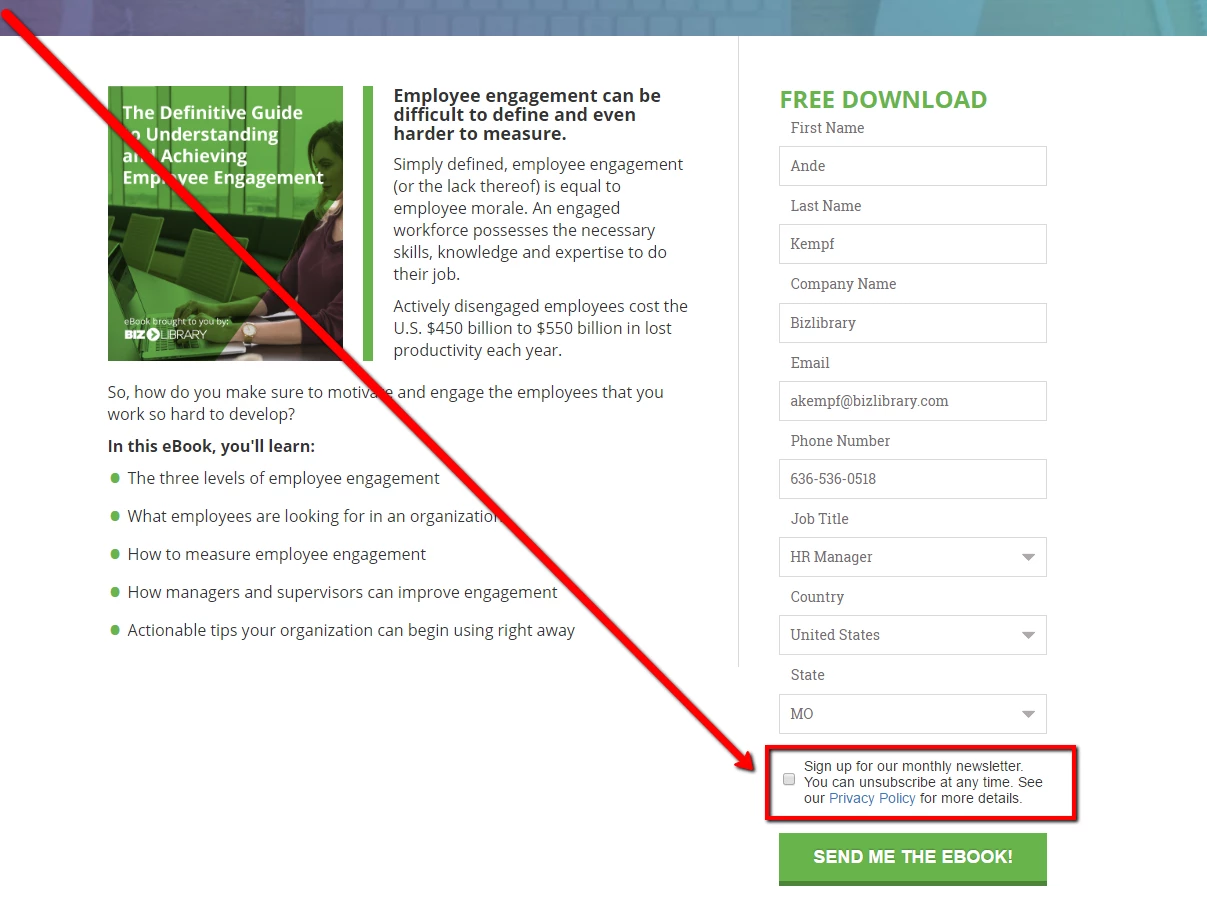
So I followed the steps here provided by : https://nation.marketo.com/message/131528 and made the change:
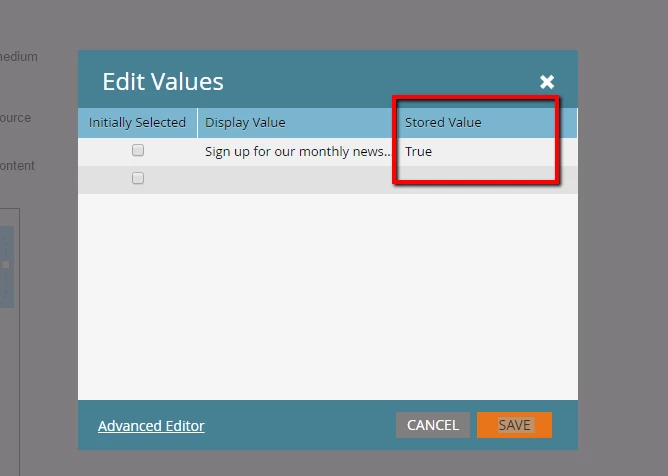
But now the field is not updating as I thought it would. Meaning, if the checkbox is left blank after a form submission the newsletter opt-in field does not become FALSE/unchecked on the lead record and vice-versa. I have tried changing the "Stored Value" to "True, Yes, and 1". But with each test submission, I come back without a changed email opt-in.
Let me know if you know why this is happening!

This post is no longer active and is closed to new replies. Need help? Start a new post to ask your question.
Best answer by Grégoire_Miche2

I ran a test of the checkboxes method and it work perfectly well if the field stored is yes, 1 or true.

The problem is elsewhere. Starting with: it is a boolean field ?

-Greg

3 replies

June 9, 2017

Try using "Checkboxes" instead of "checkbox" in the field type and add the "sign up text" among the values

David_Gaible
New Participant
June 8, 2017

I had a similar problem - I had the field type set up as 'Checkbox' rather than 'Checkboxes'. That fixed it for me! Hope it might work for you.

Grégoire_Miche2
Grégoire_Miche2Accepted solution
New Participant
June 9, 2017

I ran a test of the checkboxes method and it work perfectly well if the field stored is yes, 1 or true.

The problem is elsewhere. Starting with: it is a boolean field ?

-Greg

Ande_Kempf4
New Participant
June 13, 2017

HI Greg -  it is a boolean field. I went ahead and ran a test on a separate form and it worked fine.

Grégoire_Miche2
New Participant
June 8, 2017

Hi Ande,

Can you show how the field is set up in the form?

-Greg