Clicks Link on Web Page trigger not working for smart campaign | Community
Skip to main content
New Participant
December 2, 2019
Question

Clicks Link on Web Page trigger not working for smart campaign

  • December 2, 2019
  • 2 replies
  • 4482 views

Hi, I am trying to set-up a trigger if a pdf document on a web page (Coded Marketo page with embedded form) is downloaded, in order to receive a notification every time, someone clicks a pdf is a known user in Marketo. 

You can see in the image below, that Marketo has tracked the activity, but the smart campaign trigger didn't fire.
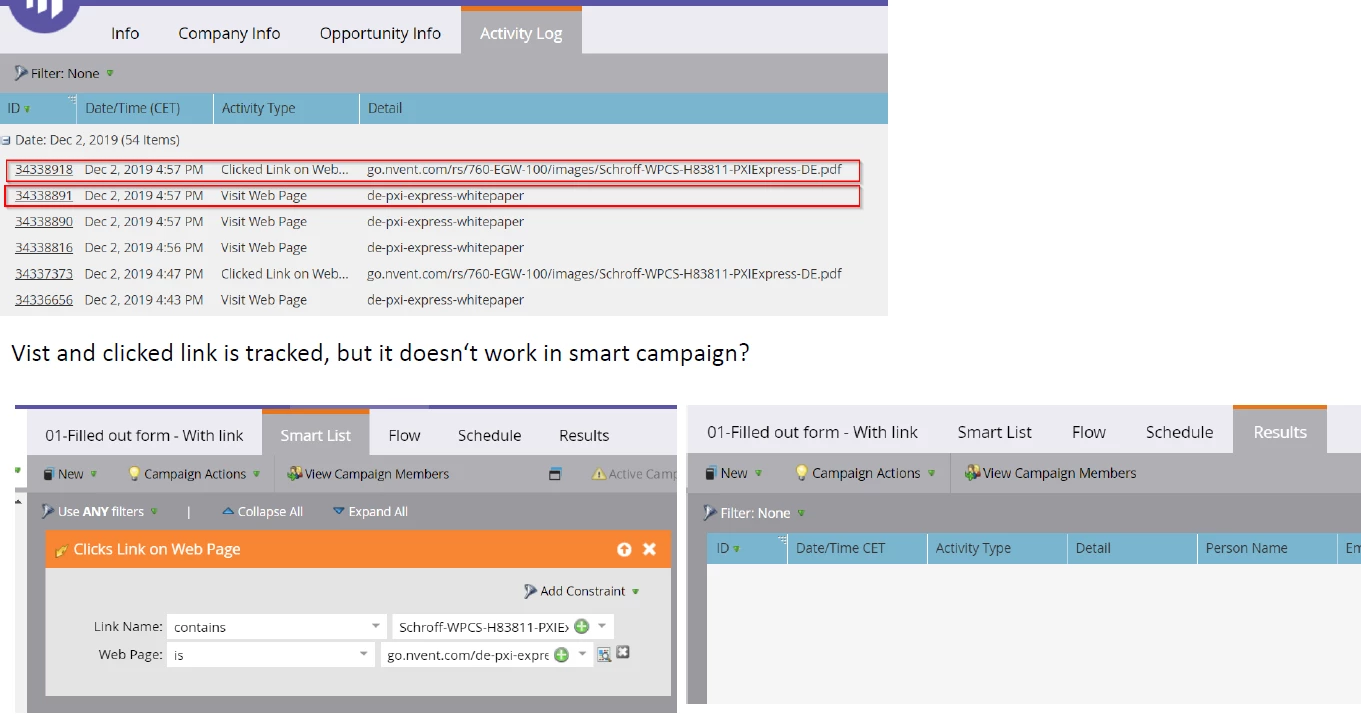
The pdf is on the following page, but only visible if you are a known user. As I am using the Known Visitor HTML functionally, so people will get the link directly when a known visitor. 

This is the web page: Whitepaper - PXI Express System 
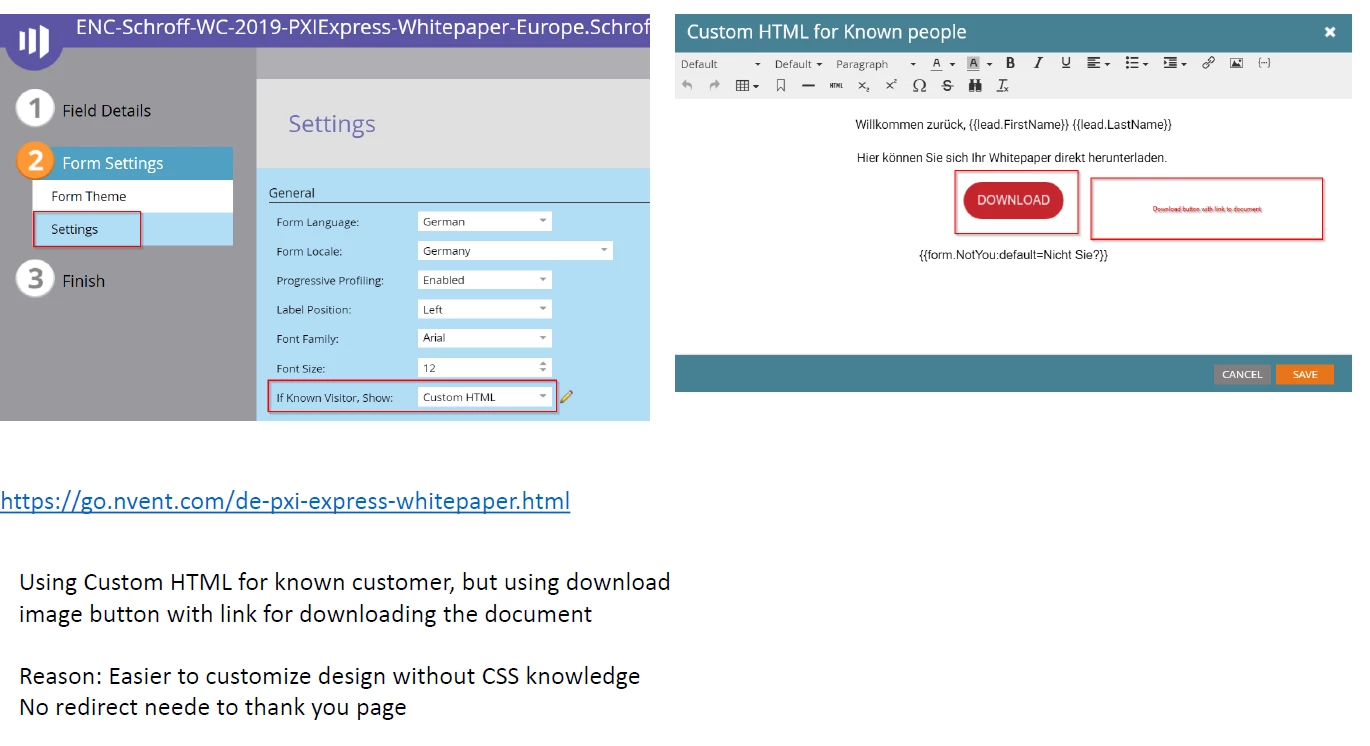
Thanks for your help. 

Jasmin 

This post is no longer active and is closed to new replies. Need help? Start a new post to ask your question.

2 replies

Carlito_Jay_Ala
New Participant
August 18, 2020

Have you tried changing the operator in the Web Page constraint? From "is" to "contains"?

stmpjmpr
Michael_Florin-2
New Participant
December 3, 2019

Does this little preview icon on your trigger lead you to that web page?

Make sure it does. And I think your "Web Page is" constraint needs to be the full URL, so start with http:// or https://

Yes, this whole dialogue is wonky. Sometimes red squiggly lines appear, sometimes they don't. Sometimes you have to use "contains", sometimes you mustn't. But overall, this should be working the way you set it up.

JasminGoAuthor
New Participant
December 4, 2019

Hi Michael, thank you for your response. When I clicked on the little preview button, I actually got an error that the page I am looking for does not exist.

So I tried the full URL, with https:// but I get the red squiggly lines and the lamp of the smart campaign is blinking red. Web Page contains is not an option, with the Clicks Link on the Web Page. 

It seem to work now, and I get smart campaign result, but it is disturbing that there is an error message. Would you know how to fix that? 

Michael_Florin-2
New Participant
December 4, 2019

Sorry, Jasmin, I don't.

I've just played around with it in Sky - where I learned that the batch Smart List offers a "Web Page Contains" operator, where as the trigger Smart List is not yet available in Sky - so that doesn't help either.

I'd file a ticket with Marketo Support and in the meantime, create your process as a batch. Or just make it a Smart List and subscribe to it daily. If it's just to inform you, you probably don't need to run it as a trigger.