Compute Formula execution issues | Community
Skip to main content
New Participant
November 2, 2023
Solved

Compute Formula execution issues

  • November 2, 2023
  • 1 reply
  • 1405 views

I installed the Compute Formula service per this user guide all initially looked well, until I attempted to execute an AIO Compute Formula step.  I set up a few string fields as input fields for the service, but no matter how simple of formula I supply, when the AIO Compute Formula step executes, it fails and produces the following error messages:

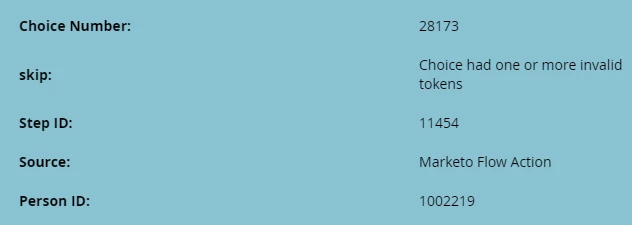
"Skipped Choice had one or more invalid tokens"

"Choice had one or more invalid tokens"


Would anyone know why it would produce this message?  Is there an easy way to validate the installation of the AIO Compute Formula service?


Here is how the service appears in the Service Providers page:

 

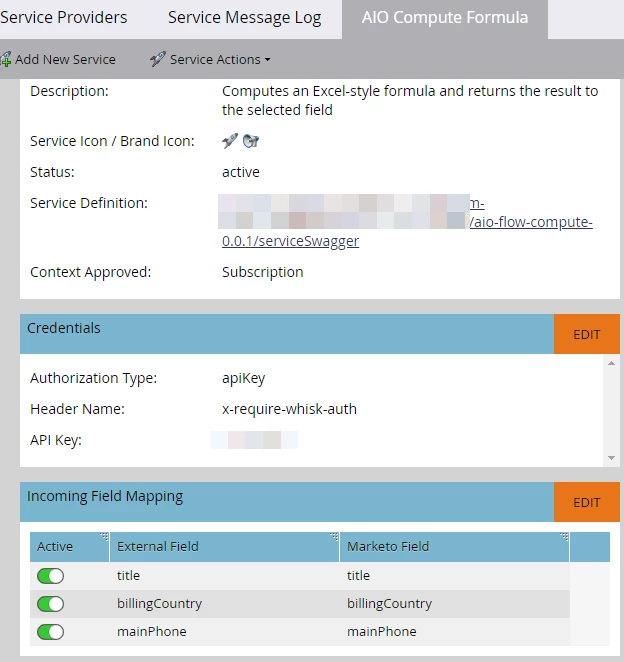
Service setup details with incoming field mapping:
 

A screenshot of the simple task I created:

 

Activity error produced by the step:



This post is no longer active and is closed to new replies. Need help? Start a new post to ask your question.
Best answer by RickSe

I figured it out.  Since I am passing a string token to the function, I need to surround the token with single quotes:

PROPER('{{lead.Billing Country}}')

1 reply

RickSeAuthor
New Participant
November 2, 2023

After a good night's rest, I changed up my testing tactic and supplied a literal value to the formula as such:

PROPER('us')

The produced the value of 'Us' correctly.


However, our install of Compute Formula is not accepting what seems to be a valid token such as:

PROPER({{lead.Billing Country}})

This produces the "token" error mentioned in my original post.

RickSeAuthorAccepted solution
New Participant
November 2, 2023

I figured it out.  Since I am passing a string token to the function, I need to surround the token with single quotes:

PROPER('{{lead.Billing Country}}')