
Convert any link or button to drive faster qualification or meeting booking
In our last blog we discussed how you can leverage Marketo Forms and Dynamic Chat to drive further personalized engagement, in case you missed here is the link
Similar to forms triggering conversational engagement, you can leverage any landing page link or button to trigger similar flows.
Use Cases
- Drive meeting bookings for qualified leads
- Recommend content based on what lead is interested in
- Connect qualified leads to sales through live chat
- Ask more qualified questions
- Share a gated content
- Many more...
Here is how it works
Its just 4 simple steps
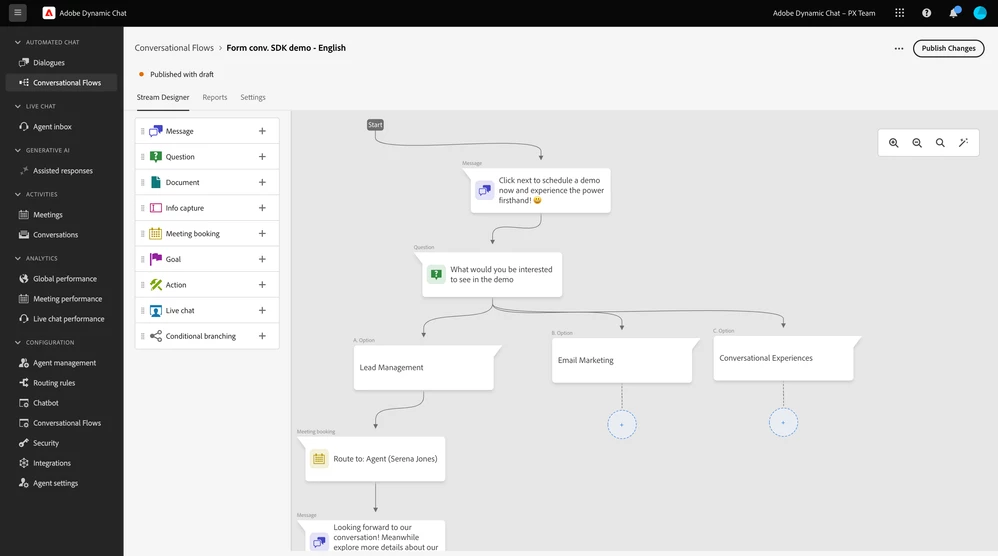
- Design a flow that you would like to trigger in Conversational Flows (Dynamic Chat) and publish the flow
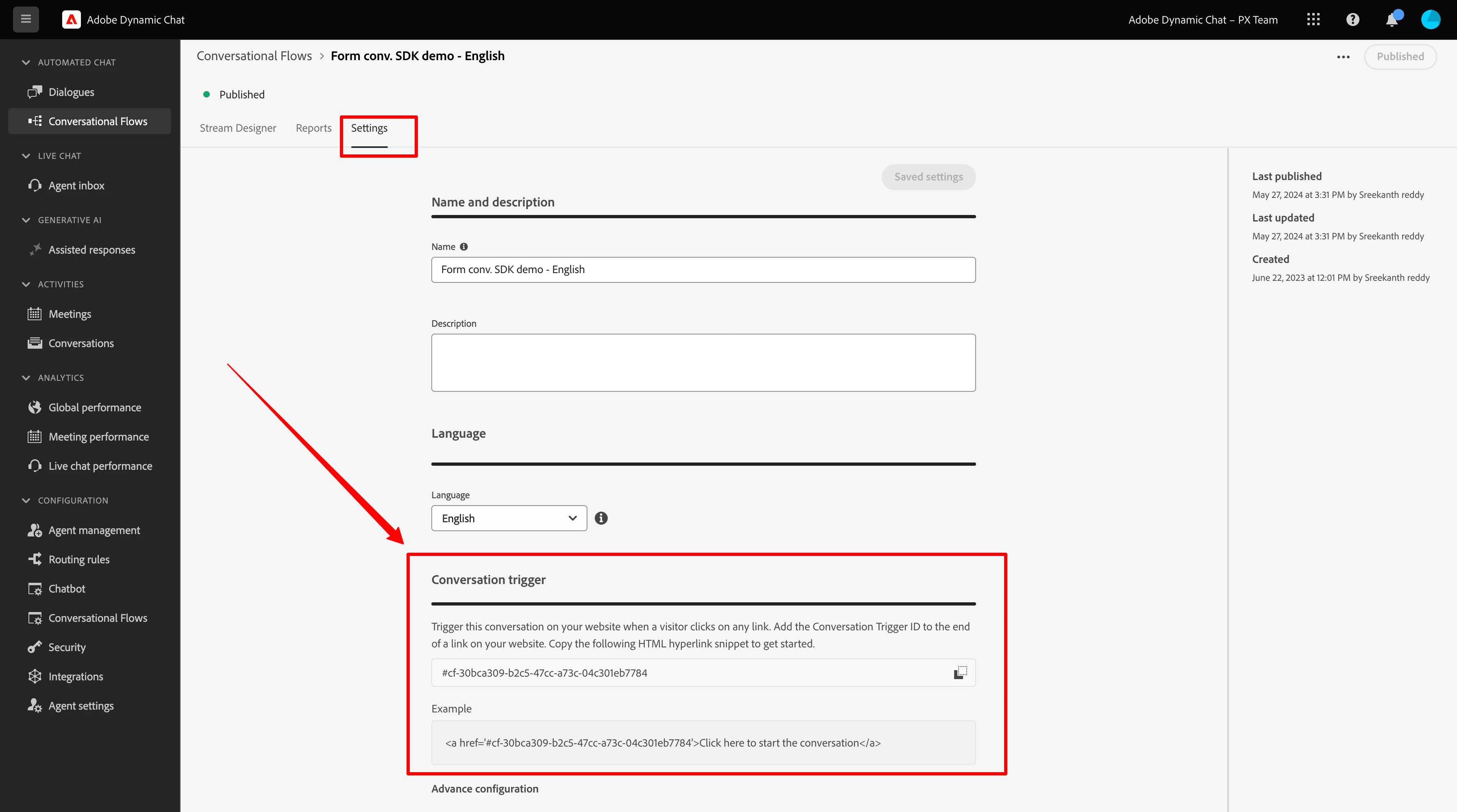
- Goto setting tab inside the conversation flow and copy the trigger hash
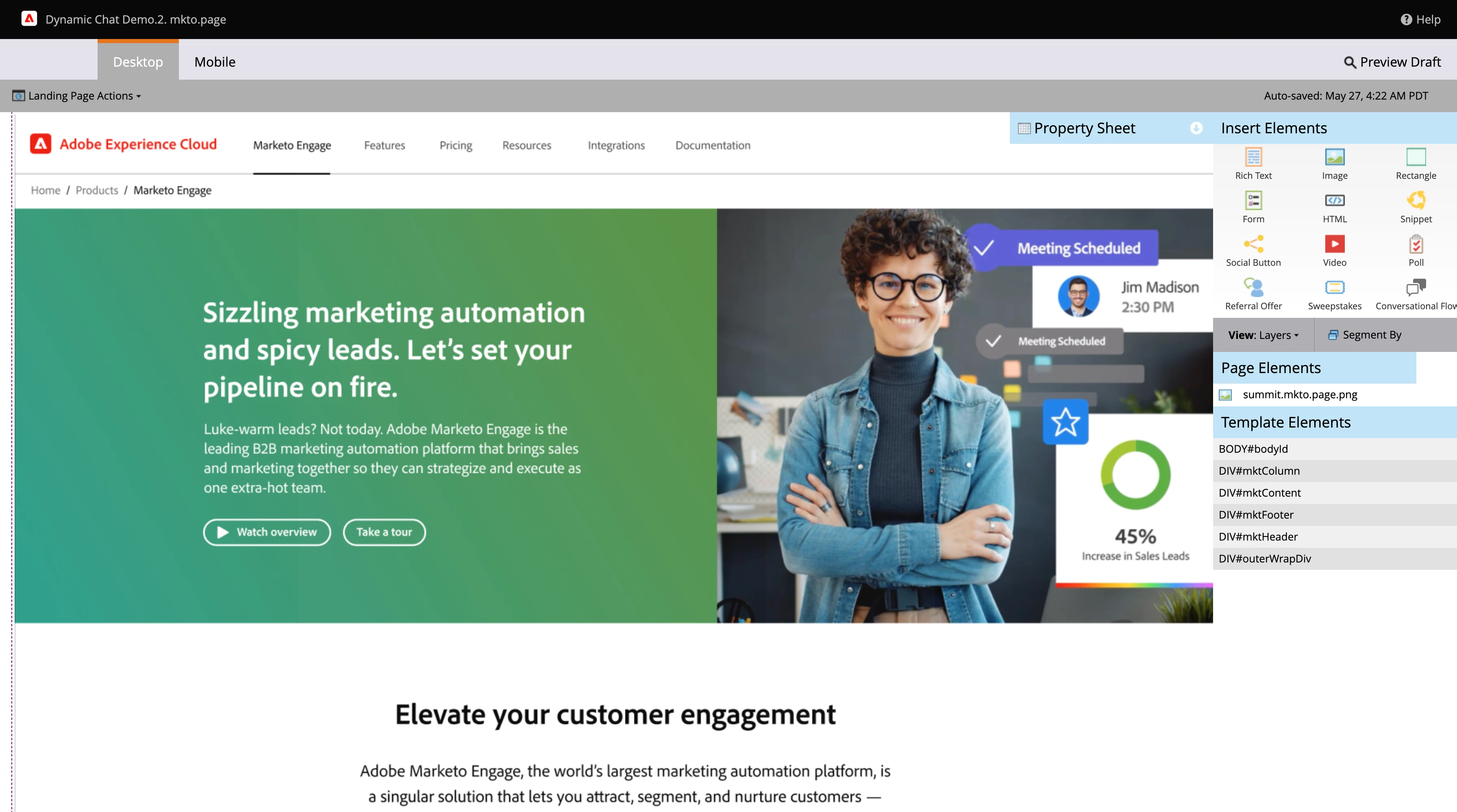
- Goto Marketo landing page in draft mode (same is valid if you are inserting into a non-Marketo landing page)
add new link / button or edit existing one and simply add the hash that you copied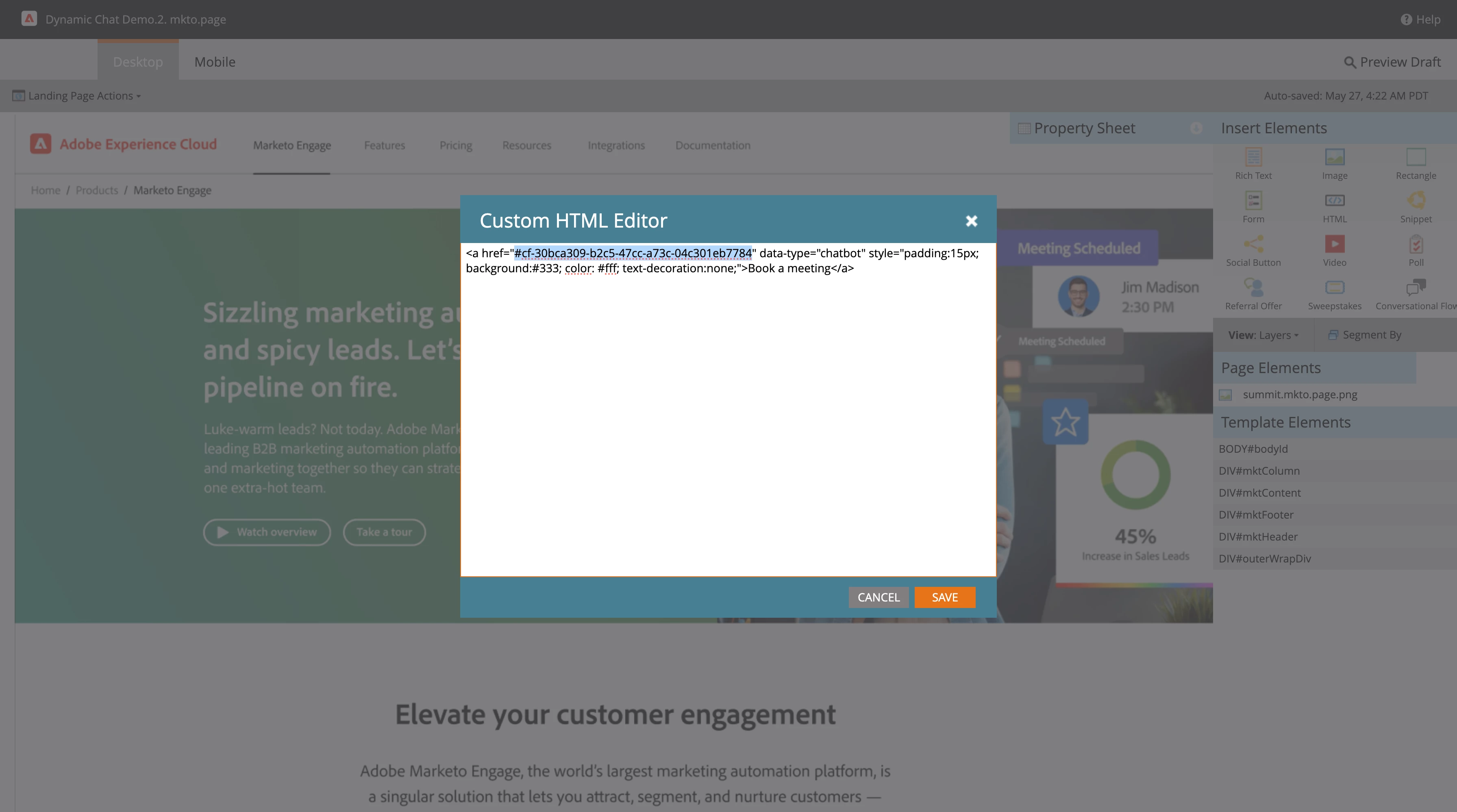
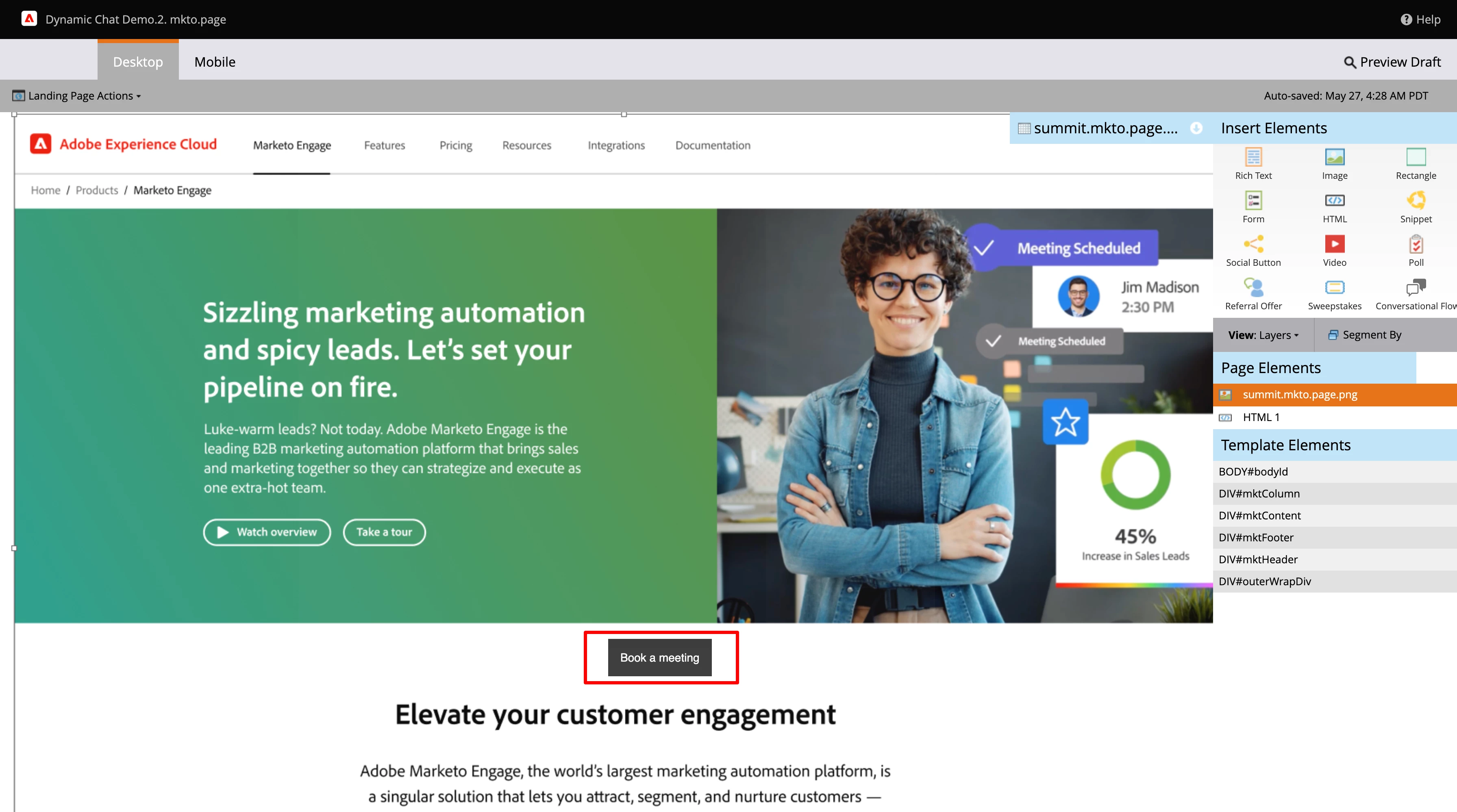
- Ensure you added Dynamic Chat javascript to the landing page and hit publish
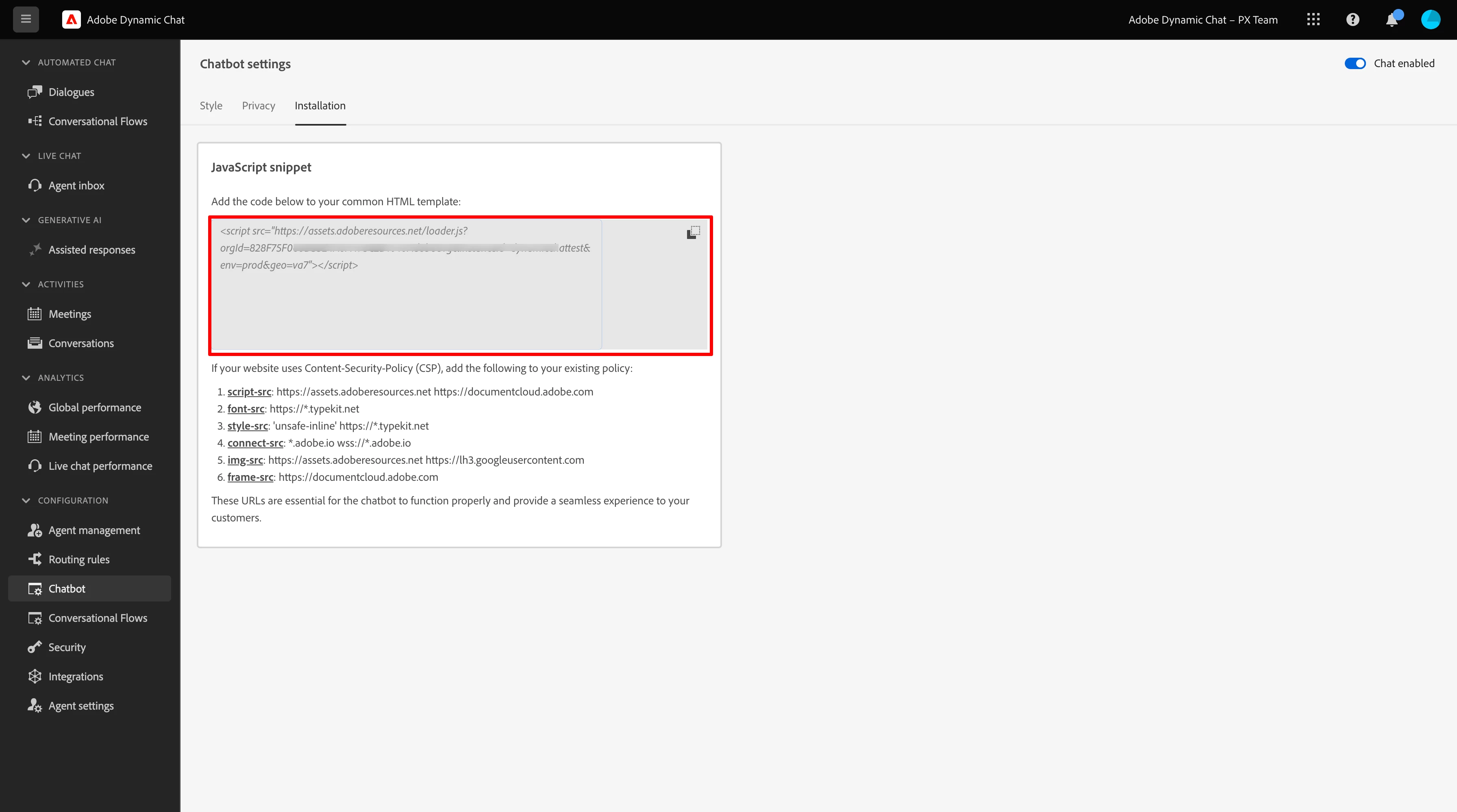
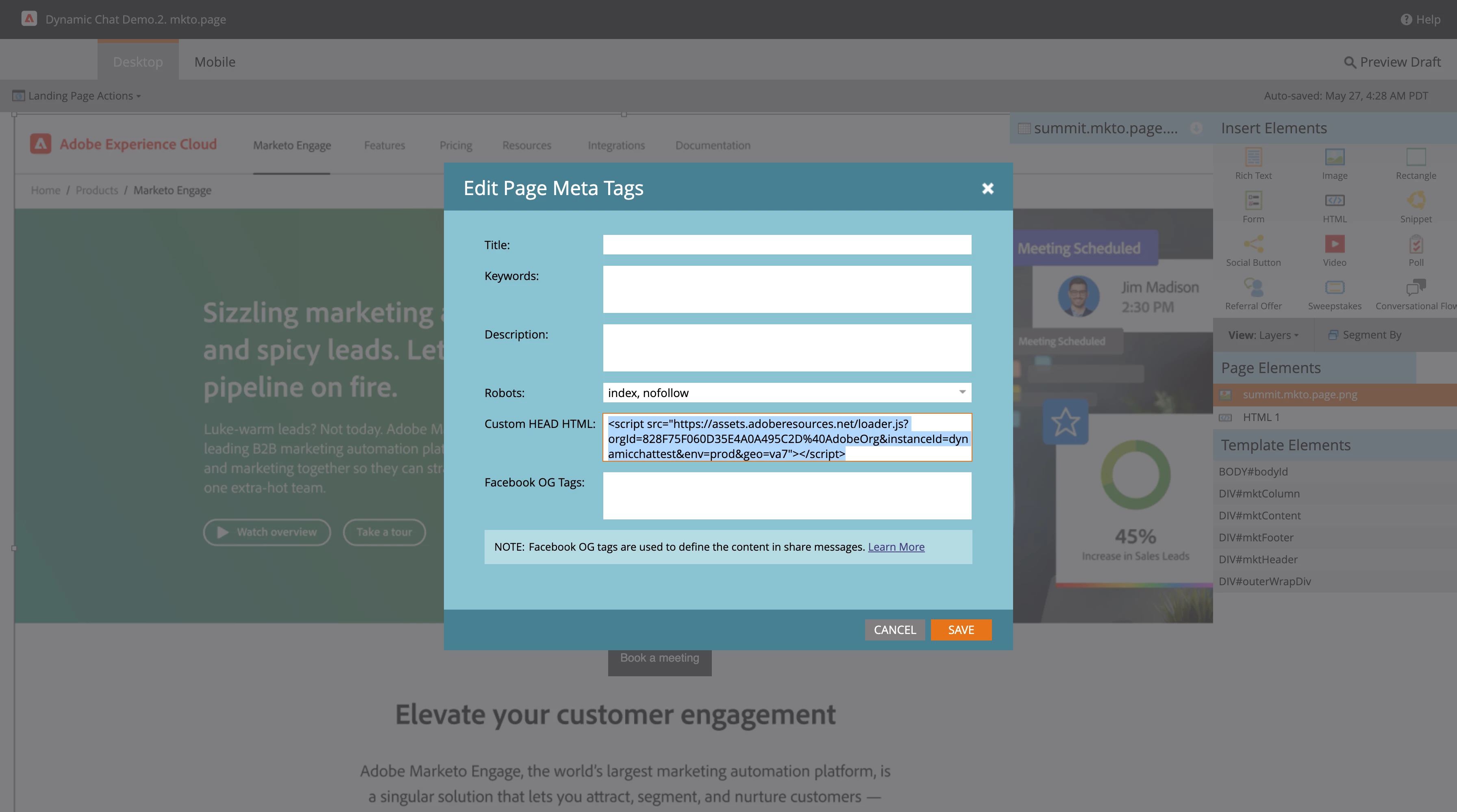
That is all! You have your landing page ready to drive more engagement. Best part is, you can leverage all the this today at no additional cost! Let us know how you plan to leverage this feature for your business.
Here is a step by step video tutorial:
Here is a link where you can find several other interesting usecases you can unlock with Dynamic Chat - https://experienceleague.adobe.com/docs/marketo-learn/tutorials/dynamic-chat/dynamic-chat-overview.html?lang=en
Important Notes:
- We have provisioned Dynamic Chat to all Marketo Engage customers
- User management of Dynamic Chat is different from Marketo Engage (it done through adminconsole.adobe.com)
- By default Marketo admins are added as Dynamic Chat product admins (tutorial)
- If you do not have access please reach out to your admin to provide you the access