Custom Form - Connecting to marketo database | Community
Skip to main content
New Participant
April 20, 2022
Solved

Custom Form - Connecting to marketo database

  • April 20, 2022
  • 1 reply
  • 1527 views

Hi,

I have built a custome landing page which I have imported to a market guided landing page. I'm trying to integrate the form for this page to Marketo's database so I can capture leads. 

I have tried to use the class mktoform as described on mkto's support pages - but it does not seem to be linking to my market database.

(Form code has been highlighted yellow in the image below)
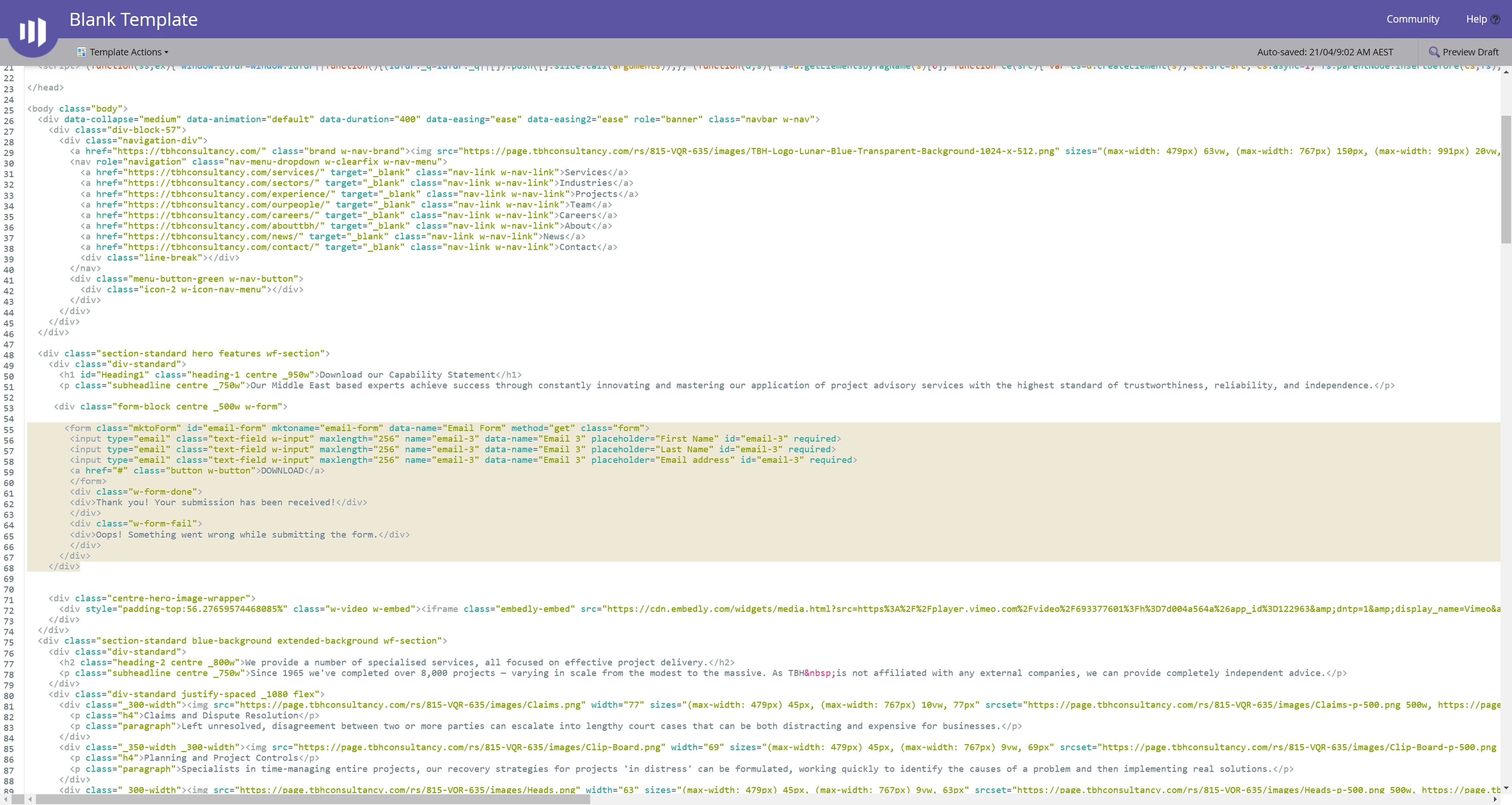


Does anyone have experience with this / can help?

This post is no longer active and is closed to new replies. Need help? Start a new post to ask your question.
Best answer by SanfordWhiteman

I think you’re misunderstanding the purpose of the mktoForm element.


A mktoForm allows you to choose a named Marketo form, i.e. a form created in Marketo Form Editor and stored in Design Studio or Marketing Activities. It’s not for regular HTML forms.


If you want to display a custom HTML form but still post to the Marketo database, you can submit a hidden Marketo form in the background. Note only the (hidden) Marketo form will automatically take advantage of native form pre-fill. So you’ll need to read the pre-filled field block (window.mktoPreFillFields) back into your custom form.

1 reply

SanfordWhiteman
SanfordWhitemanAccepted solution
New Participant
April 21, 2022

I think you’re misunderstanding the purpose of the mktoForm element.


A mktoForm allows you to choose a named Marketo form, i.e. a form created in Marketo Form Editor and stored in Design Studio or Marketing Activities. It’s not for regular HTML forms.


If you want to display a custom HTML form but still post to the Marketo database, you can submit a hidden Marketo form in the background. Note only the (hidden) Marketo form will automatically take advantage of native form pre-fill. So you’ll need to read the pre-filled field block (window.mktoPreFillFields) back into your custom form.