Custom HTML for Known leads | Community
Skip to main content
New Participant
February 14, 2017
Solved

Custom HTML for Known leads

  • February 14, 2017
  • 2 replies
  • 5117 views

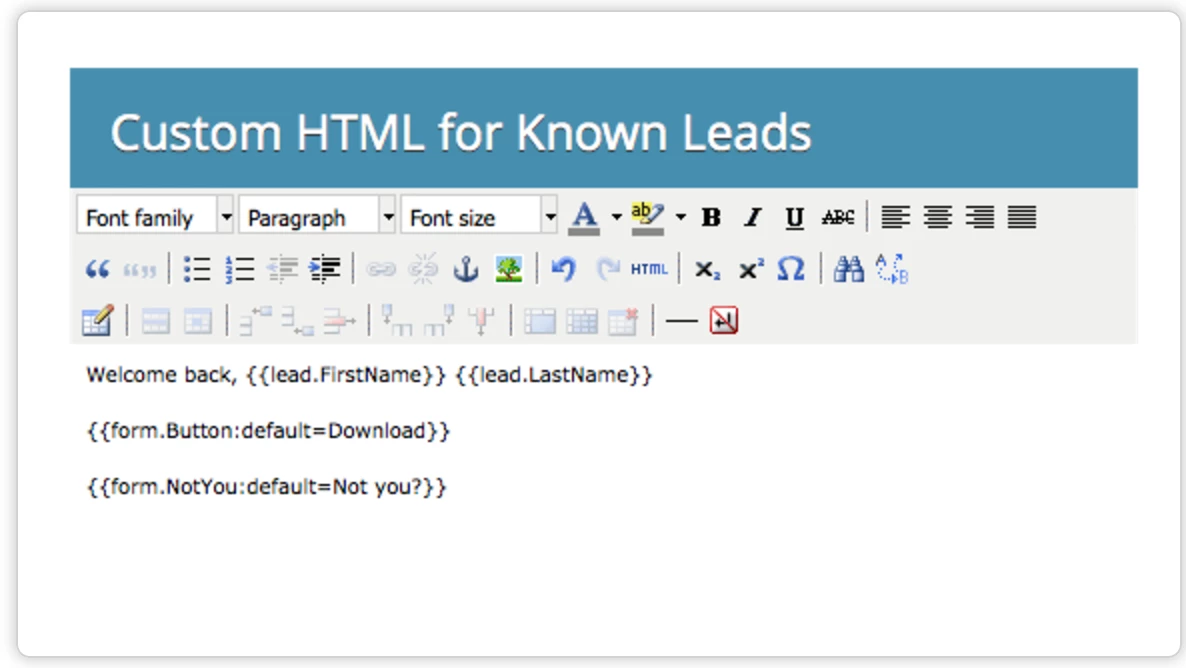
Can anyone help me with Custom HTML form code to accommodate french characters.

I'm trying to change default text Download to Télécharger in form button. But Marketo is not supporting.
Best answer by SanfordWhiteman

I did give you the exact code: add that to your Custom CSS in Form Editor.

2 replies

SanfordWhiteman
New Participant
February 16, 2017

Whoa, large image!

Yes, there's another bug here that I was expecting you to encounter. Don't clear the whole default. Just leave the first letter "V".  Then have just "ous n’êtes pas" in the CSS. Weird, but works.

New Participant
February 16, 2017

Very Wierd.  But ultimately it worked.

SanfordWhiteman
New Participant
February 18, 2017
SanfordWhiteman
New Participant
February 14, 2017

Please move the thread to Products​. (Marketing Central is supposed to be for more general questions as opposed to product support.)

This is a known bug. Simple workaround: set the default button value to empty ( {{form.Button:default=}} ) and use CSS for the button text instead.

.mktoTemplateBox BUTTON[type="submit"]:after {

  content: "Télécharger";

}

New Participant
February 14, 2017

Hi Sanford,

Thanks for your help. I really appreciate it. I'm unable to still fix this.

I'm not a tech guy could you please provide the exact code to be used.

Regards

Pradeep

SanfordWhiteman
SanfordWhitemanAccepted solution
New Participant
February 14, 2017

I did give you the exact code: add that to your Custom CSS in Form Editor.
