Custom Object Field Not Appearing as Constraint
Hi guys,
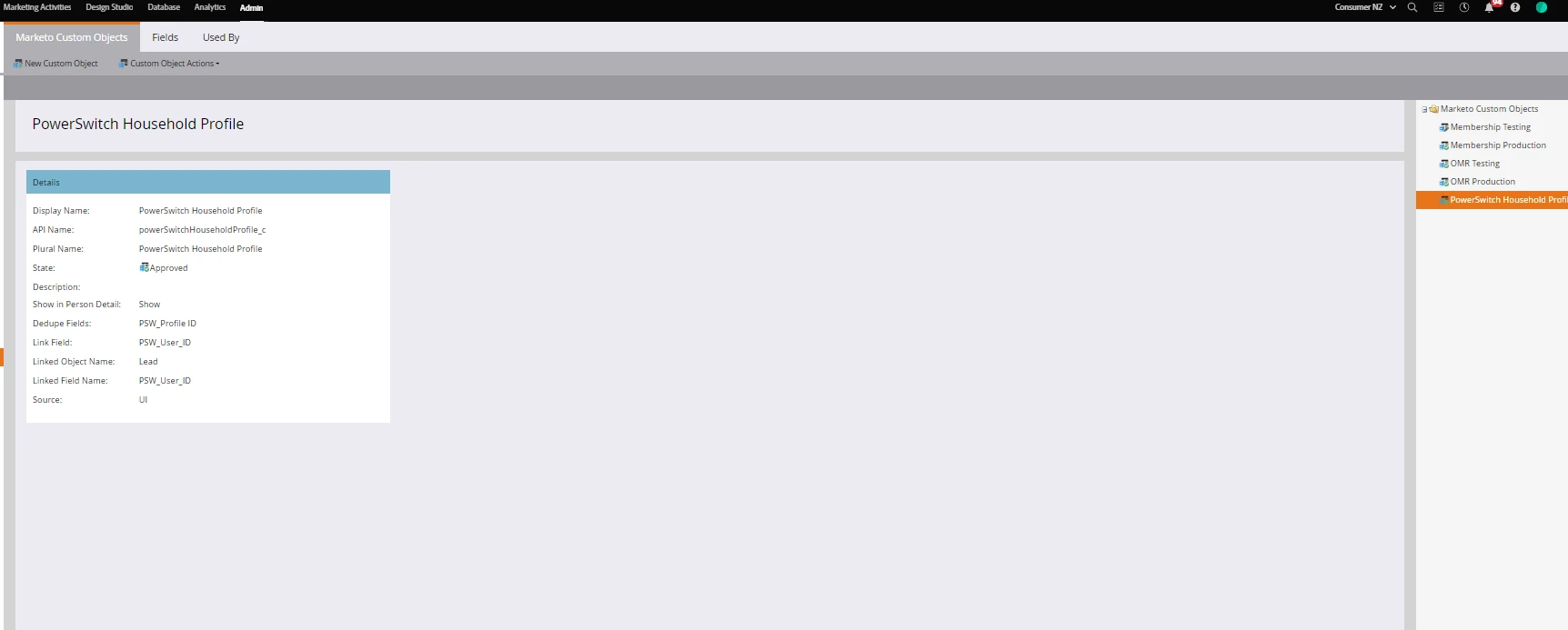
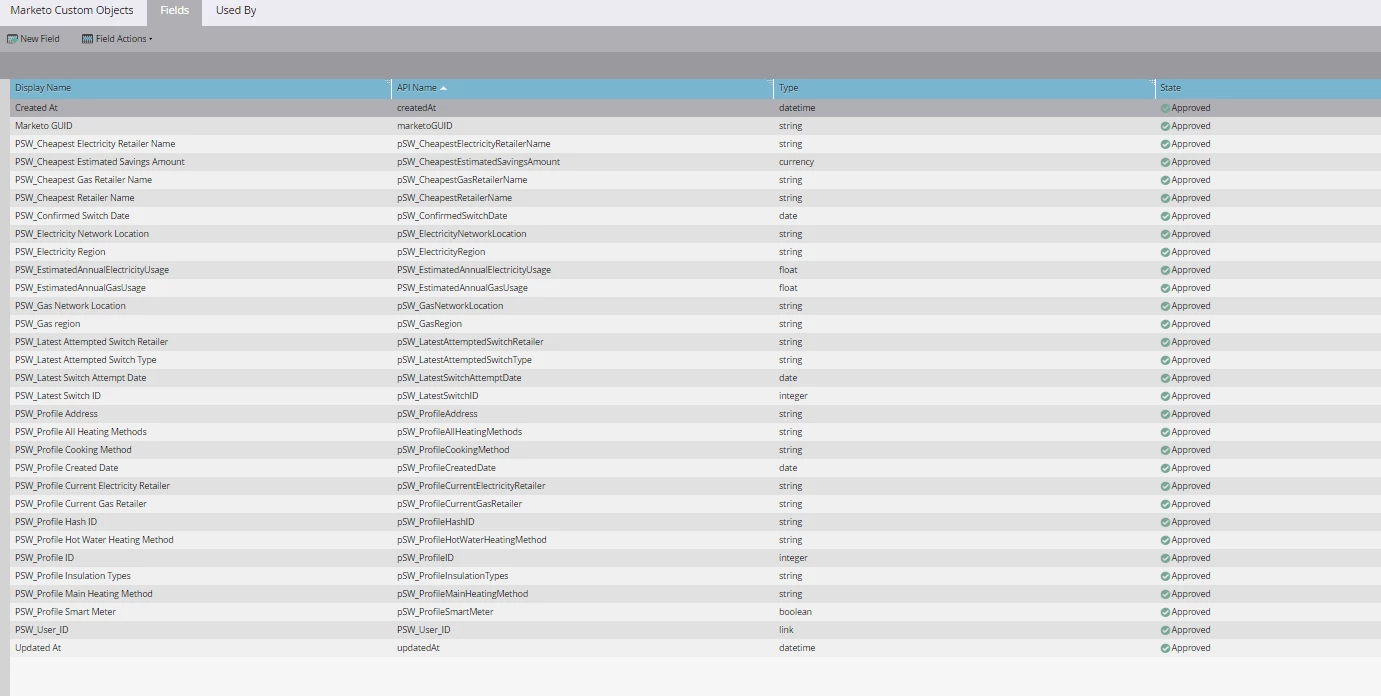
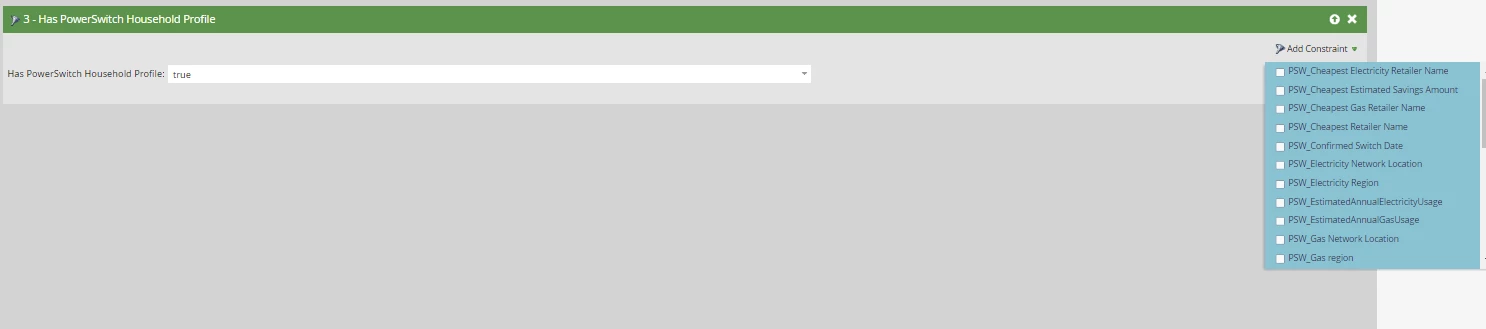
The person before me created a custom object with quite a lot of fields inside it. These fields then show up as constraints inside another field under 'Person Attributes' when configuring smart lists except for two which are 'Created At' and 'Updated At'.
As so, we want to bring those over as constraints together with the others, but I'm not sure how this is setup or what I should do next from here?
These two custom object fields are already approved at the moment and data have been sent to them correctly when I view lead records. We do also have two normal 'Created At' and 'Updated At' fields (I assume these are the standard Marketo ones) that appear in the lead record info page but these are used to capture a different stream of info. And so, ideally, we just want the two custom object fields appear as constraints like the other fields inside that custom object.
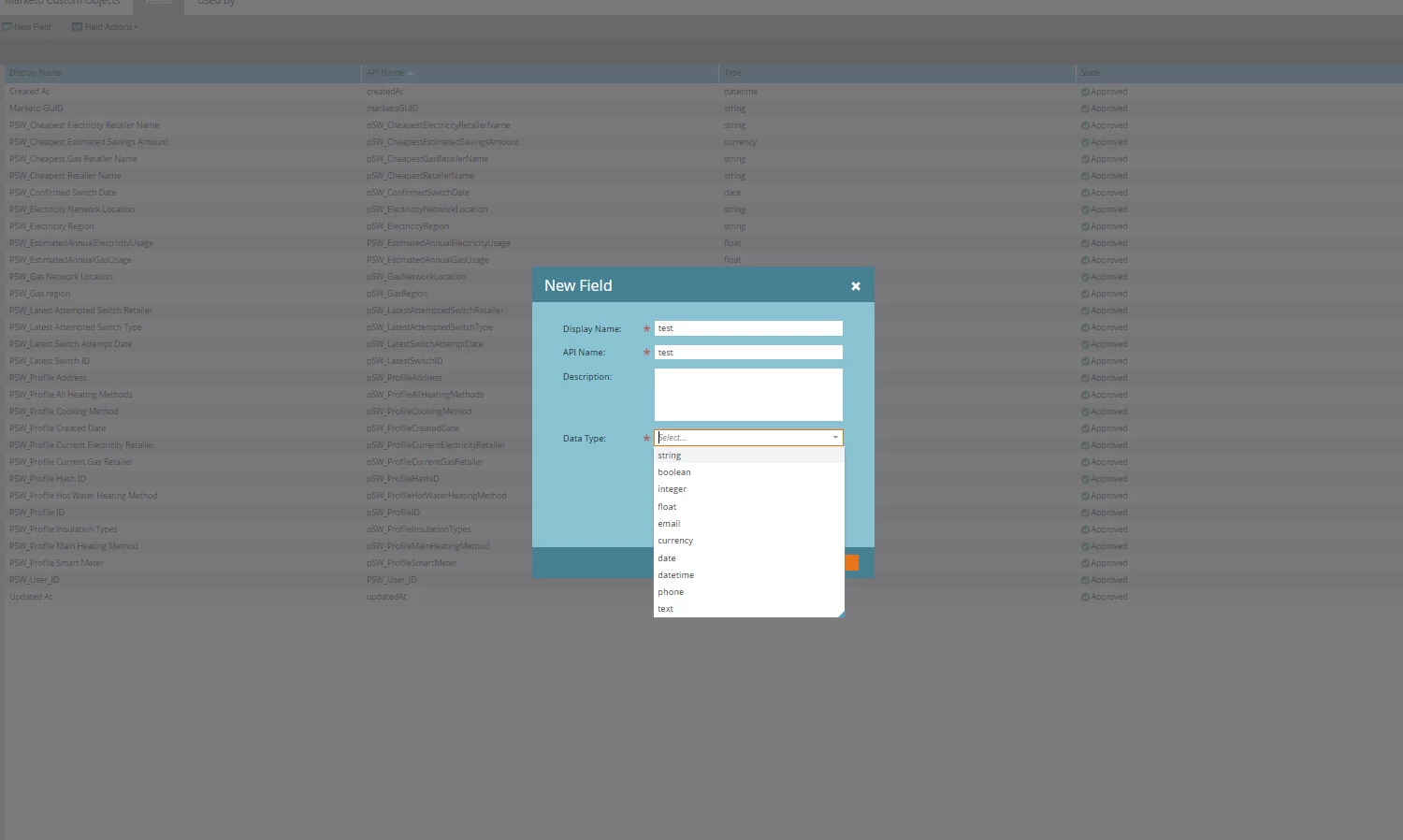
I also reached out to Marketo Support and they said I had to create those as link fields inside that object. However, when I tried to create a new field inside that object, 'link' isn't a datatype option.
I'm new to Marketo so feel free to walk me through this like a 5-year old (may stumble every now and then).
I included some screenshots here as well:
1. The custom object
2. All the custom object fields including 'Updated At' and 'Created At'
3. 'Link' isn't an option when trying to create a new field inside this custom object
4. These custom object fields appear as constraints under another field in smart lists