Custom Objects in Marketo - Part 4 - Bulk Upload | Community
Skip to main content
John_M
Employee
September 18, 2015

Custom Objects in Marketo - Part 4 - Bulk Upload

  • September 18, 2015
  • 12 replies
  • 10559 views

In previous entries in this blog series, I've demonstrated how to upload custom object data into marketo using REST and SOAP.. but did you know its also possible to upload data in bulk.. from the Marketo UI, just like you'd upload Lead Data? It's true, and its really cool. The addition of this feature truly brings custom objects within reach for even non technical Marketo users.

If you recall, when we last left our hero (that's me)  We'd created an Automobile object using the new Custom Objects Interface. Since then the Interface has stealthily shifted around a bit, while maintaining the same functionality.

Fig 1: The Automobile's Definition
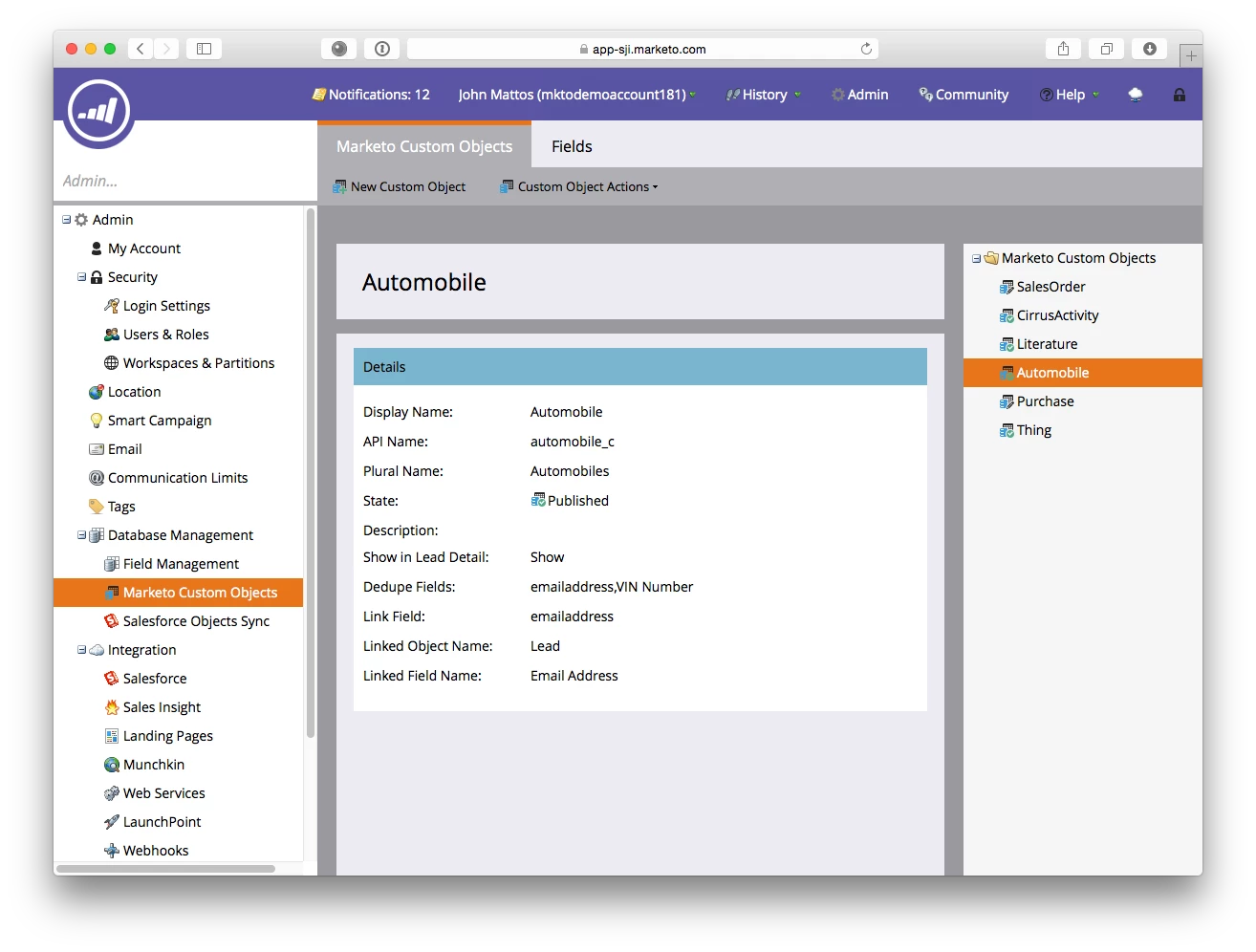
Fig 2: The Automobile's Attributes
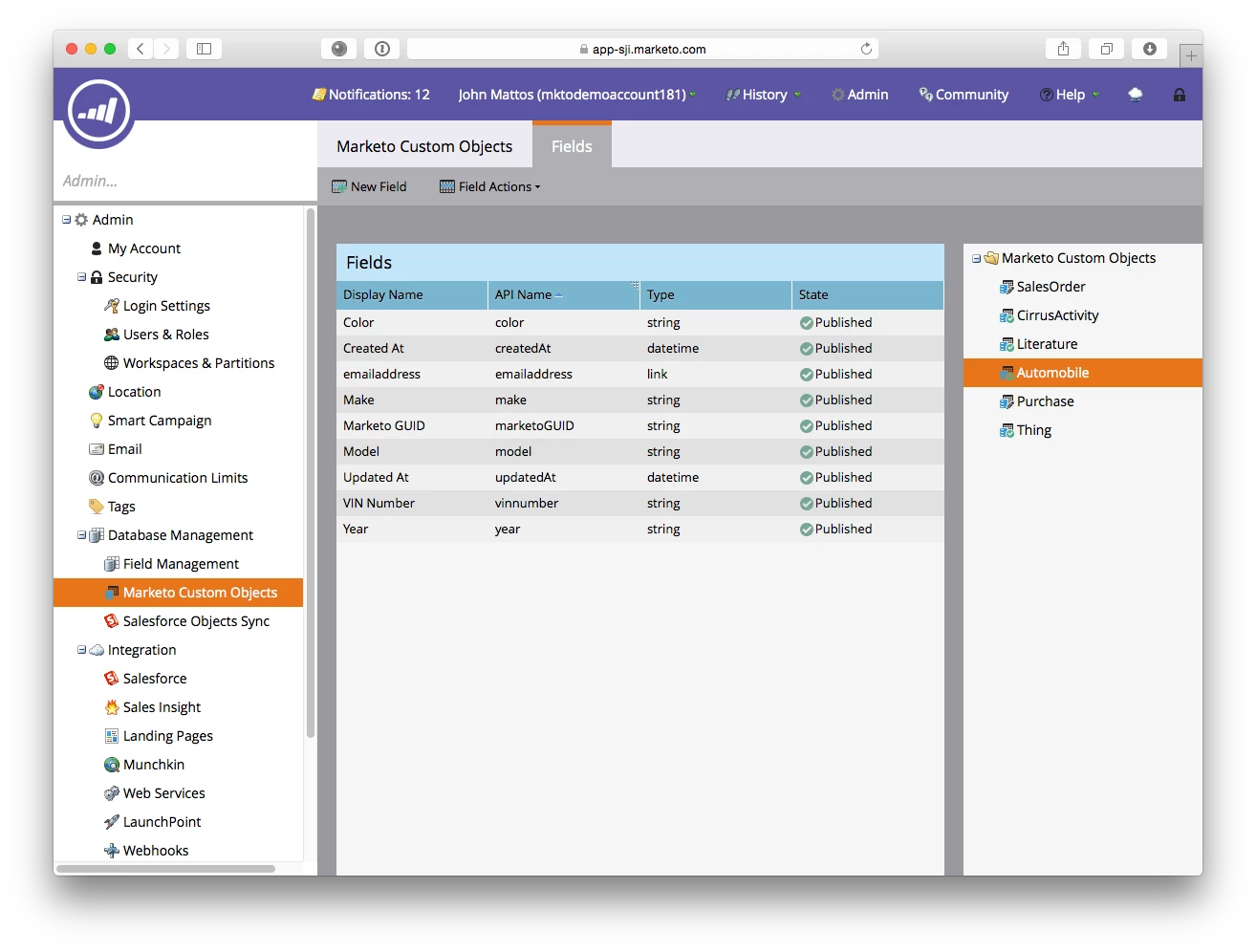
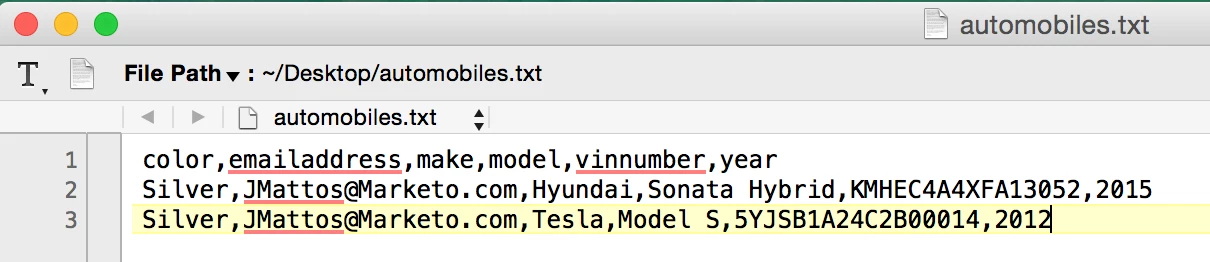
Next up is creating an input file, and here's our sample.
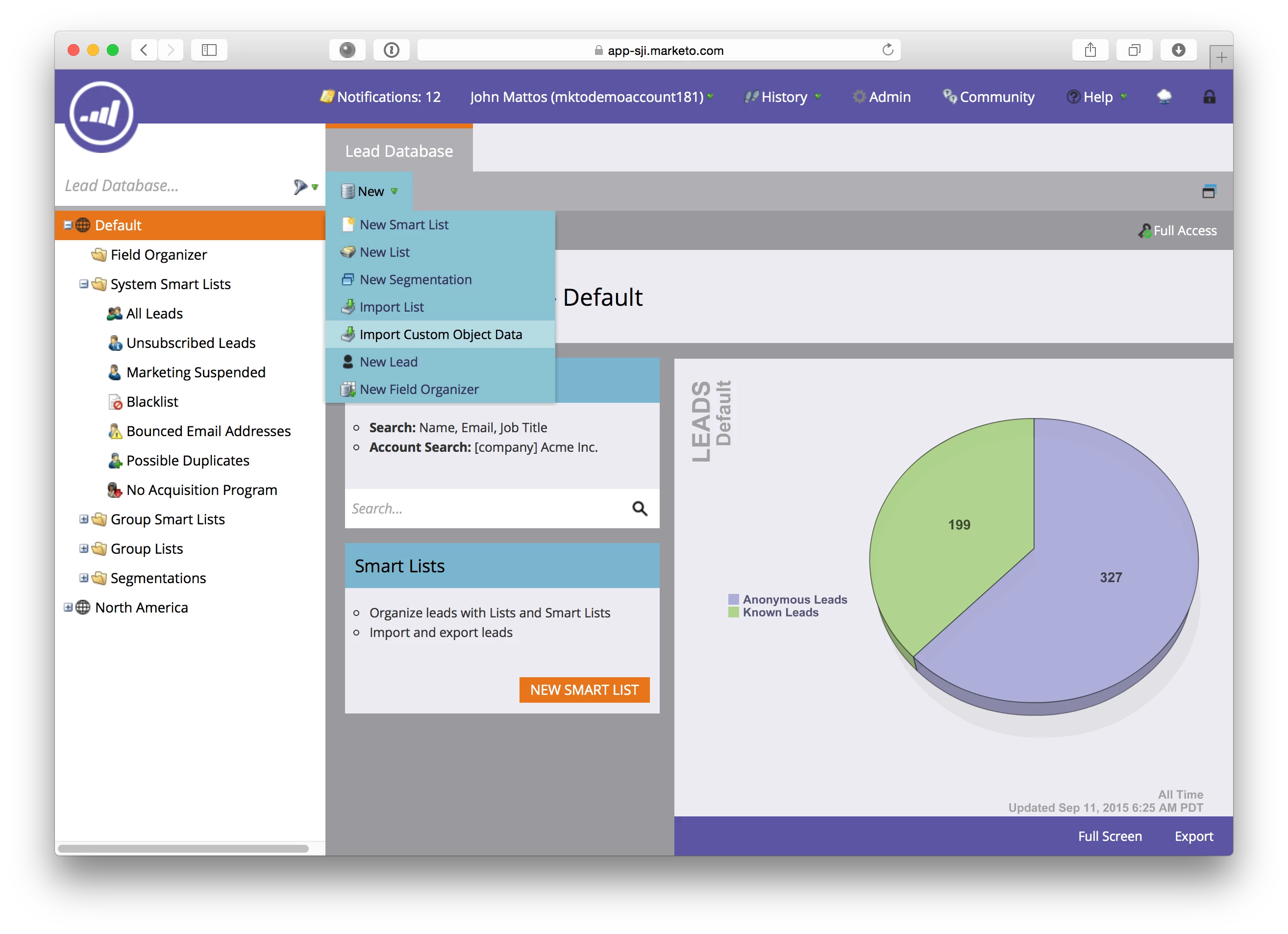
Great! The process is a LOT like uploading bulk leads actually, but here's how it looks. Start out in the lead database under New-->Import Custom Object Data
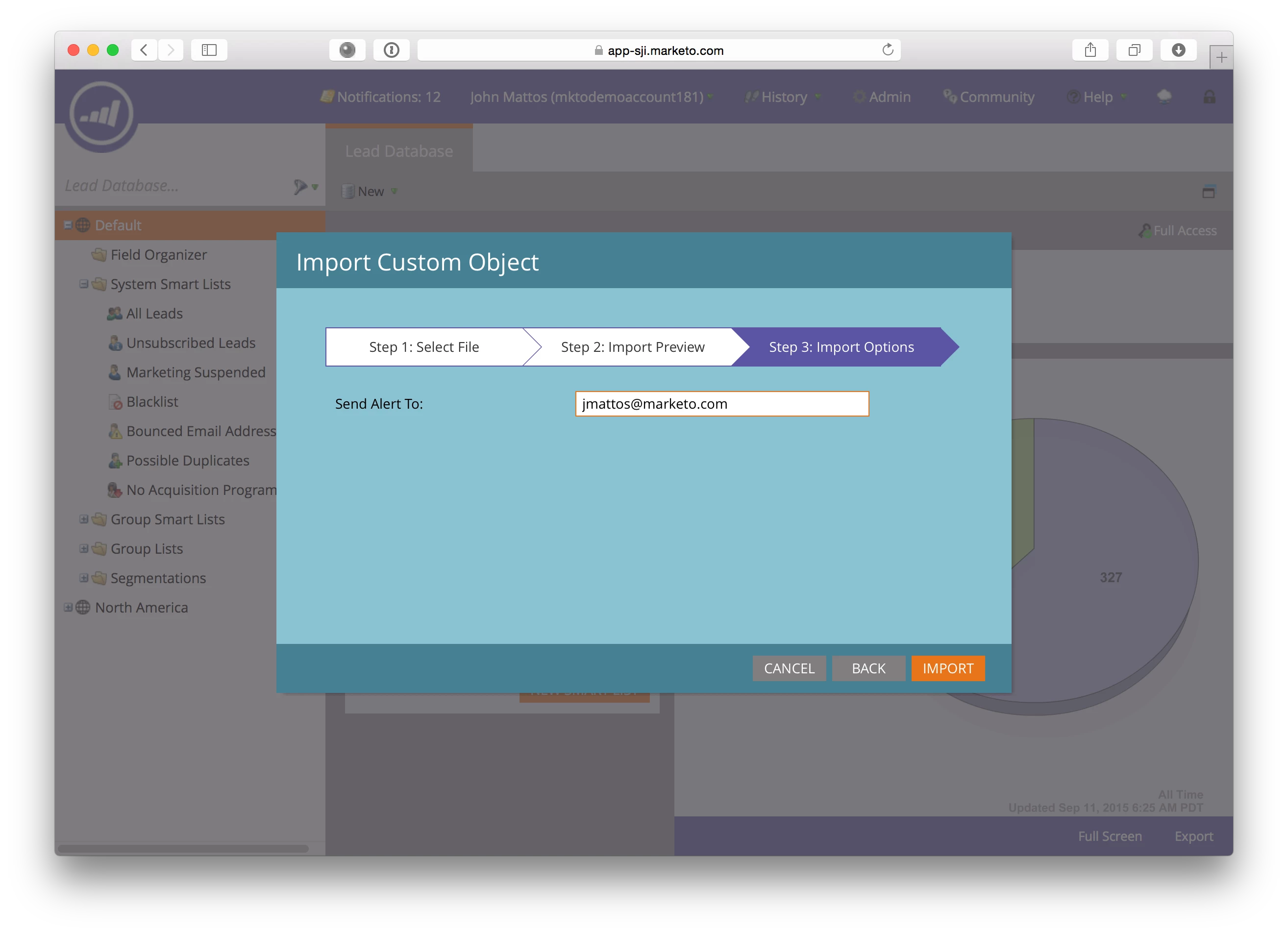
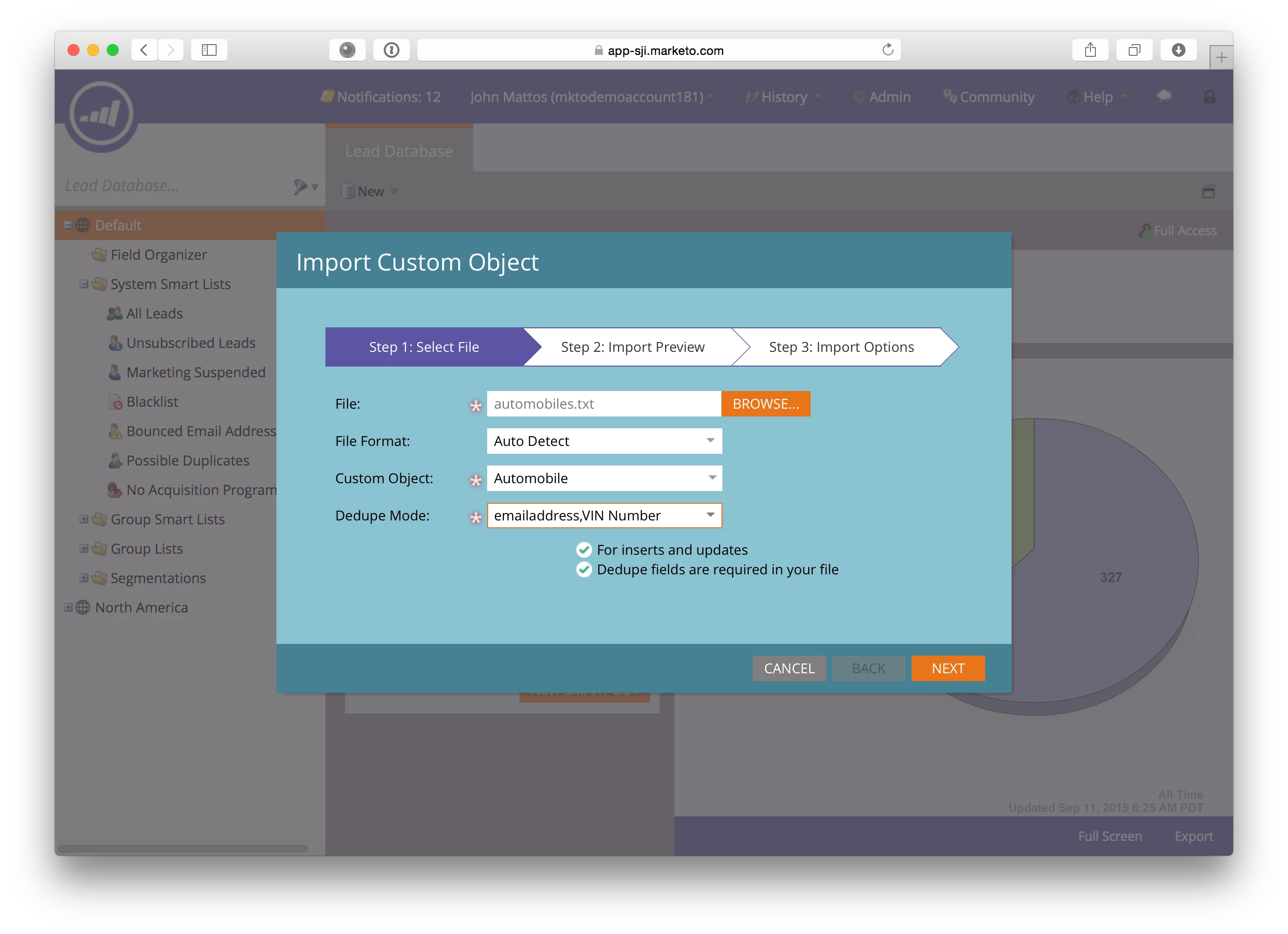
Select your input file, and choose your options. My file was text, autodetected, and Ive chosen to tell Marketo to use my dedupe field and a link field of email address, which is great for inserts and updates. You can also choose the MArketo GUID as the dedupe mode.
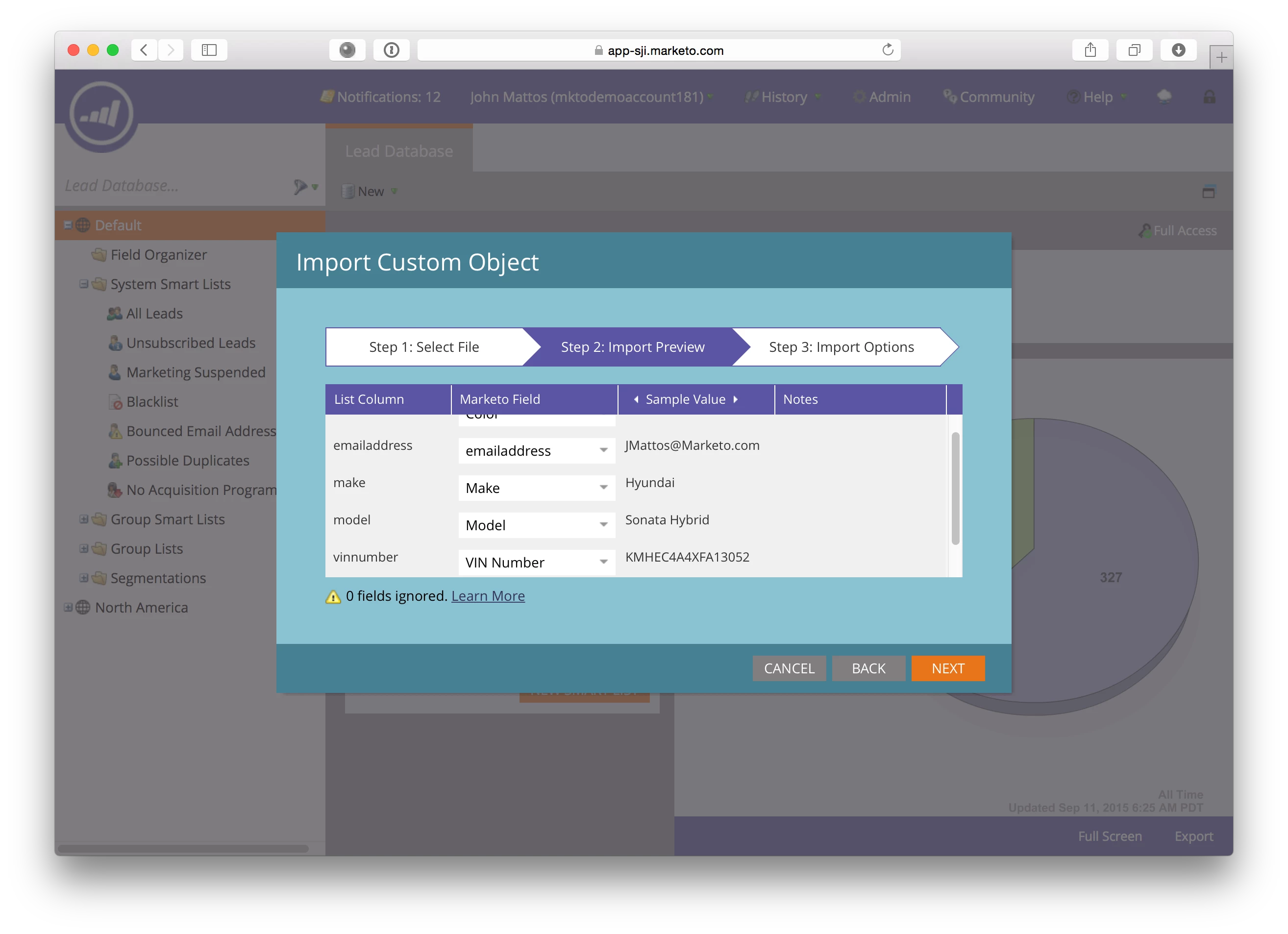
Then.. map the fields to the object fields...
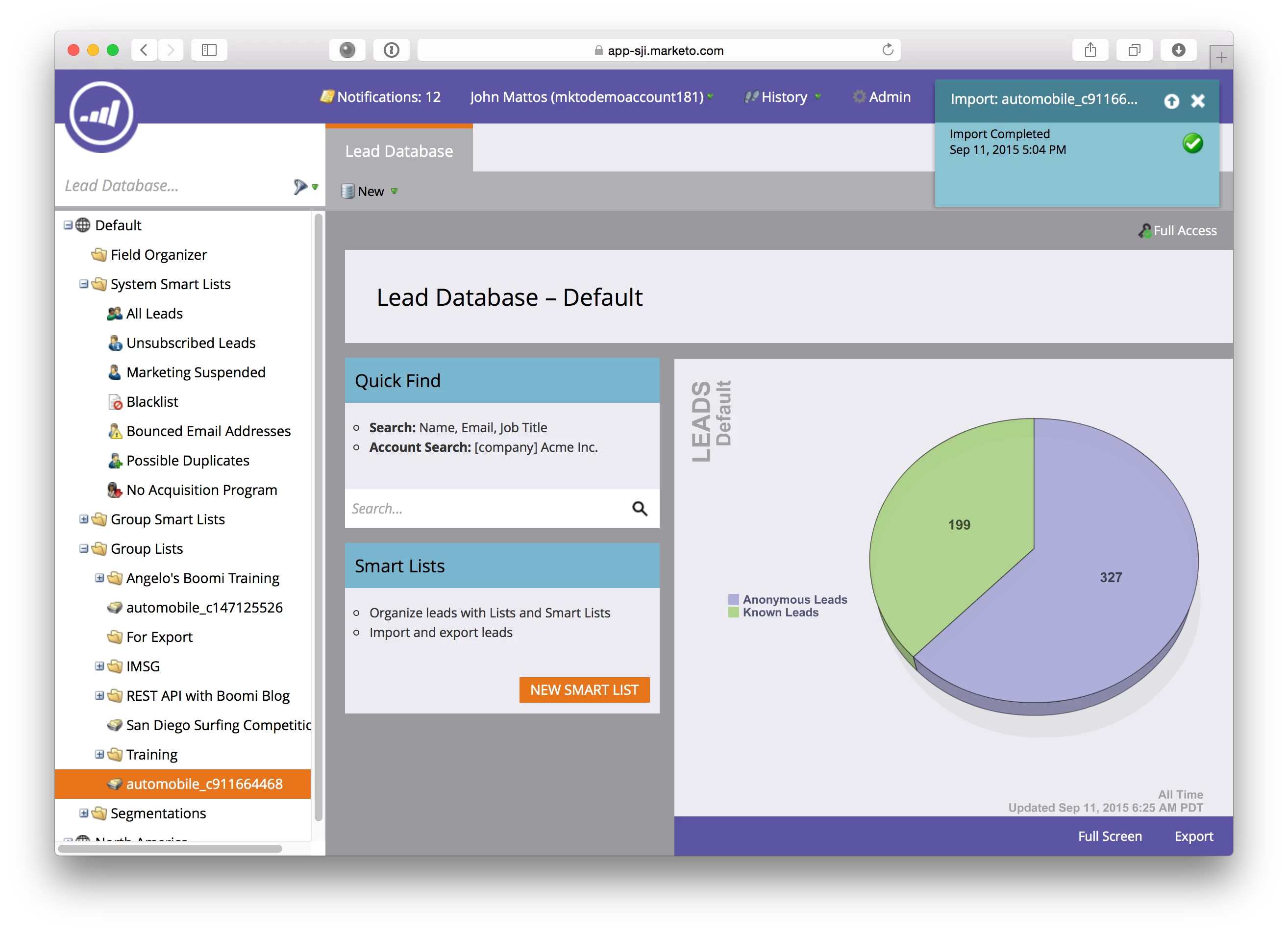
Now you can see the objects in the lead details.
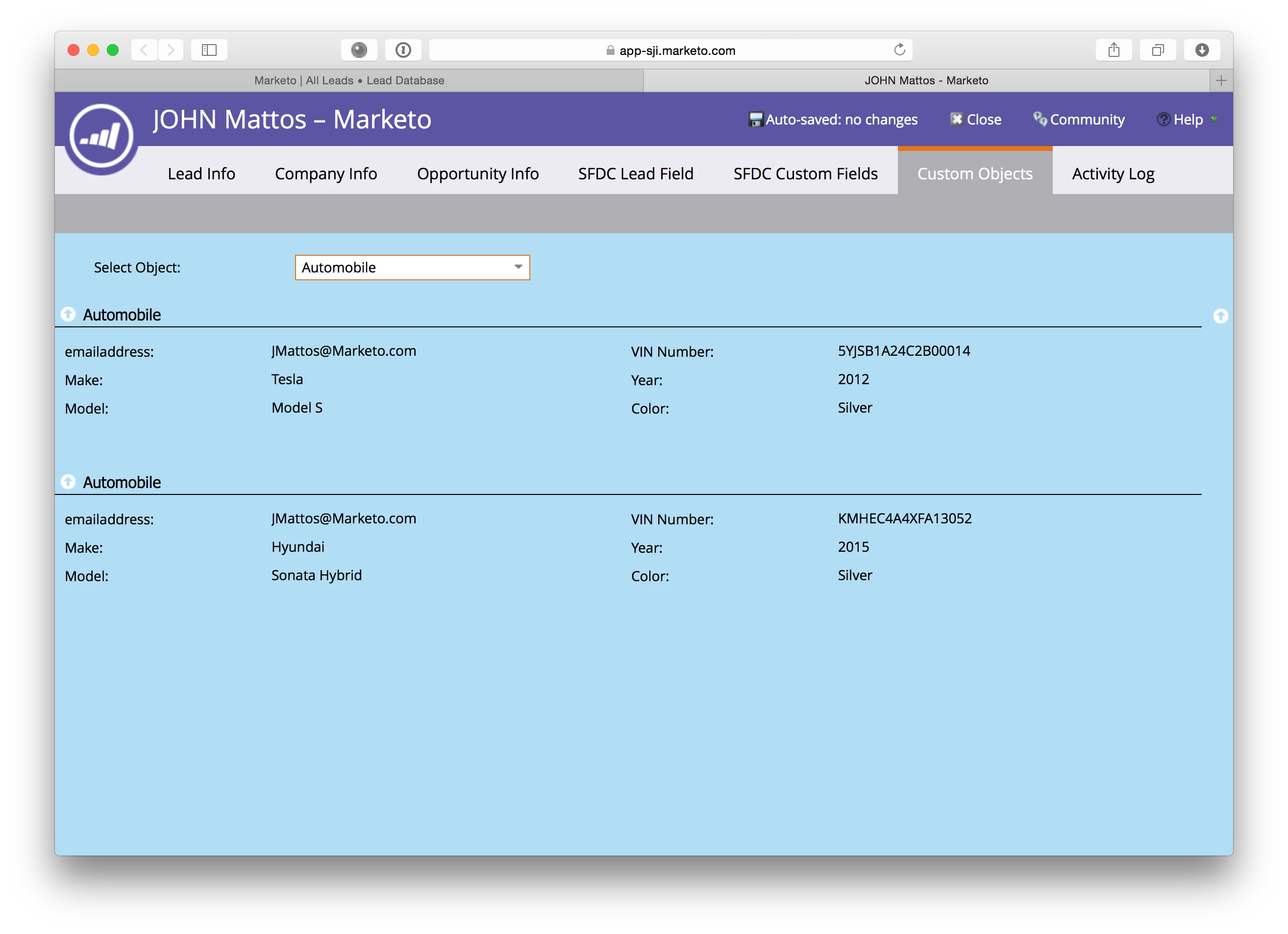
Cool, right?

This post is no longer active and is closed to new replies. Need help? Start a new post to ask your question.

12 replies

Kacper_Gawlik1
New Participant
August 21, 2020

Hello, 
I'd like to follow up here and confirm why am I receiving particualr error during import to CO.

My CO set up looks as per below:


When I am trying to import .csv file I receive message:


When I map the field then I get:


What I am doing wrong?

Appreciate your help!

Thanks,
Kacper

New Participant
January 2, 2018

Super useful, thank you!

August 9, 2017

Hi All,

Has someone tried dedupeFields with Bulk Import Custom Object API?

Even when I used dedupeFields, the API still responds with Error 1003.

{

            "code": "1003",

            "message": "Dedupe field 'product_code' not specified in header"

        },

        {

            "code": "1003",

            "message": "Dedupe field 'customer_id' not specified in header"

}

Appreciate if someone can share how they tackled this?

Cheers,

Waqas

John_M
John_MAuthor
Employee
June 6, 2017

Hey Wyatt.

Looking at this http://developers.marketo.com/rest-api/lead-database/#objects  you can choose to deleteBy "dedupeFields" , and depending on how your object is set up... you can pas sin whatever dedupe fields you like. If your fields are something like "email" and "uniqueID", you can try passing in only one of them, like "email" to see if it deletes all the custom objects associated with that email.

my guess is that it will bark at you that you have to include all of the dedupe fields, meaning there isnt really a way to mass delete.. but I'd definitely try it.

Srujan_Vishwana
New Participant
June 6, 2017

Hi @Wyatt Bales​

Below is a syntax which allows us to delete in mass using objects as key differentiators.

POST /?delete HTTP/1.1

Host: please.provide.your.host.name.here

Authorization: authorization string

Content-Length: Size

Content-MD5: MD5

<?xml version="1.0" encoding="UTF-8"?>

<Delete>

    <Quiet>true</Quiet>

    <Object>

         <Key>Key</Key>

         <VersionId>VersionId</VersionId>

    </Object>

    <Object>

         <Key>Key</Key>

    </Object>

    ...

</Delete>

Let me know if this helps.

Regards,

Sru

New Participant
June 6, 2017

Hi @John Mattos​,

Do you know how to bulk delete via REST API? Pasting all the different marketoGUID's or dedupeFields I want to delete seems really painful. Is there a wildcard or another way to delete in mass?

September 27, 2016

Thank you John for this wonderful overview. I just imported custom object data and it was a successful upload. Yet, the custom object data does not display in my Marketo account. Is there a delay before the data displays in Marketo?

Janine_Willis
New Participant
July 13, 2016

Hi John,

When I process a bulk upload Marketo doesn't remember my field mappings from the previous bulk upload to the Custom Object. Marketo does this when uploading a list upload. Is this something I can reach out to Support to fix or a known issue? It's a real pain to map 40+ fields on a Custom Object every day. Thanks!

John_M
John_MAuthor
Employee
January 14, 2016

Thanks! I think its really cool, and a long time coming

John_M
John_MAuthor
Employee
January 14, 2016

1. Yes! You'll get errors if the fields are incorrectly populated.

2. Yes!

3. I wish... stay tuned.... I've been fighting for that for a LONG time I envision it working like the bulk lead upload API.. nothing yet... but we're talking about.