Custom unsubscribe email footers in Admin ? | Community
Skip to main content
September 2, 2015
Solved

Custom unsubscribe email footers in Admin ?

  • September 2, 2015
  • 2 replies
  • 7986 views

Hi all,

We have 2 types of templates - HTML, promotional templates that are center-aligned for the most part and text, sales-rep-y looking ones that are plain text and left aligned. We have multiple unique designs of each.

Without adding the Unsubscribe link to the footer in every single template as a mkt_editable element, is there a way to have two versions of the Unsubscribe footer in the Admin section that we could use depending on the type of template?

Thanks!

This post is no longer active and is closed to new replies. Need help? Start a new post to ask your question.
Best answer by Dan_Stevens_

We have several email templates with different layouts.  Using snippets is the only scalable approach we've found within Marketo - especially since we have 23 country workspaces which share the same templates and require localized/translated footer content.  This is also very convenient when we have to make a change that will affect many existing/future emails (like the "year").  We also use the system "{{system.unsubscribeLink}}" token for our common unsubscribe link in every one of our snippets.

Here's what every footer looks like in our template:

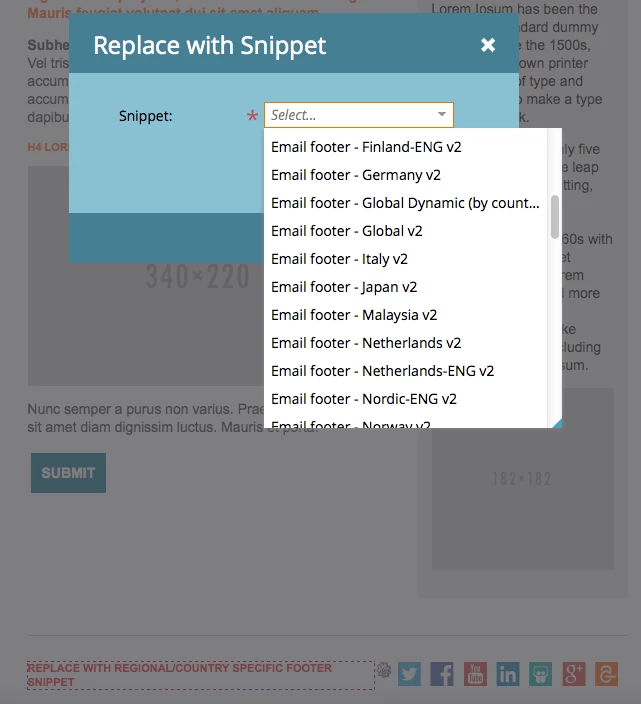
When creating an email based on the template, all a user has to do is simply click on the editable region and select "Replace with Snippet":

This brings up the "Replace with Snippet" selector where all one has to do is select a local, compliant footer snippet to use.  We use the same approach for our social media toolbar:
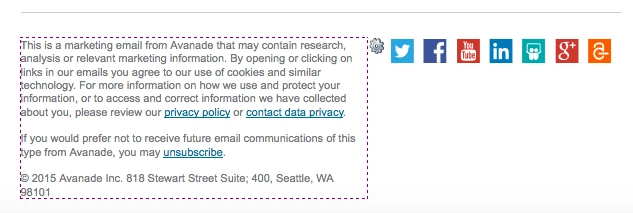
Which results in the red text being replaced with the appropriate snippet:
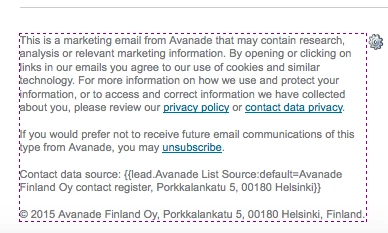
This might be helpful for you as well, @Malik Zafar. Here's a footer with tokens included:
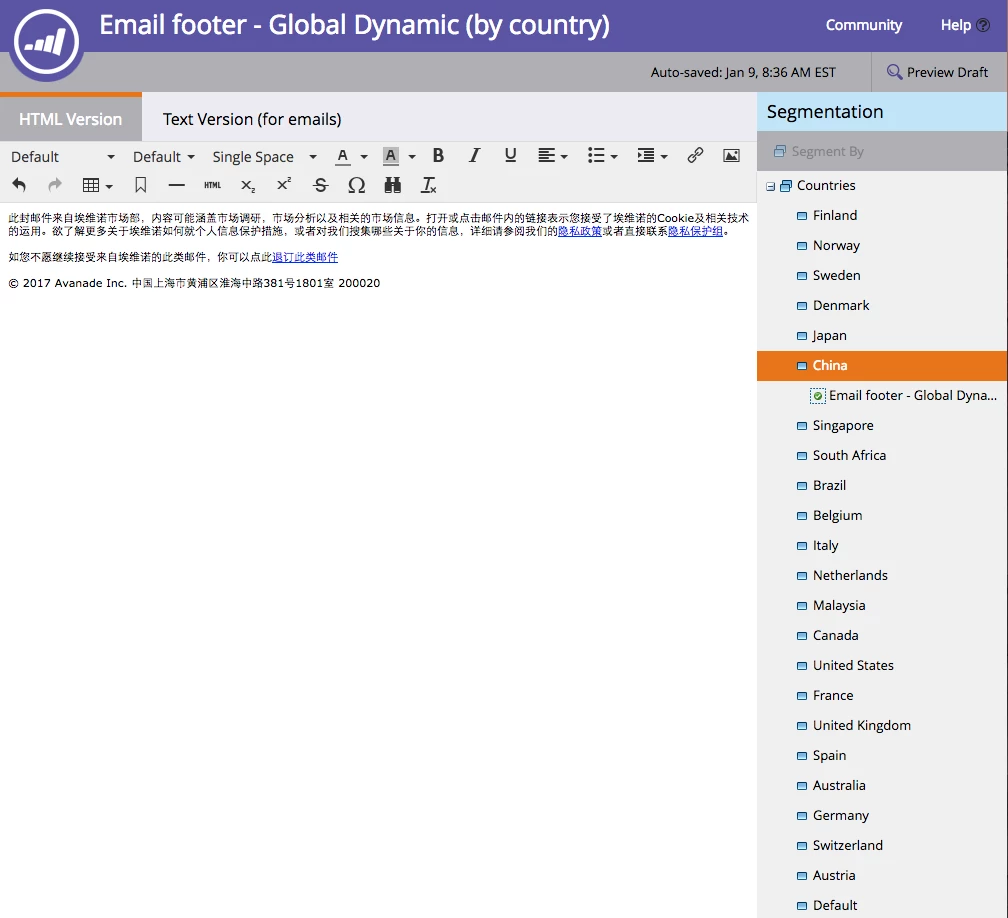
UPDATE: We now use a single, dynamic email footer snippet in all of our emails (instead of individual country snippets), that serves up the localized footer based on a country segmentation:
2 replies

Dan_Stevens_
Dan_Stevens_Accepted solution
New Participant
September 2, 2015

We have several email templates with different layouts.  Using snippets is the only scalable approach we've found within Marketo - especially since we have 23 country workspaces which share the same templates and require localized/translated footer content.  This is also very convenient when we have to make a change that will affect many existing/future emails (like the "year").  We also use the system "{{system.unsubscribeLink}}" token for our common unsubscribe link in every one of our snippets.

Here's what every footer looks like in our template:

When creating an email based on the template, all a user has to do is simply click on the editable region and select "Replace with Snippet":

This brings up the "Replace with Snippet" selector where all one has to do is select a local, compliant footer snippet to use.  We use the same approach for our social media toolbar:

Which results in the red text being replaced with the appropriate snippet:

This might be helpful for you as well, @Malik Zafar. Here's a footer with tokens included:

UPDATE: We now use a single, dynamic email footer snippet in all of our emails (instead of individual country snippets), that serves up the localized footer based on a country segmentation:

Mikes_Jones
New Participant
September 3, 2015

Thanks again @Dan Stevens​, love learning new tips and tricks in Marketo - this is super helpful info.

Josh_Hill13
New Participant
September 2, 2015

If you use the {{system.unsubscribeLink}} token you can do this because it will override the existing default Admin version of the footer.

You could also do this with a Snippet.

September 2, 2015

Good idea, I'll use the token. Thanks!