Customized Activity Sync Note | Community
Skip to main content
Silverline_Admi
New Participant
September 2, 2016
Solved

Customized Activity Sync Note

  • September 2, 2016
  • 1 reply
  • 1812 views

Hey everyone,

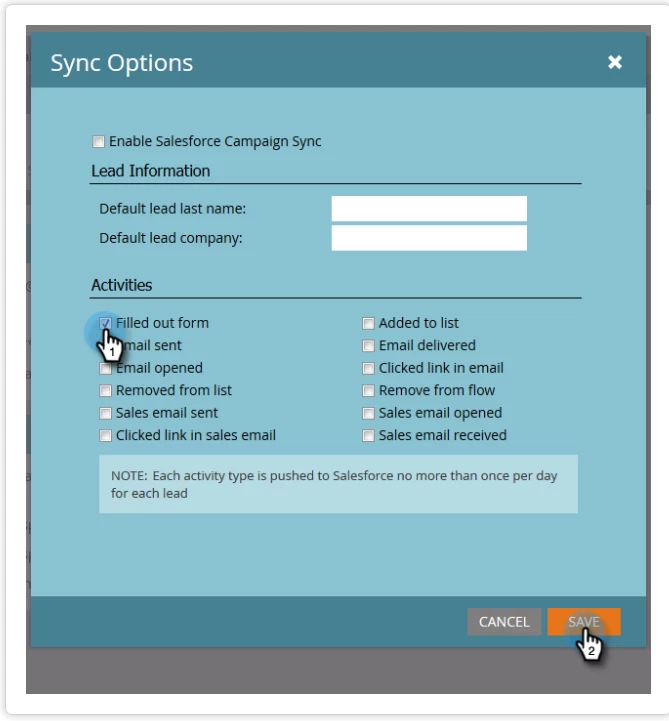
Under the activities sync option, there is a note that states: "Each activity type is pushed to Salesforce no more than once per day for each lead." Any ideas on specifically what is meant there?
This post is no longer active and is closed to new replies. Need help? Start a new post to ask your question.
Best answer by SanfordWhiteman

[Make sure to post support questions to Products.]

You have the right idea 'bout this feature.  You will see only the first activity of a given type per day per lead, both to conserve resources and to stay below hard SFDC API call limits (both could be overwhelmed by logging all opens or sends, though it can be frustrating that Filled Out Form is treated the same way as the others). 

You can use the Create Task flow step to do something similar manually, but again do it sparingly to conserve resources.

1 reply

Silverline_Admi
New Participant
September 4, 2016

Any thoughts here guys? I know this might seem like a silly question... I've just never really recommended syncing activities as it doesn't seem like a great idea to me. It would be really helpful to know, though.

Does this mean that, if a prospect fills out two forms in one day, only one of those will sync as activities? Or if they click 3 emails, they'll only get one activity for that?

SanfordWhiteman
SanfordWhitemanAccepted solution
New Participant
September 7, 2016

[Make sure to post support questions to Products.]

You have the right idea 'bout this feature.  You will see only the first activity of a given type per day per lead, both to conserve resources and to stay below hard SFDC API call limits (both could be overwhelmed by logging all opens or sends, though it can be frustrating that Filled Out Form is treated the same way as the others). 

You can use the Create Task flow step to do something similar manually, but again do it sparingly to conserve resources.
