Data Normalization Problems | Community
Skip to main content
Ed_Selby
New Participant
August 22, 2018
Solved

Data Normalization Problems

  • August 22, 2018
  • 1 reply
  • 2502 views

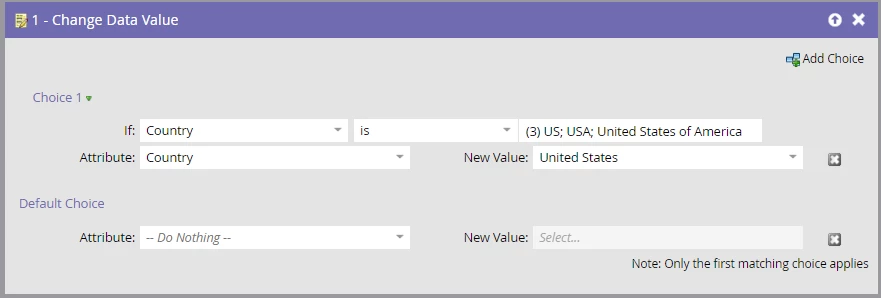
I am trying to normalize countries in my Marketo DB by changing all US, USA, and United States of America to the Marketo standard of United States.

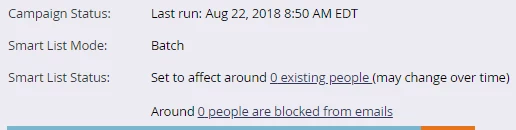
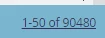
My smart list shows 90,480 records that meet one of those critera; however, in my Smart Campaign, when I use the EXACT same Smart List criteria and select Schedule, I see "Set to affect around 0 existing people"

What am I missing here?

This post is no longer active and is closed to new replies. Need help? Start a new post to ask your question.
Best answer by Dan_Stevens_

First, there is no need for the Choice in the flow step since you are already defining this criteria in your smart list.  Secondly, it appears that you previously ran this campaign earlier today.  By chance, did the same leads qualify for that earlier run - and if so, do you have the schedule setup to allow users to run through this "only once" (instead of "every time")?

1 reply

Dan_Stevens_
Dan_Stevens_Accepted solution
New Participant
August 22, 2018

First, there is no need for the Choice in the flow step since you are already defining this criteria in your smart list.  Secondly, it appears that you previously ran this campaign earlier today.  By chance, did the same leads qualify for that earlier run - and if so, do you have the schedule setup to allow users to run through this "only once" (instead of "every time")?

Ed_Selby
Ed_SelbyAuthor
New Participant
August 22, 2018

I *think* the "only once" vs "every time" was part of the issue. I had a whole campaign set up to correct a lot of country name issues overnight, and none of them updated. I tried to run it again this morning manually - one country block at a time. So far, the "every time" fixes the now issue although the "why didn't it run last night" issue remains.